Not every good laptop needs an OLED screen or dedicated graphics. Most work still happens in browsers, documents, meetings and spreadsheets. The Samsung Galaxy Book6 is designed around those everyday jobs, with a large screen, current Intel processors and a wide choice of ports. Its challenge is convincing people that sensible hardware is enough when the Pro model looks far more exciting.
This Samsung Galaxy Book6 review is a desk-research editorial assessment. Specs Universe has not physically tested the laptop. Every hard specification comes from the published Specs Universe record for the 16-inch 16GB configuration. Official Samsung information, independent reports and recurring owner discussions provide additional context. We clearly separate manufacturer claims from measured evidence.
Samsung Galaxy Book6 review: quick verdict
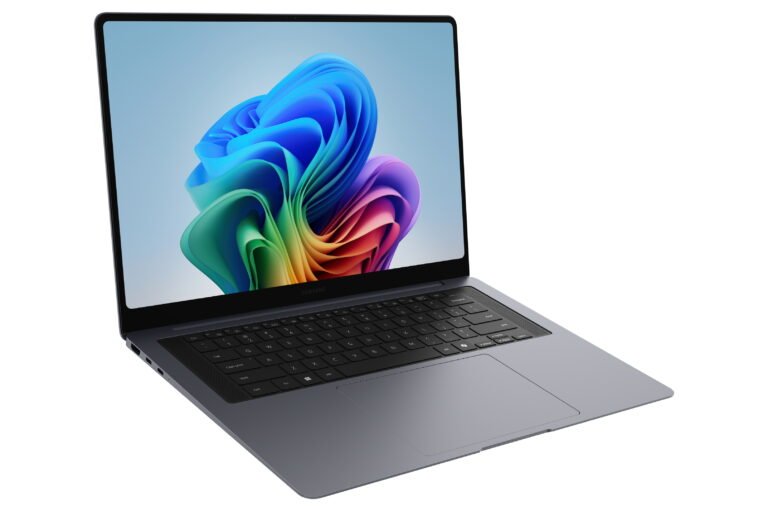
The Galaxy Book6 16-inch 16GB is a practical Windows laptop for office work, study, home use and general multitasking. Its strongest qualities are not flashy. A 16-inch IPS LCD gives documents and spreadsheets plenty of room. The 61.2Wh battery supports long working days, while a 45W USB-C adapter keeps the charger manageable. The port selection includes Ethernet, HDMI, USB-C, USB-A and microSD, which reduces the need for adapters.
The canonical configuration uses 16GB of LPDDR5X memory. Processor choice is either an Intel Core Ultra 7 355 or Core Ultra 5 325, depending on the selected model. Graphics are listed simply as Intel Graphics. Storage is a 512GB or 1TB M.2 PCIe 4.0 SSD, and internal SSD expansion is supported. That combination is suitable for normal productivity and lighter creative work. It is not intended for demanding games or heavy GPU rendering.
The screen is where the standard model gives up the most ground. Its 1920 x 1200 resolution, 60Hz refresh rate and 350-nit brightness are reasonable for office use. However, the IPS panel cannot match the deeper blacks, stronger contrast or smoother motion of Samsung’s Dynamic AMOLED 2X screens. Touch input is not supported on this exact configuration.
Value therefore decides the recommendation. The standard Book6 makes sense when it is clearly cheaper than the Book6 Pro. It is also the more practical choice when wired Ethernet, two USB-A ports and straightforward office performance matter more than a premium display. If the price gap becomes small, the Pro model’s screen and lower weight are worth serious consideration.
The exact 16-inch 16GB model
Samsung sells several machines with similar names. The standard Galaxy Book6 is not the Book6 Touch, Pro, Edge or Ultra. This article remains tied to device record 3943 and does not borrow hardware from those models.
- 16-inch IPS LCD without touch support
- 1920 x 1200 resolution, 60Hz refresh rate and 350-nit brightness
- Intel Core Ultra 7 355 or Core Ultra 5 325, depending on configuration
- Intel Graphics
- 16GB LPDDR5X memory
- 512GB or 1TB M.2 PCIe 4.0 SSD, depending on configuration
- 61.2Wh battery and 45W USB-C charging
- Wi-Fi 6E and Bluetooth 5.4
- Windows 11 Home
Sixteen gigabytes of memory remains a sensible baseline for Windows productivity. It can support many browser tabs, communication apps, documents and normal photo work at the same time. Still, the device record does not promise user-upgradeable RAM. Anyone who regularly works with large virtual machines, professional video projects or complex datasets should consider a 32GB laptop from the beginning.
The storage story is better. A 512GB drive suits cloud-based work and normal application use, while 1TB gives local media and project files more space. Samsung supports an internal expansion slot, although its exact format differs by laptop size. That flexibility can extend the useful life of the machine even when the memory remains fixed.
The large screen favors work over spectacle
A 16-inch display is comfortable for long documents, large spreadsheets and two windows side by side. The 1920 x 1200 resolution also provides more vertical room than a traditional 16:9 Full HD panel. Text and interface elements should remain easy to read without aggressive Windows scaling.
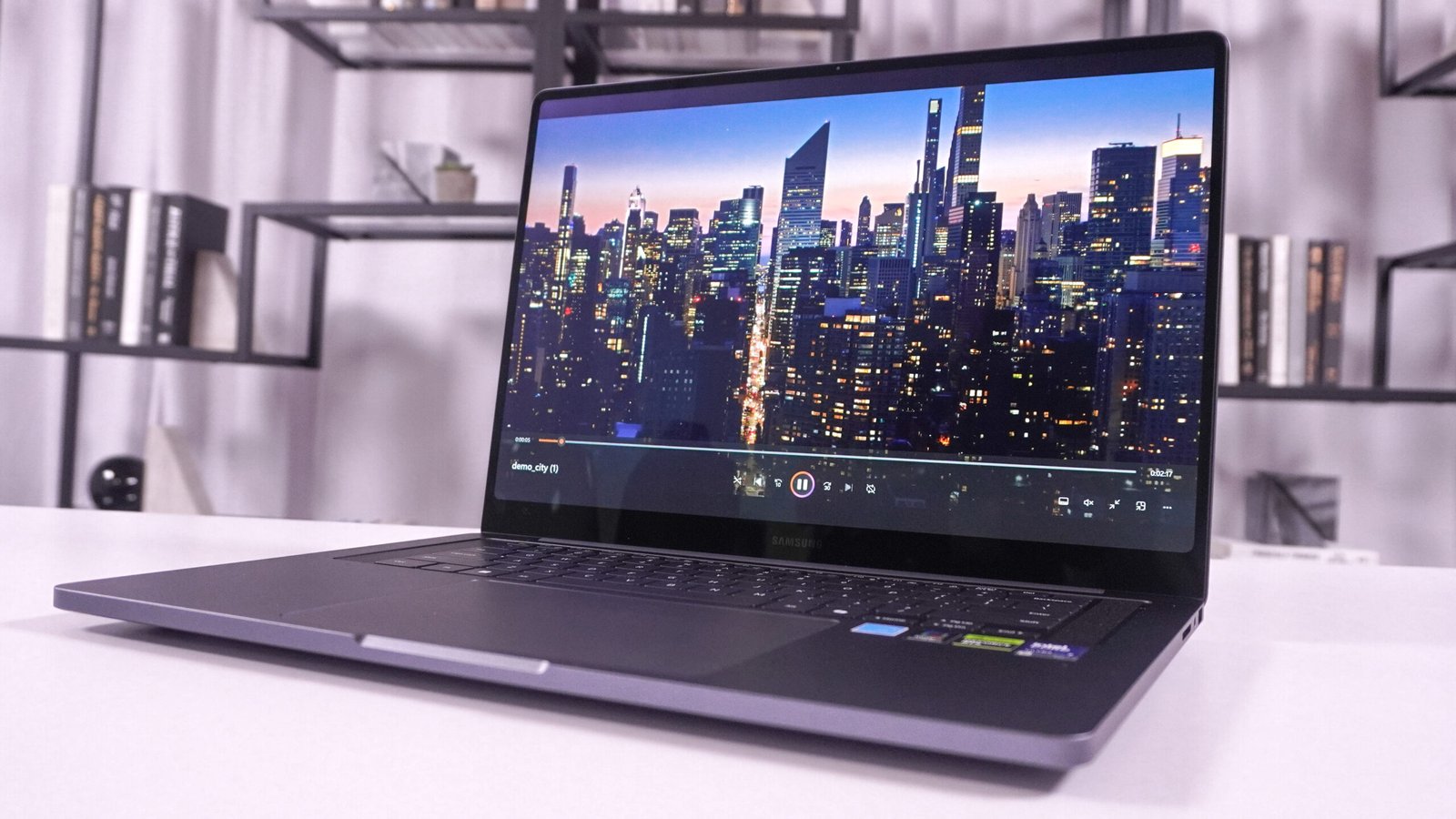
The IPS LCD is a deliberate step below the AMOLED screens in Samsung’s more expensive laptops. Black levels are not as deep, contrast is lower and the 60Hz refresh rate makes motion less fluid than 120Hz. Specs Universe records brightness at 350 nits and notes that Samsung does not specify a supported HDR format for this panel.
Those limitations matter less in Word, Excel, web tools and learning platforms. A 60Hz IPS screen can still be comfortable and dependable. In fact, some people prefer an IPS panel because they do not need OLED care or worry about long-term static interface elements. The real issue is price. Basic display hardware is easier to accept in a well-priced work laptop than in a premium one.
Touch is not supported. That keeps the product clearly separated from the Galaxy Book6 Touch. It also means there is no reason to pay for this model if drawing, handwritten notes or direct screen control are important. A convertible Lenovo Yoga or Samsung’s Touch version would suit those needs better.
The screen does not list a named protection grade. Therefore, normal care is appropriate. The large lid should be opened near its center, and a padded compartment will help during travel. These are simple habits, but they matter on any thin 16-inch laptop.
A clean design with useful full-size controls
The body measures 357.1 x 248.0 x 14.9mm and weighs 1.75kg. It is not as light as the Book6 Pro, yet it remains reasonable for a 16-inch laptop. Daily commuters will notice the weight alongside a charger and accessories. Home and office users are less likely to mind.
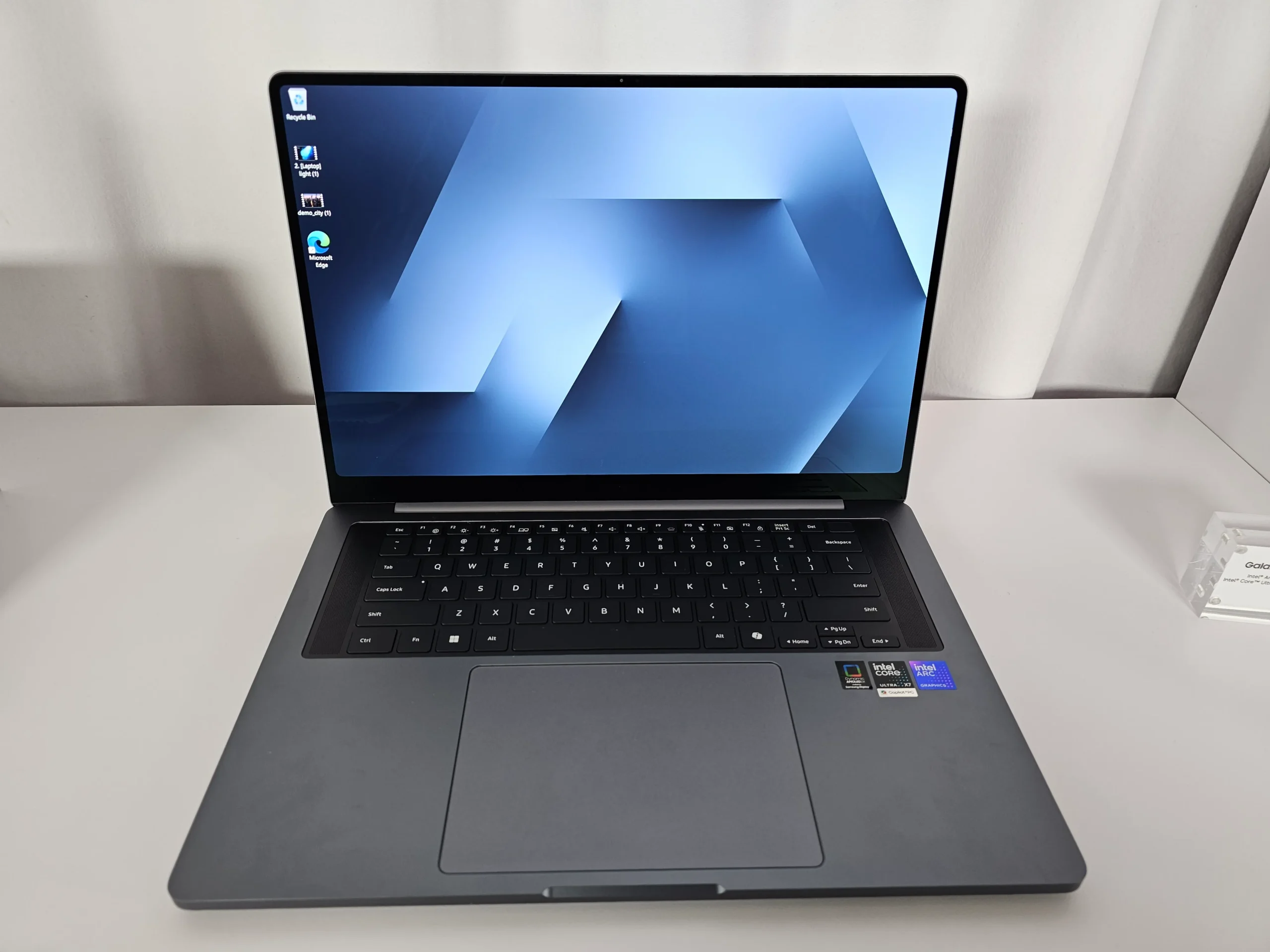
Samsung lists Gray. Samsung does not state the exact chassis alloy in the official specification table checked by Specs Universe, so we will not invent one. Independent coverage of the wider Book6 family reports a restrained design and solid construction. Even so, those impressions do not replace evidence from this exact 16GB unit.
The two-tone keyboard includes a Copilot key and numeric keypad. A number pad is genuinely useful for accounting, data entry and frequent spreadsheet work. It shifts the main typing area away from the physical center, which can take time to adjust to. That trade-off is familiar on large productivity laptops.
The trackpad is a conventional clickpad rather than the haptic design listed for the Pro. That is not automatically a problem. A well-tuned clickpad can still handle gestures and precise pointer work. However, the lower edge will usually provide the easiest physical click. Anyone who prefers a consistent click across the entire surface may notice the difference.
A fingerprint reader in the power button makes sign-in easier. The canonical record does not provide measured key travel, actuation force or touchpad click force. Therefore, long-form writers should use the return period to judge comfort instead of trusting a specification sheet.
Everyday performance is the main goal
Galaxy Book6 performance depends on the processor selected. The Core Ultra 7 355 and Core Ultra 5 325 are both Series 3 options, but their exact capabilities and core layouts differ. Retailers should identify the installed chip clearly. A family name alone is not enough.
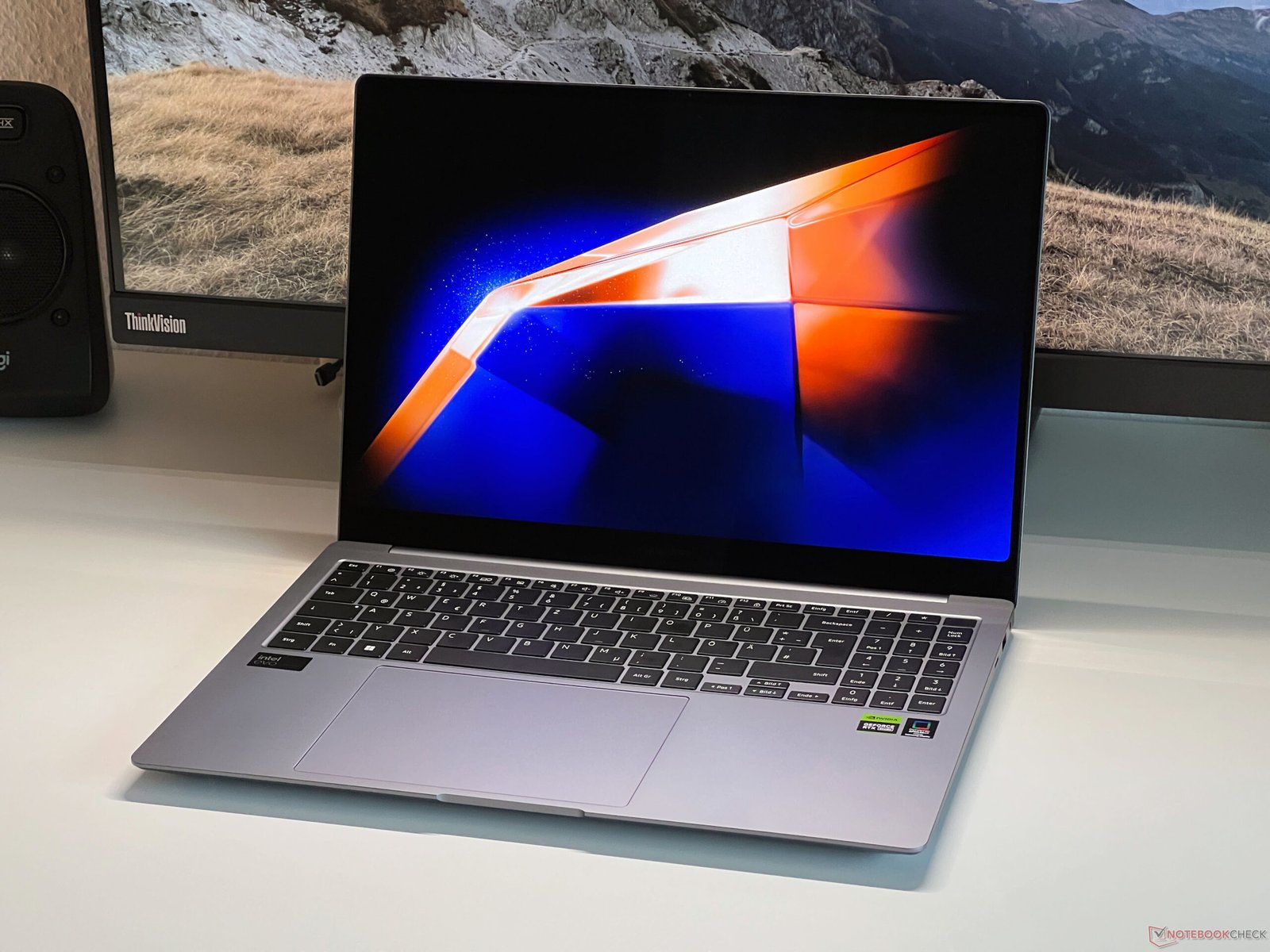
Samsung Galaxy Book6 performance is aimed at office work, research, streaming, video calls and study, either processor should provide a responsive experience when paired with 16GB of LPDDR5X memory and a PCIe 4.0 SSD. The Core Ultra 7 is the safer choice for heavier multitasking, code compilation and more frequent creative work. The Core Ultra 5 can make better sense when its price is significantly lower.
Published exact-device benchmark data remains limited. Specs Universe does not list a verified Cinebench score, Geekbench result, 3DMark score or gaming frame rate for this configuration. We will not fill those blanks using figures from the Pro, Ultra or Enterprise model.
Independent testing of related Core Ultra Series 3 hardware suggests a focus on efficiency and multi-core work. However, results vary with processor, cooling and power limits. The useful conclusion is modest: this laptop should be quick for daily productivity, while demanding specialist software deserves exact-model testing before purchase.
Intel Graphics handles Windows effects, video decoding, presentation work and lighter photo tasks. It can also run older and less demanding games at sensible settings. Still, the standard model is not a gaming laptop. Current AAA games, complex 3D scenes and advanced GPU rendering require much stronger graphics.
Thermal and noise expectations should remain realistic. A fan-cooled thin laptop will become audible during long updates, exports and sustained processor work. The canonical record does not contain a measured throttle percentage or fan-noise figure. Good ventilation and current firmware matter more than guessing a number.
Ports are a real advantage
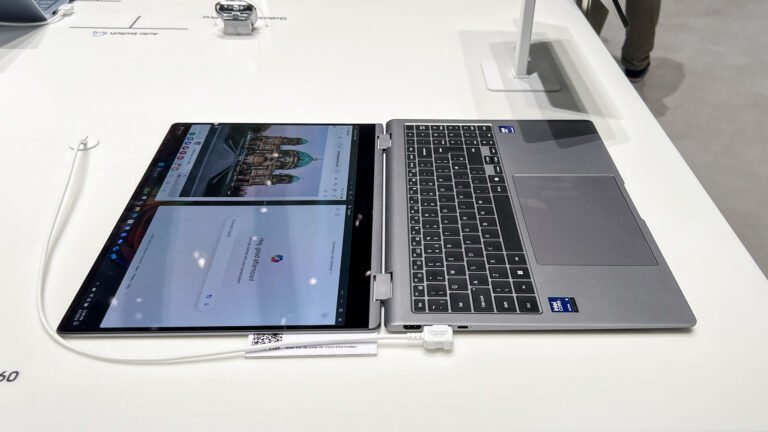
The standard Galaxy Book6 offers two USB-C 3.2 Gen 2 ports, two USB-A 3.2 Gen 1 ports, HDMI, RJ45 Ethernet, microSD, a 3.5mm audio connection and a security slot. That is a practical selection for classrooms, offices and home desks.
Two USB-A ports support existing mice, drives, printers and security keys. HDMI connects a monitor, television or projector without a dongle. Ethernet is especially useful where Wi-Fi is crowded or a stable wired connection is required. The security slot also makes sense in shared workplaces and classrooms.
Speed is the compromise at the USB-C ports. The Specs Universe record lists USB-C 3.2 Gen 2, not Thunderbolt 4. High-end docks, very fast external storage and complex multi-display setups may work better with the Pro model. This is a meaningful difference, not a minor label.
MicroSD is convenient for small cameras, phones and expandable media. Professional cameras often use full-size SD cards, so photographers may still need a reader. Meanwhile, the 3.5mm socket remains useful for wired headsets during meetings.
Wireless support includes Wi-Fi 6E and Bluetooth 5.4. Wi-Fi 6E can use the 6GHz band with a compatible router, while remaining compatible with older networks. Bluetooth covers wireless mice, headphones and other accessories.
Meetings, speakers and Samsung ecosystem features
The 2MP webcam records at 1080p Full HD. That is enough resolution for normal meetings and online classes. Image quality will still depend on room lighting, processing and the conferencing service. A small external light can often improve video more than another line on a specification sheet.
Stereo speakers support Dolby Atmos, and dual-array microphones handle voice input. The setup is less ambitious than the Pro model’s quad-speaker system. It should be adequate for calls, spoken video and casual entertainment. Headphones or external speakers remain better for privacy and fuller music.
The laptop runs Windows 11 Home. Samsung adds Galaxy ecosystem applications and supports Copilot+ PC features on compatible configurations. Availability can depend on the exact processor, software version, account and region. Therefore, AI labels should not determine the purchase.
Galaxy integration is useful when a Samsung phone or tablet is already part of daily life. File sharing, phone links and cross-device tools can remove small interruptions. Outside that ecosystem, the laptop still works normally as a Windows PC. Some Samsung applications may simply go unused.
Owner feedback for the new Samsung Galaxy Book6 is still developing. Recurring discussions across the wider family praise Samsung’s connected features and battery focus. Concerns include soldered memory, software clutter and uncertainty over which similarly named configuration is being sold. These themes are worth checking, but one comment cannot prove a general fault.
Battery life could be its best practical feature
The 61.2Wh battery supports 45W USB-C charging. Samsung claims up to 24 hours of video playback for this model family. That figure comes from controlled local-video conditions and should not be treated as a normal workday result.

Even so, the hardware points toward good efficiency. The 60Hz IPS screen is less demanding than a high-resolution 120Hz OLED panel, and the standard Intel Graphics configuration avoids a dedicated GPU. Independent coverage of the standard Samsung Galaxy Book6 also reports strong all-day potential, although exact results depend on the processor and test method.
Real endurance changes with brightness, video meetings, browser activity and background software. Ethernet use, external displays and connected drives can also increase power demand. A student taking notes may see a very different result from someone compiling code or editing photos.
The 45W adapter is compact, but it also limits charging speed compared with larger performance-laptop chargers. The device supports fast charging. Samsung’s broader claim mentions roughly one-third charge in 30 minutes under its conditions, while the exact device page does not record a verified zero-to-full test.
USB-C charging is convenient for travel. Still, a phone charger may not provide enough power during use. A spare charger should support the required USB-C Power Delivery level and use a suitable cable.
US price and value
Samsung’s US Galaxy Book6 page positions the standard model as the everyday member of the family. Current listings vary by size, processor and storage. One recent US launch listing placed the entry model at $799, while higher 16-inch configurations can cost considerably more. Promotions and trade-in offers change frequently.
The Samsung Galaxy Book6 16-inch 16GB configuration should be judged against the price of the Pro, not only against its own list price. A large discount makes the standard Book6 attractive. It provides modern processors, useful ports, expandable storage and long battery potential without paying for AMOLED.
At a high price, the 350-nit 60Hz IPS screen becomes difficult to defend. The Galaxy Book6 Pro adds a far better display, faster connectivity and a lighter design. Meanwhile, many mainstream Windows laptops offer similar office performance for less.
International configurations may change the processor, storage, keyboard, warranty and software features. Importing can also complicate service. Confirm the full model code, US warranty coverage and return policy before paying for a marketplace listing.
Three realistic alternatives
The Microsoft Surface Laptop is a strong alternative for anyone who values a refined keyboard, clean Windows setup and compact design. It usually offers fewer legacy ports. Choose Samsung when Ethernet, two USB-A connections and a numeric keypad matter more.
A Lenovo IdeaPad Slim 5 or Yoga Slim 7i can provide similar everyday performance, often with aggressive discounts. Exact displays and ports vary widely, so compare the panel and memory rather than trusting the family name. Lenovo may offer better value, while Samsung has stronger Galaxy integration.
The Acer Swift Go 16 is another sensible large-screen rival. Many configurations emphasize low weight and may include higher-resolution OLED panels. The Galaxy Book6 counters with its unusually broad wired connections and familiar Samsung software. Price should decide between them.
Within Samsung’s range, the Pro is the upgrade for display quality and mobility. The Ultra is for dedicated graphics and heavier creator work. The standard Book6 remains the rational choice when office tasks, battery life and ports take priority.
Who should buy it?
This configuration suits students, office staff, home workers and small businesses that want a roomy Windows laptop. It is especially useful for spreadsheets, research and desk-based work because the keyboard includes a number pad and the ports cover common accessories.
Skip it if a premium screen, touch input, Thunderbolt or dedicated graphics is essential. Also look elsewhere if memory upgrades are part of the plan. A 14-inch laptop will fit smaller bags more easily, while the 16-inch Book6 gives work more room.
Owners of a recent Galaxy Book should keep their current laptop unless battery health, processor speed or port needs create a real problem. The new model improves the platform, but an upgrade should solve something tangible.
Samsung Galaxy Book6 review verdict
The Galaxy Book6 16-inch 16GB is a sensible productivity laptop. Its wide port selection, large workspace, current Intel processors and promising battery life fit office, study and home use well. Storage expansion is another welcome advantage.
The main weakness is the display. A 1920 x 1200 IPS panel at 60Hz and 350 nits is functional rather than exciting. Integrated graphics also set a clear limit for games and advanced creator work.
We recommend it when the price stays well below the Book6 Pro and its practical ports match your routine. Choose the Core Ultra 7 for heavier multitasking, or save money with the Core Ultra 5 for ordinary work. The Samsung Galaxy Book6 is not the glamorous member of Samsung’s range, but at the right price it may be the easiest one to justify.