
14.2
16 GB
3024 x 1964
512 GB
10-core GPU
Up to 22 hours (video streaming)
14.2
Mini-LED (Liquid Retina XDR)
3024 x 1964
120
1000
Yes (HDR10, Dolby Vision)
No
No manufacturer-provided screen protection spec is listed for this laptop
Apple M4
10-core CPU
10-core GPU
16 GB
512 GB
SSD
No
312.6 x 221.2 x 15.5 mm
1.55 kg
Aluminium
Backlit Magic Keyboard with Touch ID
Force Touch trackpad
Space Black, Silver
70
70W
Yes (70W USB-C)
Up to 22 hours (video streaming)
3x Thunderbolt 4 (USB-C), HDMI, SDXC, MagSafe 3, 3.5mm headphone jack
5.3
Wi-Fi 6E (802.11ax)
12 MP
Six-speaker sound system, Spatial Audio with Dolby Atmos, studio-quality three-mic array
No
macOS Sequoia
macOS built-in apps (Safari, Mail, Messages, FaceTime), Apple Intelligence features
Apple provides several years of macOS updates and security patches, with no fixed published term
Cinebench results for this exact configuration haven't been published
No gaming frame-rate tests have been released for this laptop
No sustained-load thermal testing has been documented for this model
Independent lab endurance figures aren't available for this MacBook
No independent 70W charge-curve measurements have been published
Lab-measured loudness data for the six-speaker system is not on record
No 3DMark score tied to this M4 configuration has surfaced
Independent fan-noise measurements haven't been published for this model
1.55 kg
Aluminium
Touch ID (built into the keyboard)
Keys deliver Apple's famously crisp, low-travel typing feel
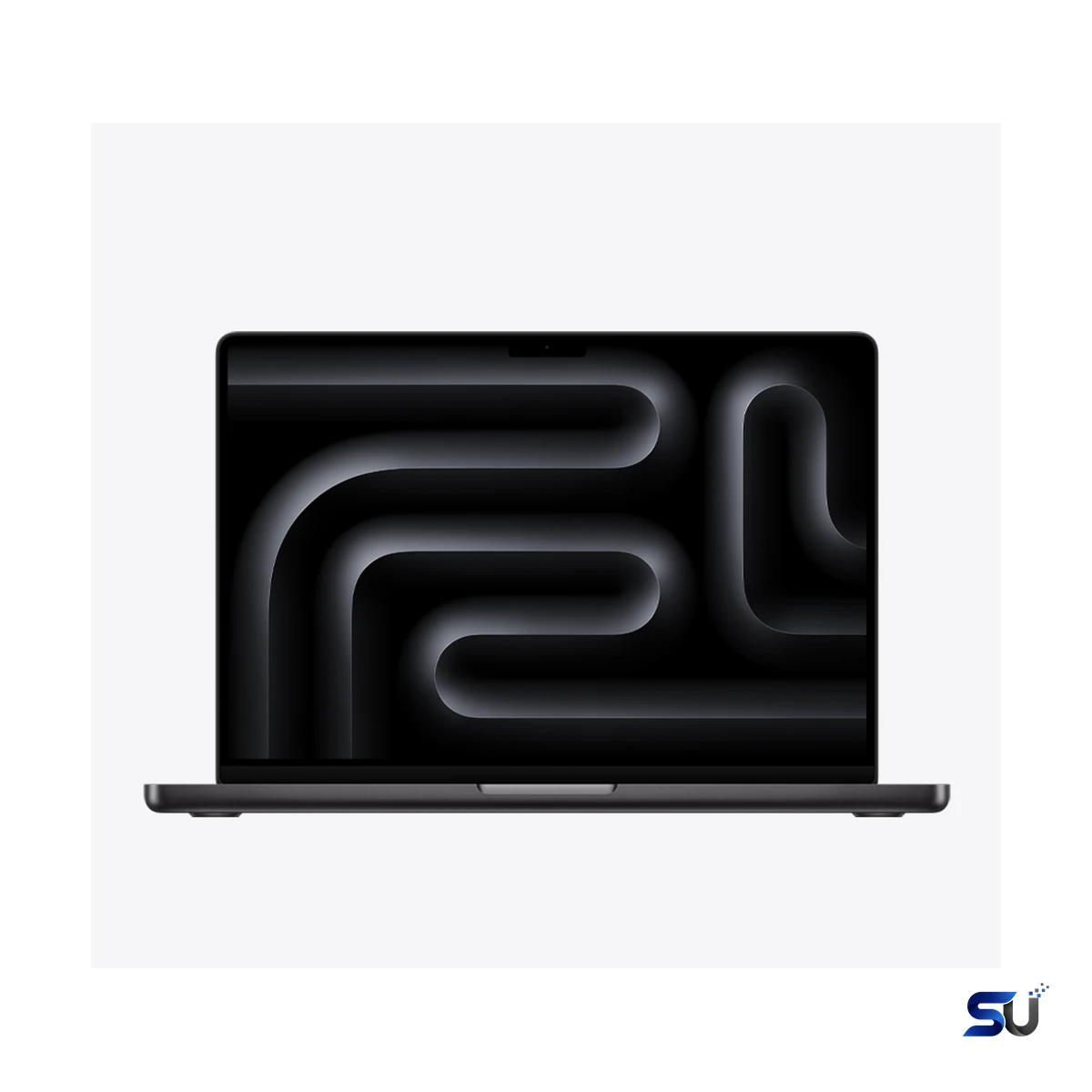
Pro power without the Pro Max price. The Apple MacBook Pro 14-inch M4 16GB delivers the base M4 chip with 16GB of unified memory — plenty for most creative work, behind that gorgeous mini-LED display.
Pro power without the Pro Max price. The Apple MacBook Pro 14-inch M4 16GB delivers the base M4 chip with 16GB of unified memory — plenty for most creative work, behind that gorgeous mini-LED display.
Apple refreshed the 14-inch MacBook Pro in late 2024 with the M4 family of chips. This configuration is the entry-level Pro: the base M4 chip, 16GB of unified memory, and a 512GB SSD. In fact, it keeps everything that makes a MacBook Pro a MacBook Pro. That means the Liquid Retina XDR display, the HDMI port and SDXC card slot, and battery life that stretches well past a working day. It simply skips the price jump to the M4 Pro and M4 Max models. This guide covers the full specifications of the Apple MacBook Pro 14-inch M4 16GB, with plain-English explanations of what each spec means in daily use.
Here is the short version. Photo editors, developers, students in creative fields, and professionals who live on video calls will feel at home here. It is not the cheapest Mac laptop, since the MacBook Air holds that title. Still, it is the least expensive way to get a mini-LED ProMotion display and active cooling on a Mac. Finally, the sections below break down design, display, performance, battery, ports, software, and pricing one by one.
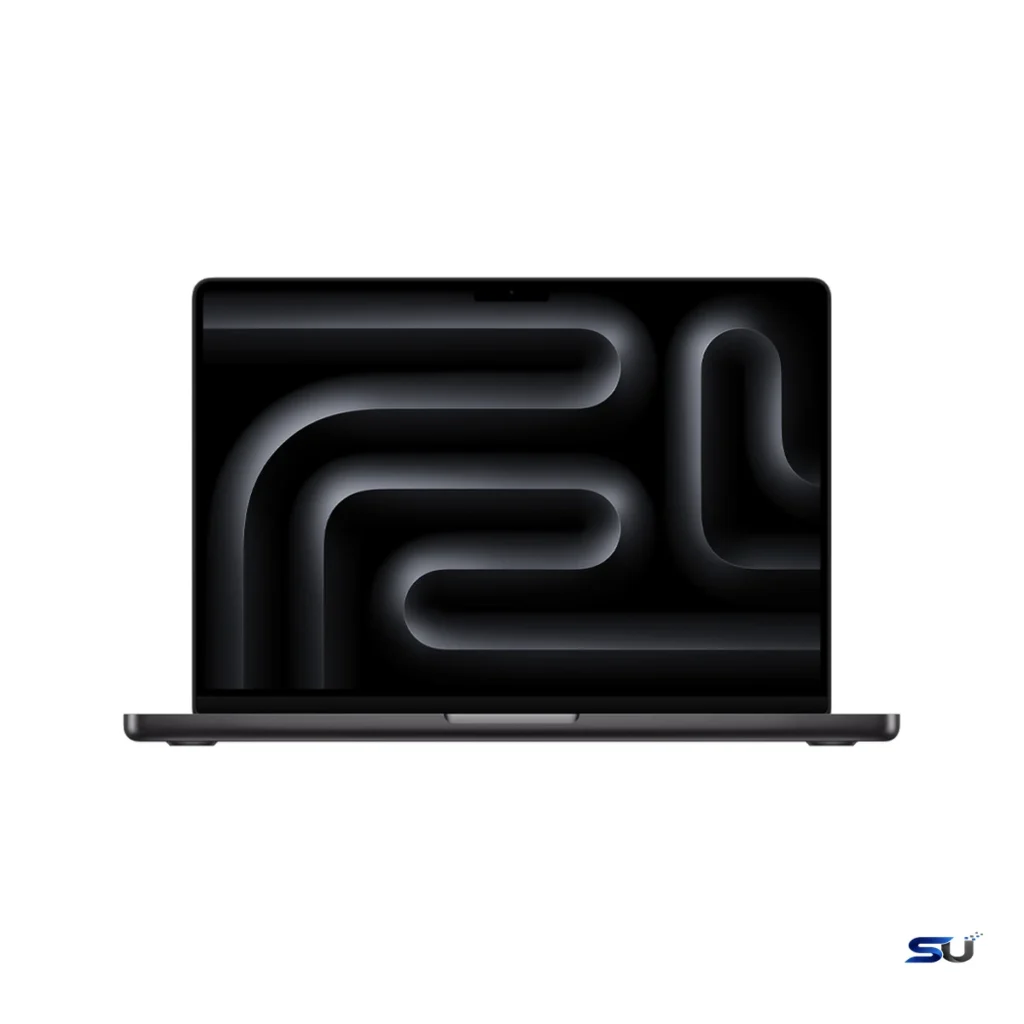
The chassis will look familiar to anyone who has seen a recent MacBook Pro. Furthermore, Apple kept the same aluminium unibody design, and it still feels superb. The machine measures 15.5 mm thin, 312.6 mm wide, and 221.2 mm deep. It weighs 1.55 kg. That is slightly heavier than some 14-inch Windows ultrabooks. Even so, it is an easy one-hand carry between rooms, and it slips into most backpacks without fuss. You can choose Space Black or Silver. The darker finish hides fingerprints well and looks appropriately stealthy. Silver is the classic Apple look that never really dates.
The keyboard is Apple's backlit Magic Keyboard with Touch ID built into the top-right key. Typing feel is the familiar low-travel Apple action. Moreover, it is quiet, stable, and easy to get fast on. Touch ID handles login, Apple Pay, and password autofill. It is one of those small features you miss immediately on machines that lack it. In addition, the large Force Touch trackpad sits below the keyboard. The haptic click feels identical across the whole surface. macOS gestures work beautifully on it, so many people never bother with a mouse.
The 14.2-inch Liquid Retina XDR display is the best reason to choose the Pro over the Air. It uses mini-LED backlighting with 3024 x 1964 pixels. That works out to 254 pixels per inch, so text looks razor sharp. In fact, Apple rates contrast at 1,000,000:1. Blacks in a dark room look genuinely black instead of dark grey. The difference is obvious the first time you watch HDR video on it.
Apple rates the panel at 1000 nits of sustained full-screen brightness. It peaks at 1600 nits when showing HDR content. As a result, HDR films and photos have real punch. Sunsets, neon signs, and specular highlights render with an intensity that standard laptop displays cannot match. The panel covers the P3 wide color gamut and shows a billion colors. Consequently, gradients stay smooth without banding. Additionally, it supports HDR10 and Dolby Vision. True Tone adjusts the white balance to your ambient light, so the screen never looks harsh under warm indoor lighting.
ProMotion brings an adaptive refresh rate of up to 120Hz. It can drop as low as 10Hz when nothing moves, which saves power. Scrolling through long documents feels noticeably smoother than on a 60Hz panel. The system manages the switching invisibly. Therefore, there is no downside. For color-critical work, macOS offers reference modes for sRGB, BT.709, and HDR. Photographers and video editors can switch between them in System Settings.
The Apple M4 sits at the heart of this machine. It has a 10-core CPU with four performance cores and six efficiency cores. Similarly, the GPU has 10 cores. A 16-core Neural Engine handles machine-learning tasks, and 120GB/s of memory bandwidth feeds the whole chip. Apple builds the M4 on a second-generation 3-nanometer process. Moreover, the company claims a solid speed-up over the M3 with even better efficiency. The Neural Engine delivers 38 trillion operations per second. That hardware accelerates the Apple Intelligence features in macOS Sequoia.
What does that mean in daily use? For typical creative work, the Apple MacBook Pro 14-inch M4 16GB never feels strained. For example, Lightroom catalogs fly, Photoshop handles dozens of layers, and 4K timelines scrub smoothly in Final Cut Pro. You can keep forty browser tabs open next to Slack, Figma, and Xcode without slowdowns. Developers get fast compile times. The 10-core GPU also handles casual gaming and GPU-accelerated filters well.
Unlike the MacBook Air, the Pro has fans. That means it can hold high clock speeds longer under sustained load. In normal use you will rarely hear them. Web browsing, office work, and video calls run silently because the M4 is so efficient. The fans only become audible during long exports or heavy renders.
The 16GB of unified memory is the headline upgrade over older base models. It is now the minimum Apple ships on any MacBook Pro. Unified memory means the CPU, GPU, and Neural Engine share one pool. There is no copying data between separate RAM and video memory. For memory-hungry tasks like large photo edits or local AI models, that architecture makes a real difference. However, if your workflow regularly needs more, Apple offers 24GB or 32GB as build-to-order options. Heavy virtual machines and huge sample libraries are the main reasons to consider them.
Storage starts at a 512GB SSD. That is workable, but think carefully before settling on it. macOS and bundled apps take a slice, and photo or video libraries fill the rest faster than expected. Apple also offers 1TB and 2TB build-to-order options. Apple solders the storage to the logic board, so choose wisely at purchase. You cannot change it later.
Battery life is one of this laptop's quiet strengths. Apple rates the 70-watt-hour battery at up to 22 hours of video streaming. Wireless web browsing stretches to 14 hours. Consequently, mixed real-world use translates to a full working day with charge to spare. Standby drain is negligible. You can close the lid on Friday and open it Monday with the battery roughly where you left it. Still, few laptops last this long.
The box includes a 70W USB-C power adapter and a 2-meter USB-C to MagSafe 3 cable. MagSafe is the magnetic connector that pops off if someone trips over the cable. It is a small detail with an outsized fan club. The machine supports fast charging, so a quick plug-in before heading out adds a useful chunk of battery. You can also charge through any Thunderbolt 4 port, which suits one-cable desk docks.
The port selection is refreshingly complete. You get three Thunderbolt 4 (USB-C) ports, a full-size HDMI port, an SDXC card slot, and MagSafe 3 for charging. There is also a 3.5 mm headphone jack with support for high-impedance headphones. Photographers can slot memory cards straight in with no dongle. The HDMI port drives a monitor or projector directly, which saves an adapter hunt before presentations.
The base M4 supports up to two external displays alongside the built-in panel. They can run at up to 8K resolution at 60Hz, or 4K at up to 240Hz. Notably, that is a genuine upgrade over older base Apple silicon, which managed only one external display. As a result, the Apple MacBook Pro 14-inch M4 16GB works well as a docked desktop replacement. Wireless is current-generation too: Wi-Fi 6E for fast throughput on 6 GHz networks, plus Bluetooth 5.3 for headphones and peripherals. There is no cellular option and no NFC.
The 12MP Center Stage camera has one job: video calls and online meetings. For that purpose, it performs well. It records 1080p HD video with decent low-light handling. Center Stage keeps you framed as you move around the room. Desk View is a clever meeting trick. It shows your face and a top-down view of your desk at the same time. That helps for whiteboard sessions or showing documents on a call.
Audio is a genuine highlight. The six-speaker system uses force-cancelling woofers for surprising bass from a thin chassis. Stereo separation is wide, and Spatial Audio with Dolby Atmos adds immersion to supported films. Meanwhile, the studio-quality three-microphone array captures clear voice on calls. Background noise suppression keeps keyboard clatter out of your meetings.
The laptop ships with macOS Sequoia. Apple designed the M4 from the start for Apple Intelligence. iPhone Mirroring is the standout feature. It shows your iPhone on the Mac desktop and lets you control it, including drag-and-drop between devices. Finally, window tiling arrives natively, so arranging windows side by side needs no third-party app. In addition, the new Passwords app gathers all your logins in one place. Safari gains highlights and a redesigned Reader view.
Apple Intelligence features run mostly on-device thanks to the 16-core Neural Engine. Writing Tools proofread and rewrite text anywhere. Notification summaries cut through noisy group chats. Mail surfaces priority messages automatically. Photos can clean up background distractions with a tap. Apple ships free macOS upgrades every year, so the software story should keep improving.
This configuration suits people who want Pro hardware without paying for chip tiers they will never use. Students in creative fields fit the profile. So do software developers, photographers, designers, and professionals who live in documents and video calls. The display is superb, the performance headroom is generous, and the battery means the charger can often stay home. Anyone upgrading from an Intel MacBook will also notice a dramatic jump in speed, silence, and battery life.
Two groups should think twice. If your work is genuinely heavy, the M4 Pro or M4 Max configurations exist for a reason. They offer more cores and more memory for 8K video, large 3D scenes, and massive datasets.
For most people, yes. The CPU, GPU, and Neural Engine share one memory pool efficiently. As a result, 16GB on Apple silicon stretches further than 16GB on a traditional PC. Photo editing, development, 4K video projects, and heavy multitasking all run comfortably. Only specialized workflows genuinely need more. Large virtual machines, huge sample libraries, and 8K timelines are the main examples. Apple offers 24GB and 32GB as build-to-order options for those cases.
No. Apple solders both the unified memory and the SSD to the logic board. The configuration you buy is the one you keep for the machine's life. If you expect to need more than 16GB of memory or 512GB of storage, choose a higher configuration at checkout. External SSDs can expand storage for files, but they cannot upgrade the internal drive.
Yes. The M4 drives up to two external displays in addition to the built-in panel. They can run at up to 8K resolution at 60Hz, or 4K at up to 240Hz. Earlier base Apple silicon Macs supported only one external display, so this is a welcome upgrade. It makes the laptop a capable docked desktop replacement.
Apple rates the 70Wh battery at up to 22 hours of video streaming. Wireless web browsing reaches up to 14 hours. Mixed real-world use comfortably covers a full working day. The included 70W USB-C adapter and MagSafe 3 cable support fast charging, so short top-ups add meaningful charge quickly.
The M4 Pro model starts with a stronger chip: a 12-core CPU and 16-core GPU. It also includes 24GB of unified memory and Thunderbolt 5 ports instead of Thunderbolt 4. It costs more as a result. This base M4 model keeps the same display, chassis, port layout, camera, speakers, and battery design. You give up peak chip performance, not the overall experience.
Apple announced it on October 30, 2024. It reached customers on November 8, 2024. The US launch price for this 16GB/512GB configuration was $1,599, or $1,499 with education pricing. However, prices vary by region and retailer.
Apple launched the Apple MacBook Pro 14-inch M4 16GB in November 2024 at $1,599 in the US. Education pricing started at $1,499. Both Space Black and Silver were available from day one. The box contains the laptop, a 70W USB-C power adapter, and a 2-meter USB-C to MagSafe 3 cable. Higher memory and storage configurations cost more as build-to-order options. Overall, street prices shift over time, and seasonal sales often cut a couple of hundred dollars off.