
14.2 inches
24GB unified memory (273GB/s bandwidth)
3024 × 1964 (254 ppi)
512GB SSD
16-core Apple GPU with hardware-accelerated ray tracing
Up to 22 hours video streaming; up to 14 hours wireless web
14.2 inches
Liquid Retina XDR (mini-LED)
3024 × 1964 (254 ppi)
120
1000
Yes — HDR10, Dolby Vision, HLG; 1,600 nits peak
No
None (nano-texture glass optional)
Apple M4 Pro
12-core (8 performance + 4 efficiency)
16-core Apple GPU with hardware-accelerated ray tracing
24GB unified memory (273GB/s bandwidth)
512GB SSD
NVMe SSD (soldered)
No (configurable up to 4TB at purchase)
1.55 × 31.26 × 22.12 cm (0.61 × 12.31 × 8.71 in)
1.60 kg (3.5 lb)
Aluminum unibody
Backlit Magic Keyboard with Touch ID
Force Touch trackpad
Space Black, Silver
72.4Wh lithium-polymer
70W USB-C (fast-charge capable with 96W adapter)
Yes — up to 50% in around 30 minutes with a 96W adapter
Up to 22 hours video streaming; up to 14 hours wireless web
3× Thunderbolt 5 (USB-C), HDMI, SDXC card slot, 3.5mm headphone jack, MagSafe 3
Bluetooth 5.3
Wi-Fi 6E (802.11ax)
12MP Center Stage camera (1080p HD video)
Six-speaker sound system with force-cancelling woofers; studio-quality three-mic array
No
macOS Sequoia (shipped with macOS 15.1)
Safari, Mail, Messages, FaceTime, Photos, iMovie, GarageBand, Pages, Numbers, Keynote, App Store
Free annual macOS upgrades; security updates for multiple years (Apple does not publish a fixed end date)
Cinebench R24 Multi 1,403 / Single 176; Cinebench R23 Multi 18,569 / Single 2,172 (Notebookcheck)
Cyberpunk 2077 (FHD Ultra) ~42 fps; Baldur's Gate 3 (FHD Ultra) ~50 fps (Notebookcheck)
Minor throttling under sustained full load; max surface temperature ~47°C (Notebookcheck)
WiFi web surfing ~15.4 h; max brightness ~7.1 h; H.264 video ~19.8 h (Notebookcheck)
3DMark Steel Nomad Light 6,851; Solar Bay 15,848 (Notebookcheck)
Silent in light use (fans off); up to ~44 dB(A) under full load (Notebookcheck)
1.60 kg (3.5 lb)
100% recycled aluminum unibody enclosure
Touch ID (integrated into the power button)
Crisp scissor-switch keys; large haptic Force Touch trackpad
For creative professionals, the Apple MacBook Pro 14-inch M4 Pro 24GB hits the sweet spot — desktop-class rendering and compile times in a portable chassis, behind the best display Apple has ever put on a laptop.
For creative professionals, the Apple MacBook Pro 14-inch M4 Pro 24GB hits the sweet spot — desktop-class rendering and compile times in a portable chassis, behind the best display Apple has ever put on a laptop.
What follows is a plain-language walkthrough of the whole machine — design, display, performance, battery, ports, and software — along with what each spec means in real use. You'll also find independent benchmark numbers and answers to the questions buyers ask most.
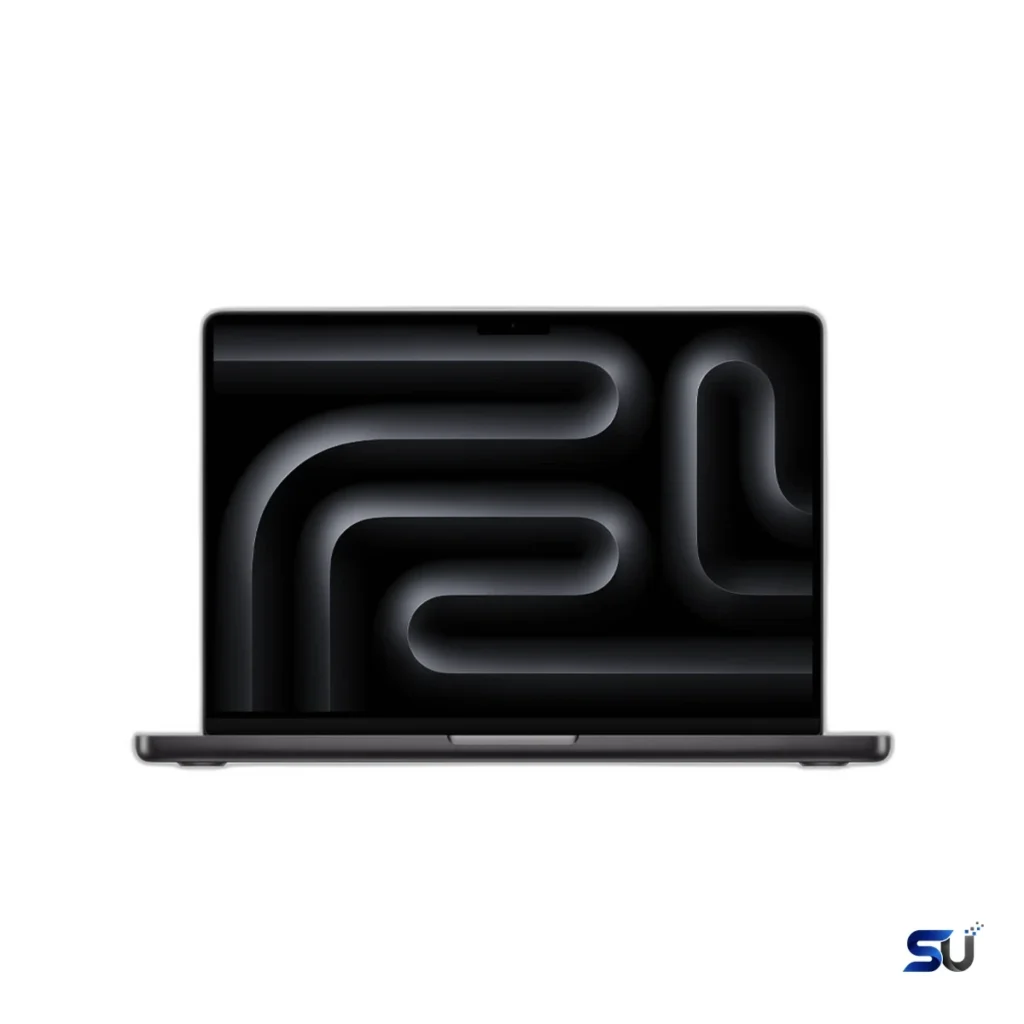
Apple's 14-inch MacBook Pro hasn't changed its looks in a while — honestly, it didn't need to. The aluminum unibody still feels carved from a single block, because it is. At 1.55 cm thick and 1.60 kg (3.5 lb), it disappears into a backpack yet sits on a desk with real authority. Two finishes are available: Space Black and Silver, and Space Black shrugs off fingerprints better than most dark laptops.
Open the lid with one finger — the hinge is still perfectly weighted — to find the familiar black keyboard well and a huge trackpad. There's no touchscreen and no 360-degree hinge; Apple keeps the MacBook Pro a traditional clamshell, and that's a deliberate choice rather than an omission. Everything about the chassis says longevity: no deck flex, no creaks, tight tolerances everywhere. The enclosure uses 100% recycled aluminum, so the whole machine feels built to be worked hard for years.
Among laptop panels, the 14.2-inch Liquid Retina XDR display ranks with the finest anywhere. Resolution reaches 3024 × 1964 (254 pixels per inch), backed by mini-LED backlighting with thousands of local dimming zones. Contrast hits 1,000,000:1, and the wide P3 gamut reproduces a billion colors. In plain terms: text looks razor sharp, blacks are genuinely black in a dark room, and HDR movies have real punch.
Brightness deserves its headline status. HDR content gets 1,000 nits sustained with 1,600-nit peaks, and Apple also boosted everyday SDR brightness — the screen can reach 1,000 nits outdoors. That makes a real difference near a window or outside, while True Tone keeps whites looking natural in any light.
ProMotion brings an adaptive refresh rate up to 120Hz, so scrolling through documents, timelines, and code feels noticeably smoother. For static content the panel drops as low as 24Hz, keeping the smoothness from costing battery life. Video editors can also lock fixed refresh rates for exact cadences, and an optional nano-texture glass finish cuts reflections in bright offices. For photo and video work, the display doubles as a legitimate tool: reference modes, strong color accuracy, and enough brightness to judge HDR properly.
Built on a second-generation 3-nanometer process, the M4 Pro in this machine pairs a 12-core CPU with a 16-core GPU. Eight performance cores and four efficiency cores make up the CPU, while a 16-core Neural Engine handles up to 38 trillion operations per second. Memory bandwidth reaches 273GB/s — roughly twice what the standard M4 offers.
Translated to daily work, heavy tasks land on the performance cores while background jobs sip power on the efficiency cores. Compiling a large project takes a fraction of the time it took on older machines; exporting 4K timelines or batch-converting RAW files finishes much faster too. Through it all, the laptop stays cool and quiet. Upgrading from an Intel MacBook Pro? The jump is hard to overstate — jobs that used to pin the fans now run in the background while you just keep working.
Hardware-accelerated ray tracing comes built into the 16-core GPU, speeding up 3D rendering and improving game visuals. This isn't a gaming laptop, though — macOS still has a thinner game library than Windows. Creative GPU workloads are where it shines: effects-heavy timelines and GPU-accelerated photo editing fly. For video editors, the unsung hero is the media engine, with dedicated encode and decode blocks for H.264, HEVC, ProRes, and ProRes RAW, plus AV1 decode. Scrubbing 4K ProRes stays fluid and exports finish fast. The Neural Engine keeps on-device intelligence — photo processing, live transcription, call background blur — running locally, which is faster and more private than the cloud.
Everything pools together in Apple's unified memory: the CPU, GPU, and Neural Engine share one 24GB pool, so there's no separate video memory to run out of. Large photo libraries and complex timelines behave very well as a result. 24GB is the sweet spot for professional work. That means a video editor, a browser full of tabs, and a photo app can stay open at once without the system leaning on the SSD for swap.
The fast 512GB SSD is soldered to the logic board, so the configuration you buy is the one you keep. It suits anyone whose big files live on external drives or in the cloud. If your work generates terabytes of footage, consider 1TB or 2TB — up to 4TB is available at purchase. A fast Thunderbolt external SSD remains a cheaper way to add overflow space later.
Battery life is where Apple silicon embarrasses the competition. Apple rates this machine at up to 22 hours of video streaming and up to 14 hours of wireless web browsing from its 72.4Wh battery. Independent testing lands close to those claims — Notebookcheck measured about 15.4 hours of Wi-Fi web surfing, with H.264 video playback reaching nearly 20 hours. At maximum display brightness those numbers roughly halve, which is still a full workday for most people.
The real killer feature isn't just longevity — it's consistency. The M4 Pro runs at full speed on battery, with no plugged-in versus limp-along split that many Windows workstations suffer. Standby drain is tiny: close the lid on Friday, open it Monday, and you'll barely see a dent.
On the charging side, flexibility is the theme. The included 70W USB-C adapter refuels the machine, while a 96W or higher adapter unlocks fast charging — about 50% in 30 minutes. Power flows over MagSafe 3 or USB-C. MagSafe's magnetic connector remains the best laptop charging plug made: it snaps on in the dark and pops off harmlessly if someone trips over the cable.
Apple listened: the pro ports are back and better. Three Thunderbolt 5 (USB-C) ports headline the selection — this is the first MacBook Pro with Thunderbolt 5, doubling bandwidth to 120Gb/s for blazing external SSDs and high-resolution displays. An HDMI port drives up to 8K at 60Hz or 4K at 240Hz. The SDXC card slot ingests camera cards at full speed, and the 3.5mm headphone jack even supports high-impedance headphones properly.
Display support is generous: two 6K displays at 60Hz over Thunderbolt, both running simultaneously with the built-in screen on. Wireless runs Wi-Fi 6E and Bluetooth 5.3 — both current and fast, though Wi-Fi 7 is already appearing on some rivals. There's no Ethernet jack, but a USB-C adapter fixes that, and no cellular modem option, so road warriors still tether to a phone.
Typing happens on the good version of the backlit Magic Keyboard: scissor switches with a comfortable, quiet keystroke and full-size function keys. Touch ID lives in the power button — tap to log in, tap to pay. The Force Touch trackpad remains the benchmark: huge, precise, with a haptic click that feels identical wherever you press.
Audio is a genuine highlight. The six-speaker array uses force-cancelling woofers to fill a room with clear, bass-capable sound where most laptops sound thin. Spatial Audio with Dolby Atmos widens movies and music nicely. The three-microphone array captures clean, natural voice with solid background-noise suppression, so your side of every call sounds professional.
Meetings get a 12MP Center Stage camera shooting 1080p HD video, keeping you framed automatically as you shift around — which makes long calls feel more natural. Desk View shows your face and workspace simultaneously, handy for demos. Low-light performance is decent for a laptop camera: a very good webcam for Zoom, Teams, and FaceTime, without pretending to be anything else.
Out of the box you get macOS Sequoia, complete with iPhone Mirroring and window tiling, while Apple Intelligence features run on-device. macOS upgrades stay free every year, and Apple provides security updates for many years after release. The company doesn't publish a fixed cutoff, though recent history points to roughly seven years of coverage. Nearly every major creative app runs natively on Apple silicon now, with Rosetta 2 quietly handling the stragglers.
Lab numbers only confirm what using the machine already suggests, but they're worth recording: Notebookcheck tested this exact configuration — a 12-core CPU, 16-core GPU, and 24GB of memory.
Under sustained full load the chip gives up a little peak performance — physics applies to thin laptops — but it holds the vast majority of its speed. Surface temperatures peak around 47°C, and in normal use the fans stay off entirely, only becoming audible during long renders or compiles. Even then, they're restrained.
Pricing starts at $2,399 in the United States for the Apple MacBook Pro 14-inch M4 Pro 24GB with its 512GB SSD. The step-up model pairs a 14-core CPU and 20-core GPU with 1TB for more money, and M4 Max configurations climb further. For most professionals, though, this 24GB model is the value sweet spot. Memory tops out at 48GB and storage at 4TB, both configured at purchase and neither upgradeable later, so buy for the work you'll do in a few years, not just today. Space Black and Silver are widely stocked at Apple and major US retailers, where education pricing and seasonal sales regularly take the edge off.
For most 4K work, yes. Because the CPU, GPU, and Neural Engine share one pool, 24GB stretches further than conventional RAM paired with separate video memory. Editing and grading 4K timelines feels comfortable, effects included. Only 8K RAW workflows — or enormous motion-graphics compositions — would justify stepping up to 48GB.
Not natively — Boot Camp doesn't exist on Apple silicon. Windows 11 for ARM runs well in virtual machines through Parallels Desktop or VMware Fusion, covering most productivity apps. Some things won't cooperate, though: anything needing specific drivers, and kernel-level anti-cheat that blocks many games. If Windows-only software is central to your work, confirm compatibility first.
Up to two external displays at 6K and 60Hz each over Thunderbolt 5, with the built-in display still running alongside them. Over HDMI, one display can go up to 8K/60Hz or, alternatively, 4K at 240Hz. Most desk setups are covered several times over.
No — both are soldered to the logic board. 512GB is plenty for some workflows, particularly when large files live on external storage or in the cloud. Photographers and video editors should think ahead: if you keep everything local, weigh the 1TB or 2TB options at checkout.
The 12-core chip here combines 8 performance and 4 efficiency CPU cores with a 16-core GPU; the 14-core version adds two performance cores and steps up to a 20-core GPU. Day-to-day work — and lightly threaded tasks generally — feels nearly identical between them. Only heavily multithreaded renders and big compiles favor the 14-core, and most buyers will never feel the difference.
Under normal use it's silent — the fans stay off. Long renders or big compiles spin them up to an audible but polite level, and the chassis gets warm rather than hot, peaking around 47°C. Sustained performance dips only slightly, and that happens only under extreme, prolonged loads.
For people who measure a computer in finished work, the Apple MacBook Pro 14-inch M4 Pro 24GB is the pro laptop to beat. It's fast where it counts, quiet and cool the rest of the time, with a display, speakers, and battery life that make long days easier. Configure the memory and storage for your future self, and it's a machine that should earn its keep for years.