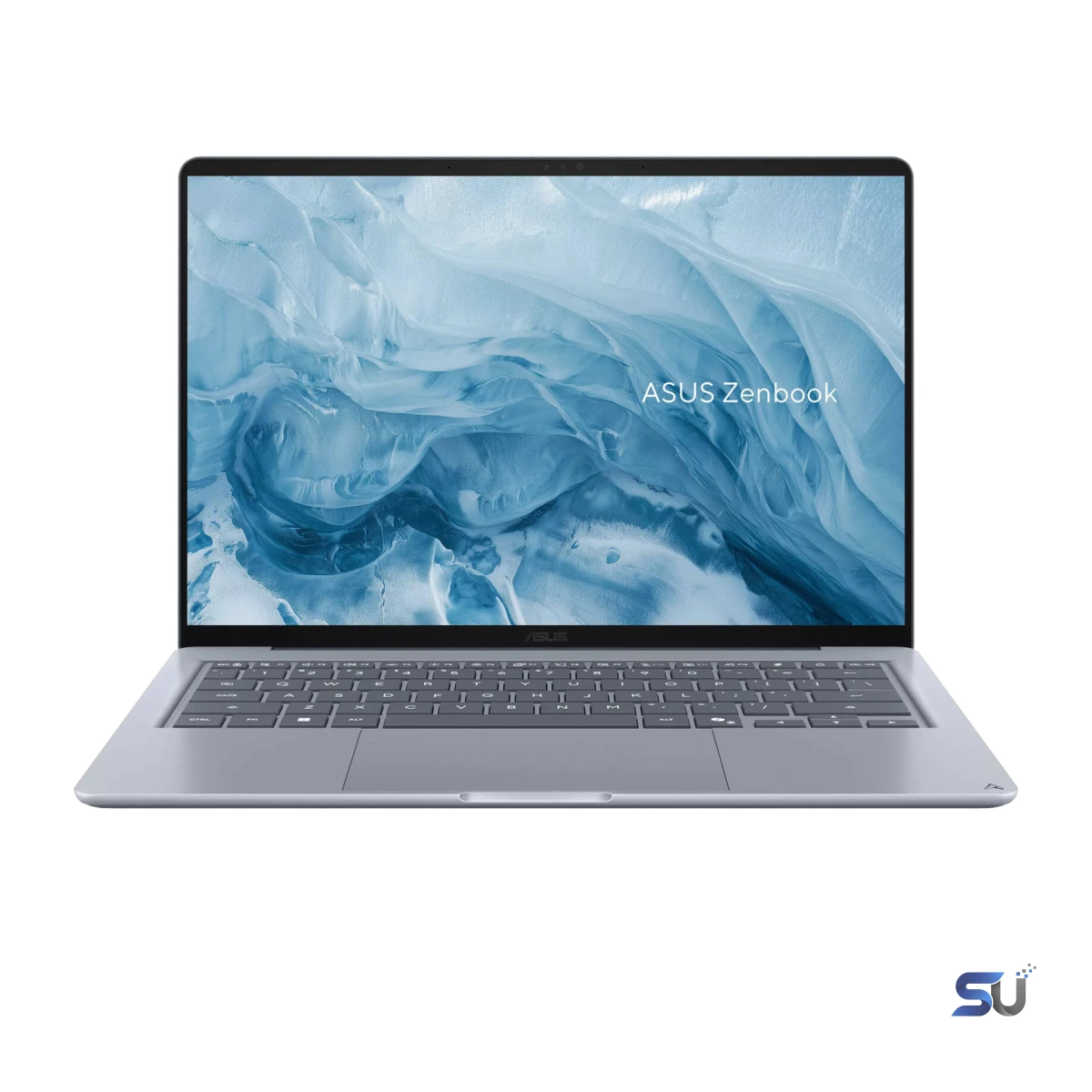
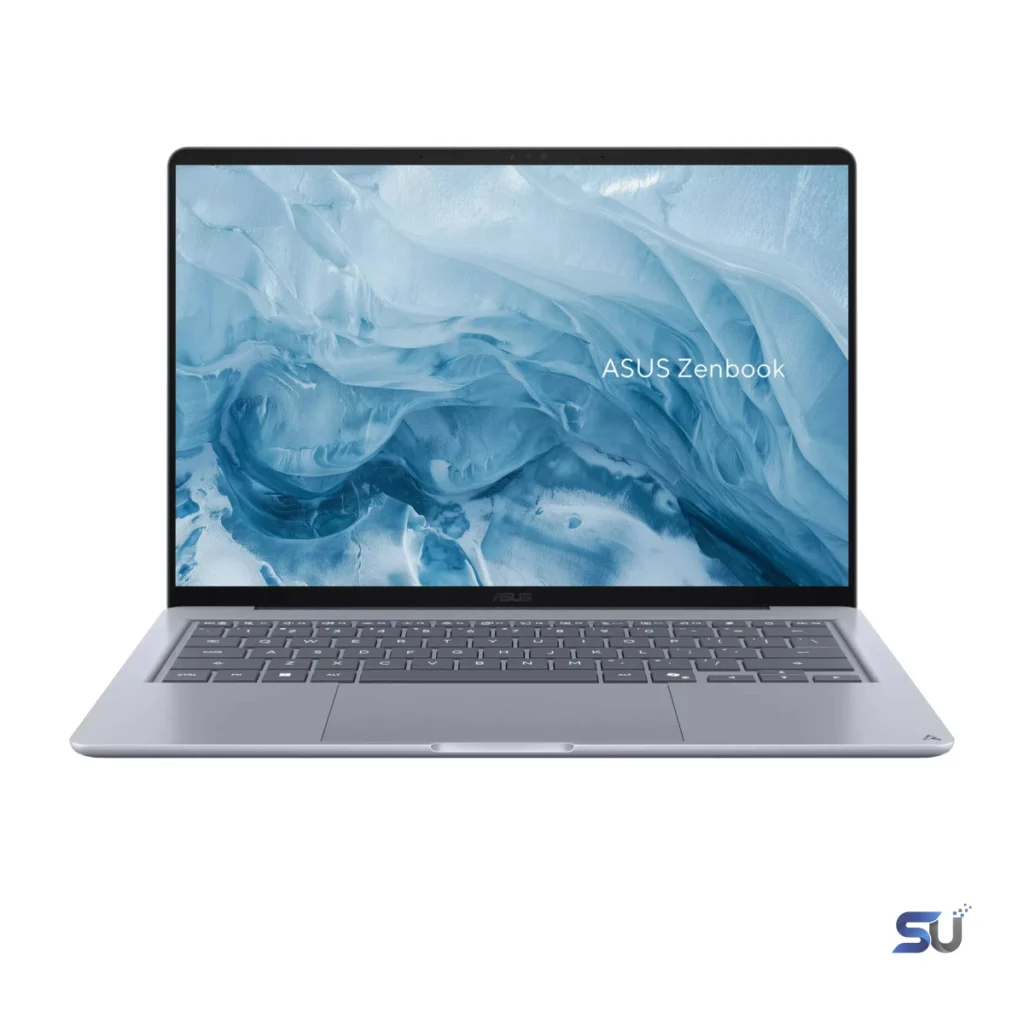
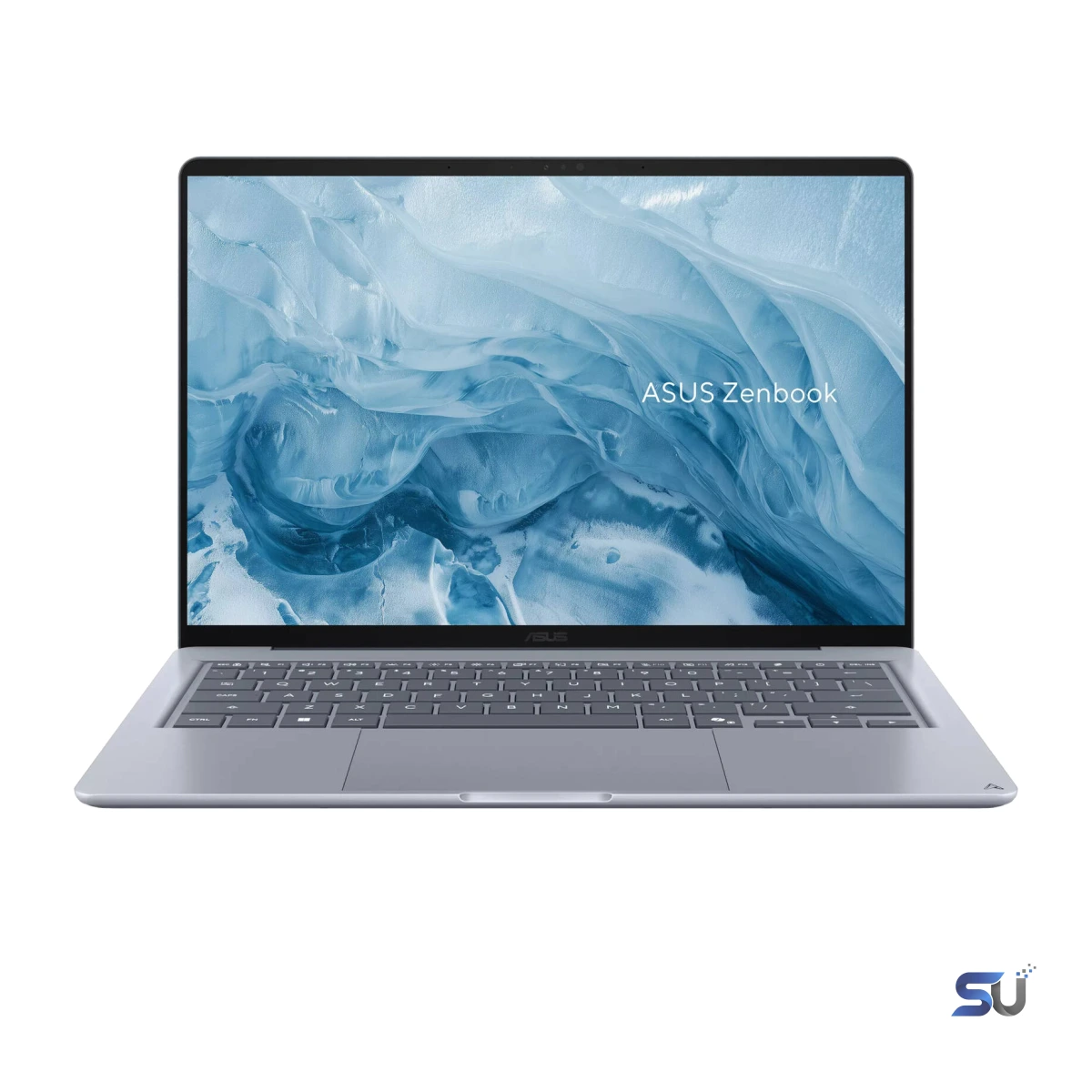
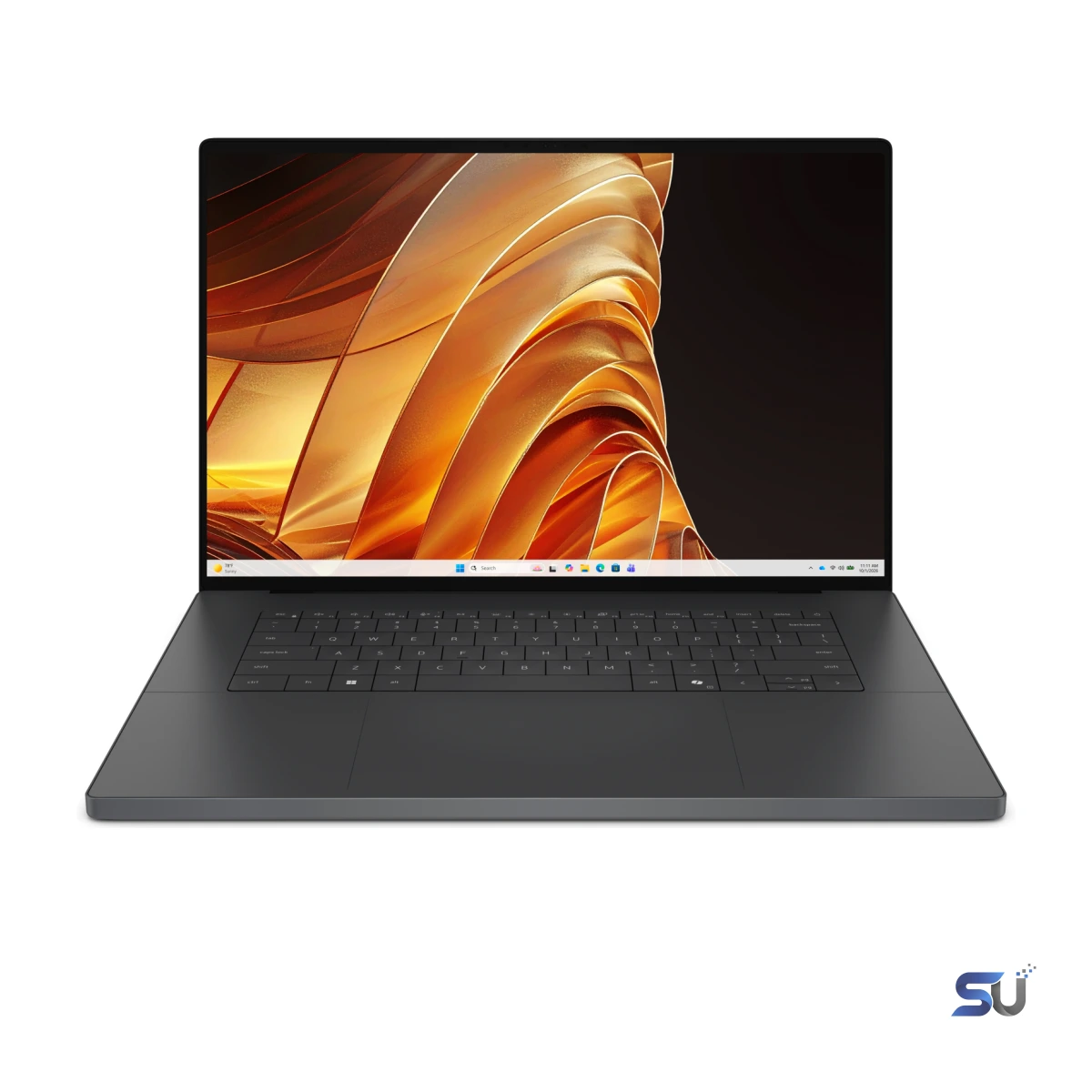
The pen rolls across the desk before the laptop wakes. That is the rhythm this machine is built for. In the morning, it is a sketch. At noon, a lecture note. After lunch, a photo edit. Each one starts with a finger or a pen on the screen, not with a mouse. However, the lightest Zenbook 14 cannot do any of that. The sharpest one can. This one can too, and it carries a 70Wh battery while it does. The Asus Zenbook 14 14-inch 16GB AMD Ryzen AI 7 is the touchscreen member of the new Zenbook 14 family. It is the middle model. It does not feel middle.
Middle is a hard place to be. It can mean compromise. In contrast, it means choice. This laptop takes the touchscreen and the stylus from the flagship model. It also takes the big 70Wh battery. It leaves the 3K screen behind. For example, the screen is a sharp FHD+ OLED panel, not a 3K one. This review looks at what the middle buys you, and what it asks you to give up.
Design and Portability
The Asus Zenbook 14 14-inch 16GB AMD Ryzen AI 7 weighs 1.30 kg, and it travels well. In fact, it is the same weight as the Intel model. The Snapdragon model is lighter at 1.10 kg. This one carries more battery and a touchscreen. That is the trade for the extra grams. The body is 31.12 cm wide and 1.39 cm thick. Its Ceraluminum chassis takes that travel in stride. The material mixes a ceramic texture with aluminium. ASUS also tests the machine against the US military standard MIL-STD 810H. Drops, vibration and sudden temperature changes are part of that test.
Colour and Eye Comfort
Arctic Blue is the colour most people will picture first. Komodo Coral and Zabriskie Beige are the other two choices. In fact, blue is calm and restrained. Coral is warmer and louder. Beige is soft and close to cream. If you are used to silver laptops, try the blue first. If you want a machine that stands out in a meeting, pick coral. Colour never changes the way a laptop works. It changes the way you feel about opening it each morning. For a creator's tool, that feeling counts.
Asus Zenbook 14 14-inch 16GB AMD Ryzen AI 7 Display and Everyday Viewing
The screen is a 14-inch FHD+ OLED panel. It measures 1920 by 1200 pixels. The 16:10 shape gives you extra vertical room. As a result, documents show more lines, and web pages scroll less. The 300-nit brightness is modest on paper, yet it is generous indoors. OLED light is different from LCD light. Blacks are truly black. In addition, colours cover the full DCI-P3 range. The contrast ratio reaches 1,000,000:1.
Eye comfort is where this panel shines. ASUS cuts harmful blue light by up to 70%. The screen holds TÜV Rheinland certification. It also carries the SGS Eye Care Display mark. The 60Hz refresh rate is ordinary. Pages do not glide the way they do on a 120Hz screen. Meanwhile, a 60Hz panel uses less power. That trade is part of the bargain. As a result, the battery lasts longer than it would on a sharper screen.
Touch changes how you work with this screen. Tap a button with a finger. Scroll a long page with a flick. Sign a form with your name. The touchscreen is precise. With a stylus, it becomes a notebook. You can sketch an idea in the margin. You can underline a line in a report. For example, a student can annotate a lecture slide in place, without printing it. In short, the screen is a workspace, not just a window.
Performance, Memory, and Storage
The processor is the AMD Ryzen AI 7 345. It runs at 2.0GHz and boosts to 4.6GHz. Six cores and twelve threads share the work. A 14MB cache keeps instructions close at hand. That is a strong setup for the Asus Zenbook 14 14-inch 16GB AMD Ryzen AI 7. The chip also carries an AMD XDNA NPU with up to 50 TOPS. Copilot+ features run on the chip itself, so data stays local. For everyday AI work, local power matters. For example, the NPU can handle the on-device tasks while the CPU works on your document.
Graphics come from Integrated AMD Radeon Graphics. It is an integrated GPU, so that sets the limit. Casual games play well. Video plays smoothly. Light photo and video edits run fine. Still, demanding games are out of reach. Heavy 3D work belongs on a machine with a discrete GPU. For everyday use, that limit never shows. In addition, the chip handles office work, web apps and video calls with room to spare.
Memory and Storage
Sixteen gigabytes of LPDDR5X memory live on the board. You cannot add more later, because it is soldered down. Even so, sixteen is enough for the life this laptop is built for. A dozen browser tabs, a chat app and a music stream can run side by side. In addition, the 512GB M.2 NVMe PCIe 4.0 SSD keeps the machine fast. It boots in seconds, and apps open at once. If that space runs short, one M.2 2280 slot waits for a second drive. Microsoft also adds 100GB of cloud storage with a one-year Microsoft 365 Basic plan.
One strength of this chip: it is a full x86 processor. Almost every Windows app runs on it. There is no emulation layer to worry about. There is no compatibility list to check. If it runs on Windows, it runs on this laptop. For example, older tools and niche apps run as they always have. That is the quiet advantage of the middle model. It does not ask you to plan around the chip first.
Battery Life and Charging
The Asus Zenbook 14 14-inch 16GB AMD Ryzen AI 7 carries a 70Wh battery. It is a four-cell lithium-ion pack. That is the same capacity as the Intel model. It is larger than the 50Wh cell in the Snapdragon model. For instance, the Ryzen chip is efficient. The FHD+ OLED screen is efficient too. For a normal workday, the charger can stay home. At night, the 68W USB-C adapter puts power back quickly.
Good habits stretch the day further. First, lower the brightness one notch when you move to a well-lit room. Next, close the browser tabs you finished with. Then use the dark theme, because OLED pixels switch off for black. These choices add up over a week. The 68W adapter in the box handles the rest. It is a Type-C charger. Overall, this is a machine that treats its battery as a feature, not a footnote.
Connectivity, Camera, and Sound
The Asus Zenbook 14 14-inch 16GB AMD Ryzen AI 7 carries a USB 4.0 Gen 3 Type-C port. It moves data at up to 40Gbps. It also supports display output and charging. A second USB 3.2 Gen 2 Type-C port does the same at 10Gbps. One USB 3.2 Gen 1 Type-A port takes older sticks and mice. An HDMI 2.1 port connects the room's projector. A 3.5 mm jack takes your headphones. However, a small hub helps if you plug in more than two things at once.
The camera is a Full HD infrared camera with Windows Hello. Instead of a password, you look at the laptop and it unlocks. The infrared sensor works in a dim room too. Still, there is no privacy shutter on this model. The microphone array picks up voices clearly in a call. The speakers also use Smart Amp technology, and they are loud enough for a quiet room. For video calls, the camera and microphone matter most. Wi-Fi 6E and Bluetooth 5.4 handle the wireless links.
Software, Security, and Daily Comfort
The Asus Zenbook 14 14-inch 16GB AMD Ryzen AI 7 arrives with Windows 11 Home. It feels familiar from the first boot. ASUS adds MyASUS, a single stop for drivers and settings. StoryCube gathers photos and sorts them for you. In addition, Microsoft Office Home 2024 is included for life. Microsoft 365 Basic adds 100GB of cloud space for a year. First boot takes a few minutes of setup.
Security is built in, not bolted on. A Firmware TPM stores secrets on the chip. In addition, Microsoft Pluton adds a second layer to that protection. BIOS passwords keep strangers out of the settings. Windows Hello reads your face to sign you in. There is no fingerprint reader. The camera does the job instead. The keyboard lights are backlit, and the keys travel 1.7 mm and feel firm. A Copilot key sits beside the spacebar for quick AI access. The precision touchpad tracks smoothly.
Who Should Buy It, and Who Should Pause
Buy this laptop if you draw, mark up documents or take notes. At 1.30 kg, it still disappears into a bag. It also suits people who work at a desk and move between rooms. Its touchscreen and its battery suit that life. The chip is at its best when your day is documents, calls and browser tabs. The Asus Zenbook 14 14-inch 16GB AMD Ryzen AI 7 rewards people who measure a laptop in days.
Pause if you play demanding games or edit 4K video, because the Radeon GPU is not built for that. Stop and check first if you need a sharper screen. The 3K touchscreen lives in the Intel model, not here. A larger screen is simply not part of this design. Finally, the Snapdragon model is the lighter choice if weight is your first priority. None of these are flaws. That is the shape of a machine that knows what it is for.
Everyday Workflows on the Asus Zenbook 14 14-inch 16GB AMD Ryzen AI 7
A morning starts with a desk that is already a workspace. The machine wakes when you tap the screen. Email loads. A document opens. Meanwhile, a chat window pings. None of it makes the fan spin. The keyboard types quietly during a meeting. The OLED screen keeps text crisp at arm's length. By lunch, the battery is still far from empty. A second charge is not part of the plan.
An afternoon is for the same rhythm at another table. On a train, the laptop sits on a small tray. In a café, the screen is bright enough to read by the window. A video call at the end of the day is clear and steady. Finally, at home, the same machine docks with one Type-C cable. A monitor, a keyboard and the charger arrive through it. That is the whole routine, repeated the next day, without a change.
Buying Advice and Configuration Choices
Only one configuration of the Asus Zenbook 14 14-inch 16GB AMD Ryzen AI 7 is listed. It comes with 16GB of memory and 512GB of storage. Do not wait for a bigger version that is not listed. The question is which of the three models fits you. Compare them on three points. First, touch: this model has a touchscreen with stylus support. Second, the battery: this model carries the big 70Wh cell. Third, the weight: it is 1.30 kg, the same as the Intel model.
Look at the colours before you settle. Arctic Blue suits a classic taste. Komodo Coral makes a statement. Zabriskie Beige is the softest of the three. Overall, colour changes nothing about the machine. It only changes how the laptop feels each morning. A stylus is the one extra worth buying if you plan to draw or take notes by hand.
Frequently Asked Questions
Does the Asus Zenbook 14 14-inch 16GB AMD Ryzen AI 7 have a touchscreen?
Yes. The 14-inch FHD+ OLED display on this model is touch-sensitive. It also supports a stylus. The Snapdragon model in the same family has no touch at all. The Intel model has a 3K touchscreen. If you want to tap and draw, the AMD or Intel model is the right choice.
How much does the Asus Zenbook 14 14-inch 16GB AMD Ryzen AI 7 weigh?
It weighs 1.30 kg (2.87 lbs). That makes it heavier than the 1.10 kg Snapdragon model. It is the same weight as the Intel model. It is also 31.12 cm wide and 1.39 cm thick.
How long does the battery last?
ASUS does not give a single battery-life figure on the technical specification page for this model. What the page does give is the 70Wh capacity and a 68W USB-C adapter. Of course, battery life depends on what you run. A day of documents and calls stretches much further than an afternoon of video editing.
Can I upgrade the RAM or storage later?
The Asus Zenbook 14 14-inch 16GB AMD Ryzen AI 7 cannot take more RAM later, because its 16GB is soldered to the board. The SSD is different. One M.2 2280 PCIe 4.0x4 slot is available for expansion. That makes this a laptop to buy as it is, with storage as the only change you can make later.
Does the AMD Zenbook 14 work with a stylus?
Yes. The 14-inch FHD+ OLED touchscreen supports a stylus. You can tap, draw and take notes on the screen. The Snapdragon model in the same family has no touch at all, so this is the model to pick if a pen matters to you.
Summary
The Asus Zenbook 14 14-inch 16GB AMD Ryzen AI 7 is the touchscreen member of the new Zenbook 14 family. At 1.30 kg, it is built for a desk and a bag alike. Inside, a 70Wh battery pairs with a Ryzen AI 7 chip that stays cool and quiet. Its OLED screen answers a tap or a pen. Travellers, students and creators will feel at home with it. Heavy graphics work belongs elsewhere, though. For the right buyer, it is the Zenbook 14 that does the most things well. That is a good place to be.
- 1.30 kg Ceraluminum body with MIL-STD 810H testing
- 14-inch FHD+ OLED touchscreen with stylus support and 100% DCI-P3
- AMD Ryzen AI 7 345 with an XDNA NPU up to 50 TOPS
- 16GB of LPDDR5X memory and 512GB of fast NVMe storage
- 70Wh battery with a 68W USB-C adapter included
- USB 4.0 Type-C port at 40Gbps, HDMI 2.1 and a 3.5 mm jack