13.4
16GB LPDDR5X, 8448 MT/s, dual-channel, soldered
1920 x 1200
512GB or 1TB
Qualcomm Adreno integrated GPU (3.8 TFLOPS)
Notebookcheck measured 26h 25min Wi-Fi websurfing (150 nits), 46h 25min idle and 57 min at full load
13.4
IPS LCD
1920 x 1200
120
500
Dolby Vision
Not on this FHD+ configuration; touch available on QHD+ and OLED variants
Anti-glare coating; no hardened-glass rating published for this panel
Qualcomm Snapdragon X Elite X1E-80-100
12 cores / 12 threads (Qualcomm Oryon), dual-core boost up to 4.0 GHz
Qualcomm Adreno integrated GPU (3.8 TFLOPS)
16GB LPDDR5X, 8448 MT/s, dual-channel, soldered
512GB or 1TB
PCIe NVMe Gen 4 SSD (M.2 2230)
SSD is user-replaceable (M.2 slot); RAM is soldered
295.3 x 199.1 x 15.3 mm (11.62 x 7.84 x 0.60 in)
1.19 kg (2.62 lb)
CNC-machined aluminum
Backlit zero-lattice keyboard with capacitive function row and fingerprint reader in the power button
Seamless glass haptic touchpad
Graphite, Platinum
55Wh (3-cell, integrated)
65W USB-C adapter (in-box)
Yes - full charge in approx. 90 minutes (measured by Notebookcheck)
Notebookcheck measured 26h 25min Wi-Fi websurfing (150 nits), 46h 25min idle and 57 min at full load
2 x USB4 (40 Gbps) Type-C with DisplayPort and Power Delivery
5.4
Wi-Fi 7 (Qualcomm FastConnect 7800)
1080p FHD IR webcam with Windows Hello
Quad speakers (8W total) with Dolby Atmos
No
Windows 11 Home (Copilot+ PC); Windows 11 Pro on some configurations
Windows 11 Home with Copilot key; Dell apps (MyDell, Dell Update); trial software varies by region
Windows 11 updates via Microsoft; Dell driver and BIOS updates via Dell Update or SupportAssist; Dell publishes no fixed OS-upgrade end date for this model
Cinebench R23: 8819 multi / 1277 single (Notebookcheck, exact 16GB config)
Far Cry 5 (1080p Medium): 33 fps; Cyberpunk 2077 (1080p Low): 24.1 fps (Notebookcheck)
No visible performance drop under sustained load (Notebookcheck stress test)
Wi-Fi websurfing: 26h 25min; idle: 46h 25min; full load: 57 min (Notebookcheck, 150 nits)
Approx. 90 minutes to full charge with the 65W adapter (Notebookcheck)
82.3
Fire Strike: 6012; Time Spy: 1900; Cloud Gate: 24813 (Notebookcheck)
22.9 dB(A) idle; 32.8 dB(A) average under load; 40.6 max (Notebookcheck)
1.19 kg (2.62 lb)
CNC-machined aluminum chassis
Yes - built into the power button
1.0 mm key travel; haptic glass touchpad with no physical click
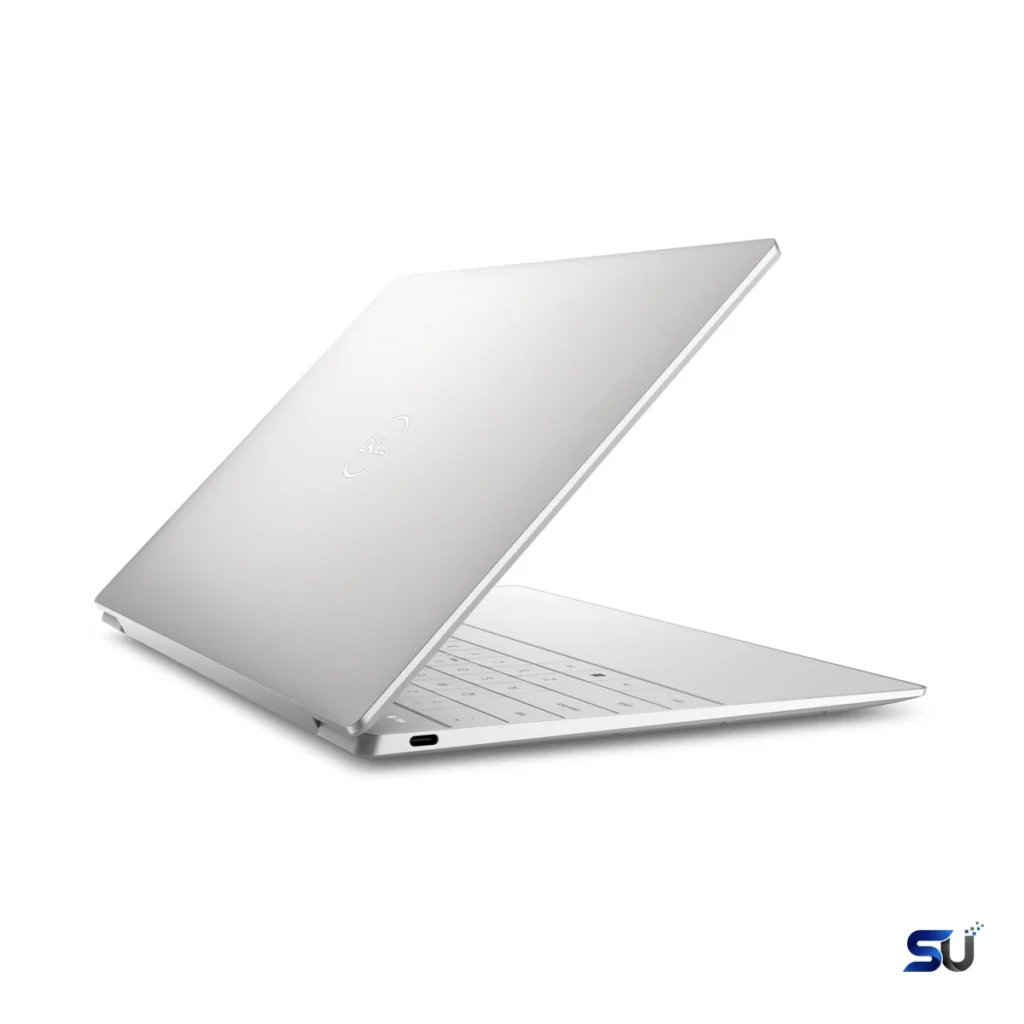
Dell's XPS 13 has long been the Windows ultrabook to beat, and the Dell XPS 13 13-inch 16GB continues that run — Snapdragon X Elite, 16GB of RAM, a 120Hz display, exceptional battery life, and a 1.19kg aluminum chassis that still turns heads.
Dell's XPS 13 has long been the Windows ultrabook to beat, and the Dell XPS 13 13-inch 16GB continues that run — Snapdragon X Elite, 16GB of RAM, a 120Hz display, exceptional battery life, and a 1.19kg aluminum chassis that still turns heads.
From the outside, the story looks familiar. You get a slim slab of machined aluminum and a nearly borderless 13.4-inch screen. Then there's Dell's love-it-or-hate-it zero-lattice keyboard with a touch-sensitive function row. The model number that matters is 9345. That's how you tell it apart from the Intel-based XPS 13 9340, which Dell sold alongside it. It's also different from older Intel machines like the 9310 and 9300. Get the number wrong and you end up with a completely different laptop.
Inside, the 9345 trades Intel for Qualcomm's Snapdragon X Elite X1E-80-100. That means twelve Oryon CPU cores with a dual-core boost up to 4.0 GHz. There's also an integrated Adreno GPU and a Hexagon NPU rated at 45 TOPS. That NPU figure qualifies it as a Copilot+ PC — Microsoft's label for machines that run certain AI features on-device. The practical reason for the chip swap is simpler, though: efficiency. This laptop sips power during ordinary work. The payoff is exceptional battery numbers.
Twelve cores sounds like a lot, and for office work it is. In the Dell XPS 13 13-inch 16GB, the X1E-80-100 runs everyday software without breaking stride. That includes browsers with dozens of tabs, Office apps, Teams, Slack, and Zoom. Public Geekbench 6 results for this exact model land around 2,774 single-core and 14,681 multi-core. Meanwhile, Notebookcheck measured 8,819 in Cinebench R23 multi-core on the 16GB configuration. In plain language, single-threaded speed sits comfortably alongside premium thin-and-light chips. Multi-threaded muscle is strong for compiling code, crunching spreadsheets, or exporting photos.
Graphics come from the integrated Adreno GPU (rated around 3.8 TFLOPS), which handles the desktop without complaint. It also manages 4K video playback and light creative work. However, it is not a gaming GPU. 3DMark Fire Strike lands around 6,012 and Time Spy around 1,900. Older or casual titles run fine at modest settings. Demanding modern games are outside this machine's brief, though. For example, Far Cry 5 at 1080p Medium manages about 33 fps. Cyberpunk 2077 at 1080p Low sits near 24 fps.
You get 16GB of LPDDR5X memory running at 8,448 MT/s in dual-channel mode. The Snapdragon chip stays fed, and the system feels responsive while juggling apps. One caveat matters for the long term, though: the RAM is soldered. Therefore, 16GB is what you'll have for the life of the laptop. For office work, study, browsing, and conferencing, 16GB is plenty and should stay sufficient for years. If your workflow involves heavy virtual machines or large datasets, consider the 32GB configurations Dell offered instead.
Storage is more flexible. Dell sold this configuration with 512GB or 1TB PCIe Gen 4 SSDs. Unlike the RAM, the SSD sits in an M.2 2230 slot that can be replaced. Sequential speeds measured around 4,978 MB/s read and 3,875 MB/s write. Consequently, large files move quickly and the system feels snappy coming out of sleep.
The panel in the Dell XPS 13 13-inch 16GB is the 13.4-inch FHD+ unit. It offers 1920 x 1200 resolution, 120Hz refresh, and a non-touch anti-glare surface rated at 500 nits. The 16:10 aspect ratio gives more vertical room than an old 16:9 screen. Handy for documents and web pages. Notebookcheck measured up to 518 nits brightness and 97.8% sRGB coverage. Contrast measured a strong 1993:1 with no PWM flicker. In practice, text looks crisp and the 120Hz refresh makes scrolling feel smooth. 500 nits is enough for bright rooms and shaded outdoor use.
Dell also offered this chassis with two other panels: a 2560 x 1600 120Hz touch screen and a 2880 x 1800 OLED touch panel. The OLED looks richer with deeper blacks. However, it costs more and uses more power. For most buyers, the FHD+ screen is the sensible pick. It's sharp enough at this size, and the high refresh rate is genuinely noticeable. Above all, it delivers the best battery life of the three.
On paper, the 55Wh battery sounds modest. Then you see the test numbers. Notebookcheck's Wi-Fi websurfing test at 150 nits ran for 26 hours and 25 minutes on this exact 16GB configuration. Idle time stretched past 46 hours. Only a full synthetic load drains it quickly, in under an hour. That's normal for any laptop, though. This is the Snapdragon dividend that defines the Dell XPS 13 13-inch 16GB. It's a thin 1.19 kg machine that can genuinely go two working days of light use without hunting for an outlet.
A compact 65W USB-C adapter handles charging. A full charge takes around 90 minutes. There's no exotic fast-charging race here, and none is needed. After all, when the battery lasts this long, topping up is a background activity. Both USB-C ports support Power Delivery, so either one charges the machine.
The 9345 uses the same divisive design Dell introduced with the XPS 13 Plus. You get a zero-lattice keyboard with no gaps between keys. There's also a capacitive touch function row instead of physical keys. Below that sits a seamless glass touchpad with haptic feedback and no visible borders. Key travel is a short 1.0 mm. Some people love the clean look and the crisp haptic click. Others, however, miss the feel of separated keys and a real Escape key. If possible, try typing on one before buying.
Day-to-day details are solid. The keyboard is backlit, and the power button doubles as a fingerprint reader for Windows Hello. CNC-machined aluminum wraps the whole machine, in Graphite or Platinum. Dimensions are 295.3 x 199.1 x 15.3 mm, and the Dell XPS 13 13-inch 16GB starts at 1.19 kg (2.62 lb). That's genuinely light for a 13.4-inch machine with this much battery endurance.
There are exactly two ports: USB4 Type-C at 40 Gbps. Both support DisplayPort video output and Power Delivery. That's it — no HDMI, no USB-A, no headphone jack, no SD slot. Dell's philosophy here is "bring a dongle." For a desk setup, however, a single USB-C dock handles everything. For travel, pack a small multiport adapter if you still use USB-A drives or need to plug into projectors.
Wireless is thoroughly modern by contrast. You get Wi-Fi 7 via Qualcomm's FastConnect 7800 and Bluetooth 5.4. On a current router, downloads and video calls stay fast and stable. The Bluetooth radio handles headphones, mice, and keyboards without fuss.
Dell fitted the 1080p FHD infrared webcam for one job: video calls. It's sharp enough for Zoom and Teams. It also works in mediocre lighting without falling apart. The IR sensor enables Windows Hello face login, too. Don't buy this laptop for the camera, though. It's a conferencing tool, not a content-creation device. That's all it claims to be.
A quad-speaker setup with Dolby Atmos tuning handles audio. It combines two main drivers and two tweeters for 8W total. Notebookcheck measured up to 82.3 dB. In practice, voices come through clearly on calls. Music and video, meanwhile, sound fuller than the slim chassis suggests. For meetings, the combination works well: a decent mic array, clear speakers, and the 1080p camera get the job done.
Independent testing of the Dell XPS 13 13-inch 16GB paints a consistent picture. Geekbench 6 lands around 2,774 single-core and 14,681 multi-core. Cinebench R23 reaches 8,819 multi-core and 1,277 single-core. 3DMark scores include 6,012 in Fire Strike, 1,900 in Time Spy, and 24,813 in Cloud Gate. These are strong thin-and-light numbers. In fact, they're comfortably ahead of the efficiency-focused Intel chips of that era in multi-threaded work.
Just as important is what doesn't happen. Under sustained load, Notebookcheck found no visible performance drop over time. So the cooling keeps up and the chip doesn't throttle. Noise stays civilized: 22.9 dB(A) at idle and 32.8 dB(A) on average under load, with peaks around 40.6. Surface temperatures topped out near 45°C on top and 44°C underneath. That's warm, not uncomfortable, on a lap.
This section matters most if you're coming from an Intel or AMD laptop. Out of the box, the Dell XPS 13 13-inch 16GB runs Windows 11. The vast majority of everyday software now runs natively on ARM. That includes Edge, Chrome, Office, Teams, Zoom, Slack, Spotify, and Adobe's main creative apps. Most Microsoft Store apps work natively, too. In day-to-day use, they feel exactly like they do on any other laptop.
Older or niche x86 programs run through Microsoft's Prism emulation layer. Light utilities and older office tools usually work fine, though launches are sometimes slightly slower. Still, there are real exceptions. Some VPN clients, older printer drivers, and specialized enterprise software may not run at all. Games with kernel-level anti-cheat are also problematic. Before buying, list the programs you can't live without and check each for ARM support. For mainstream office, study, and web work, you'll likely never notice the difference. For specialized workflows, verify first.
Windows 11 Home ships on this machine, which qualifies as a Copilot+ PC (Pro was available on some configurations). A dedicated Copilot key sits on the keyboard. The 45-TOPS NPU enables on-device AI features like live captions, Cocreator in Paint, and Studio Effects. Dell adds MyDell and Dell Update utilities, plus a Microsoft 365 trial. Updates arrive through Windows Update and Dell's tools. Note, however, that Dell publishes no fixed end date for OS upgrades on this model.
People who live on battery power are who the Dell XPS 13 13-inch 16GB is built for: frequent travelers, students crossing campus all day, and mobile professionals working from cafes, airports, and client offices. If your day is browsers, documents, spreadsheets, email, and video calls, this machine will keep up effortlessly. It's a poor fit, however, for demanding AAA gaming or workflows tied to x86-only software without ARM versions. Finally, anyone wanting lots of built-in ports should look elsewhere. Know which camp you're in, and the choice is straightforward.
First, confirm the model number: 9345 means Snapdragon, while the 9340 is the Intel twin. Listings sometimes blur the two, so check carefully. Second, decide on memory: 16GB suits mainstream use; 32GB exists for heavier multitasking. Third, pick the screen: FHD+ maximizes battery life, OLED trades endurance for visuals. Fourth, choose 512GB or 1TB of storage, knowing the SSD is replaceable but RAM is not. Finally, buy from a seller with a proper US warranty and return window. Also confirm the keyboard layout matches your region.
It's the Snapdragon model — specifically the XPS 13 9345 with the Qualcomm Snapdragon X Elite X1E-80-100. The Intel version is the XPS 13 9340. Always check the four-digit model number in the listing. The two laptops look nearly identical, after all.
Most will. Mainstream apps like browsers, Office, Teams, Zoom, and Adobe's core creative tools run natively on ARM. Older x86 programs usually work through Windows' Prism emulation. Some VPN clients, old drivers, and games with kernel anti-cheat don't, though. Check your must-have apps before buying.
Independent testing measured 26 hours and 25 minutes of Wi-Fi websurfing at 150 nits brightness. Idle time stretched past 46 hours. At full synthetic load, the battery lasts under an hour, though. For mixed real-world office work, expect comfortably more than a full day — often two.
16GB of fast LPDDR5X is enough for office work, study, browsing, conferencing, and light creative tasks. It should stay sufficient for years, too. But it's soldered, so you can't upgrade it. If you run virtual machines or heavy creative workloads, consider a 32GB configuration instead.
This configuration's 1920 x 1200 120Hz non-touch panel is the best all-rounder. It's sharp, smooth, and bright at 500 nits. It's also the most battery-efficient option. Choose the 2880 x 1800 OLED touch panel if you want richer contrast. Just don't mind the shorter battery life and higher price.
For many people, yes. One USB-C dock at your desk handles display, power, and accessories over a single cable. For travel or legacy gear, however, budget for a small adapter. That covers USB-A drives, HDMI projectors, and SD cards.
In short, the Dell XPS 13 13-inch 16GB trades Intel for Snapdragon efficiency and gets remarkable battery life in return. Verify the 9345 model number, confirm your apps run on ARM, and match the configuration to your workload.