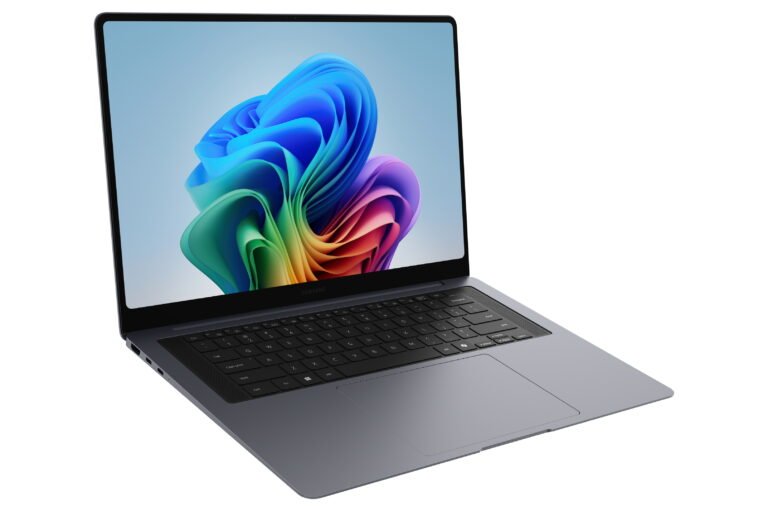
The best premium laptops make demanding work feel ordinary. Samsung takes that idea seriously here. The Galaxy Book6 Pro combines a large AMOLED touchscreen, 32GB of memory and modern Intel hardware in a body that remains unusually thin for a 16-inch machine. Its central question is simple: does that polished design justify a premium price when several rivals offer stronger graphics or easier upgrades?
This Samsung Galaxy Book6 Pro review is based on desk research. Specs Universe has not physically tested the laptop. Hard specifications come from the published Specs Universe record for the 16-inch 32GB model. Official Samsung information, independent testing and recurring owner discussions provide real-world context. Manufacturer claims and measured results are identified separately.
Samsung Galaxy Book6 Pro review: quick verdict
The Galaxy Book6 Pro 16-inch 32GB is a strong premium Windows laptop for work, study and media. Its 16-inch Dynamic AMOLED 2X touchscreen is the main attraction. The 2880 x 1800 resolution gives text and images plenty of detail, while the 120Hz refresh rate makes scrolling feel smoother. Samsung also lists a peak brightness figure of 1000 nits. Together, these qualities make the screen useful for large documents, photo work, films and several windows at once.
Portability is the second major strength. The laptop measures 356.9 x 248.0 x 11.9mm and weighs 1.59kg. That is impressively light and slim for this screen size. Battery capacity is 78.07Wh, and charging uses a compact 65W USB-C adapter. Independent testing of the 16-inch model also points to excellent endurance, although daily results will change with brightness, workload and power settings.
Galaxy Book6 Pro performance depends on the exact processor selected. The Specs Universe record lists Intel Core Ultra X7, Ultra 7 or Ultra 5 Series 3 chips, depending on configuration and market. Graphics can be Intel Arc Graphics or Intel Graphics. The reviewed record has 32GB of LPDDR5X memory and either a 512GB or 1TB PCIe SSD. It is fast enough for demanding productivity, coding, photo editing and light creative work. Still, integrated graphics are not a replacement for the RTX options in the Galaxy Book6 Ultra.
We like this laptop most for professionals and students who want a large first-class screen without carrying a heavy workstation. The lack of dedicated graphics limits advanced 3D work and serious gaming. Memory is also not presented as user-upgradeable, so buying the right capacity matters. At the current US price, the 32GB version makes sense when its display, battery life and low weight will improve work every day.
What the exact 16-inch 32GB configuration includes
Samsung sells several laptops under the Book6 Pro name. Therefore, the model code and checkout specification matter. This article stays tied to the published 16-inch 32GB record rather than borrowing figures from the 14-inch or 16GB versions.
- 16-inch Dynamic AMOLED 2X touchscreen
- 2880 x 1800 resolution and 120Hz refresh rate
- Intel Core Ultra X7, Ultra 7 or Ultra 5 Series 3, depending on configuration
- 32GB LPDDR5X memory
- 512GB or 1TB M.2 PCIe 4.0 SSD, depending on configuration
- Intel Arc Graphics or Intel Graphics, depending on configuration
- 78.07Wh battery with a 65W USB-C adapter
- Wi-Fi 7, Bluetooth 5.4 and two Thunderbolt 4 ports
- Windows 11 Home
The 32GB memory capacity is valuable for large browser sessions, development tools, complex spreadsheets and photo applications running together. Extra memory does not make the processor faster, but it gives demanding workflows more breathing room. It also makes the laptop easier to keep for several years.
Storage requires a little more attention. The device page lists 512GB or 1TB, depending on configuration. The internal M.2 PCIe 4.0 drive should keep Windows and applications responsive. More importantly, a second internal SSD expansion slot is available. That is useful because project files, photos and offline video can fill 512GB quickly. Buyers who do not want to open the laptop should choose 1TB at purchase.
A large laptop that still travels well
A 16-inch laptop gives spreadsheets, timelines and split-screen work much more room than a compact model. Usually, that benefit comes with a heavy bag. Samsung avoids most of that penalty. At 1.59kg and 11.9mm thick, the Book6 Pro is closer to an ultraportable in spirit than a traditional desktop replacement.
The shape is simple and professional. Gray and Silver are listed as available colors. Samsung does not identify the exact chassis alloy in the official specifications checked by Specs Universe, so we will not invent one. Published reviews describe a sturdy, clean build, but thin construction always deserves sensible care during travel. A padded sleeve is a small investment beside a premium laptop.
The two-tone Pro keyboard is backlit and includes a numeric keypad on the canonical record. That layout suits accounting, data entry and spreadsheet work. Yet keyboard preference remains personal. Thin laptops often provide less key travel than thicker business machines, and long-form writers should try it during the return period.
The haptic touchpad is a welcome modern feature. Independent reviewers praise its generous size and smooth response. A haptic design can provide a more consistent click across its surface than a traditional diving board mechanism. Still, software and firmware affect the experience. After setup, test dragging, text selection and multi-finger gestures before moving important work to the laptop.
Samsung moved the keyboard toward the center on this generation and uses the surrounding space for speakers. Some people will prefer the improved alignment. Others who depend on a number pad should confirm the exact regional keyboard shown by their retailer, because layouts can differ between markets.
The AMOLED display is the reason to consider it
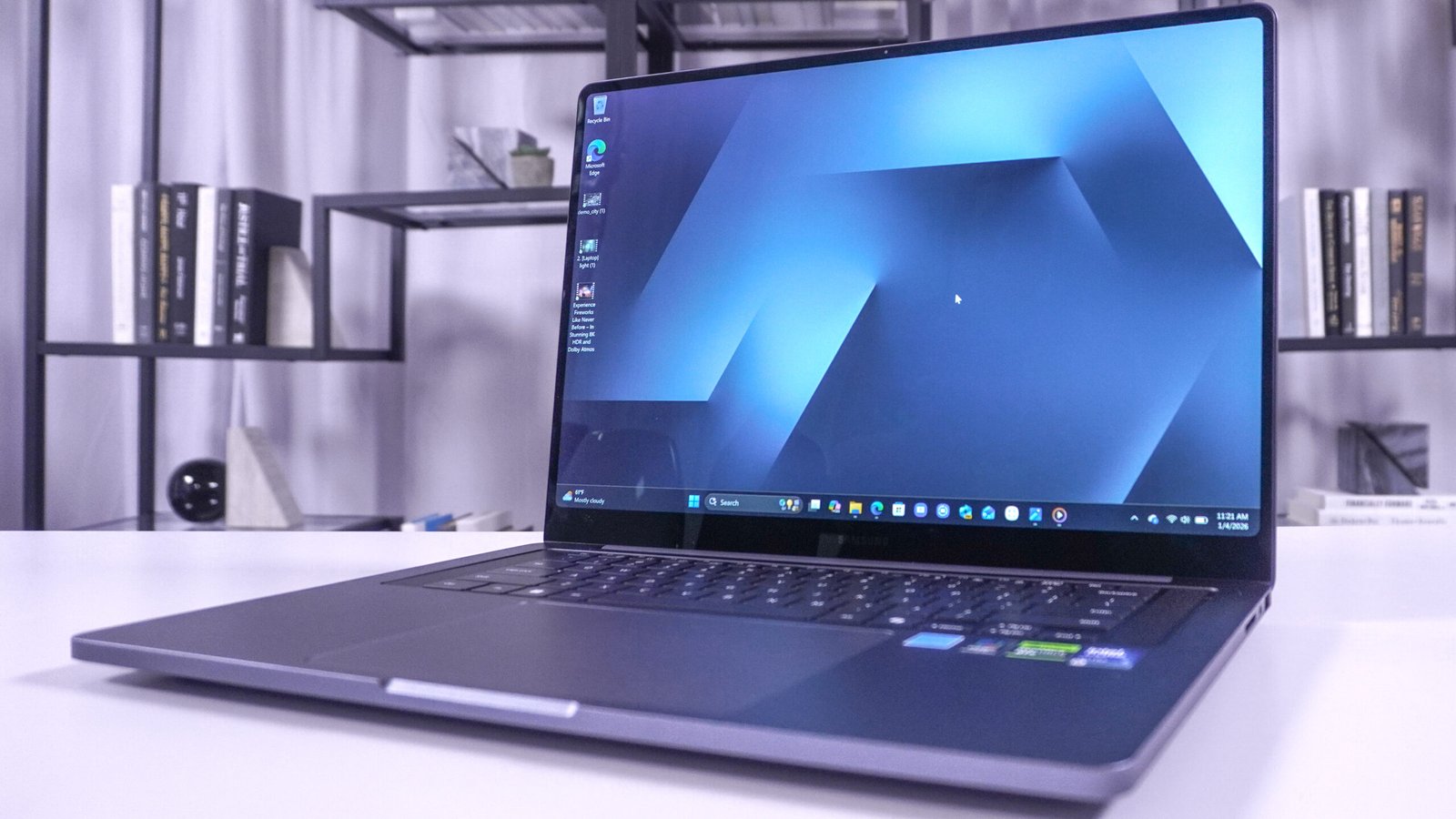
The Samsung Galaxy Book6 Pro display is its clearest advantage. The 16-inch Dynamic AMOLED 2X panel uses a 2880 x 1800 resolution. It supports touch input, a 120Hz refresh rate and Corning Gorilla Glass with DXC. Specs Universe records brightness at 1000 nits and identifies HDR support in general terms.
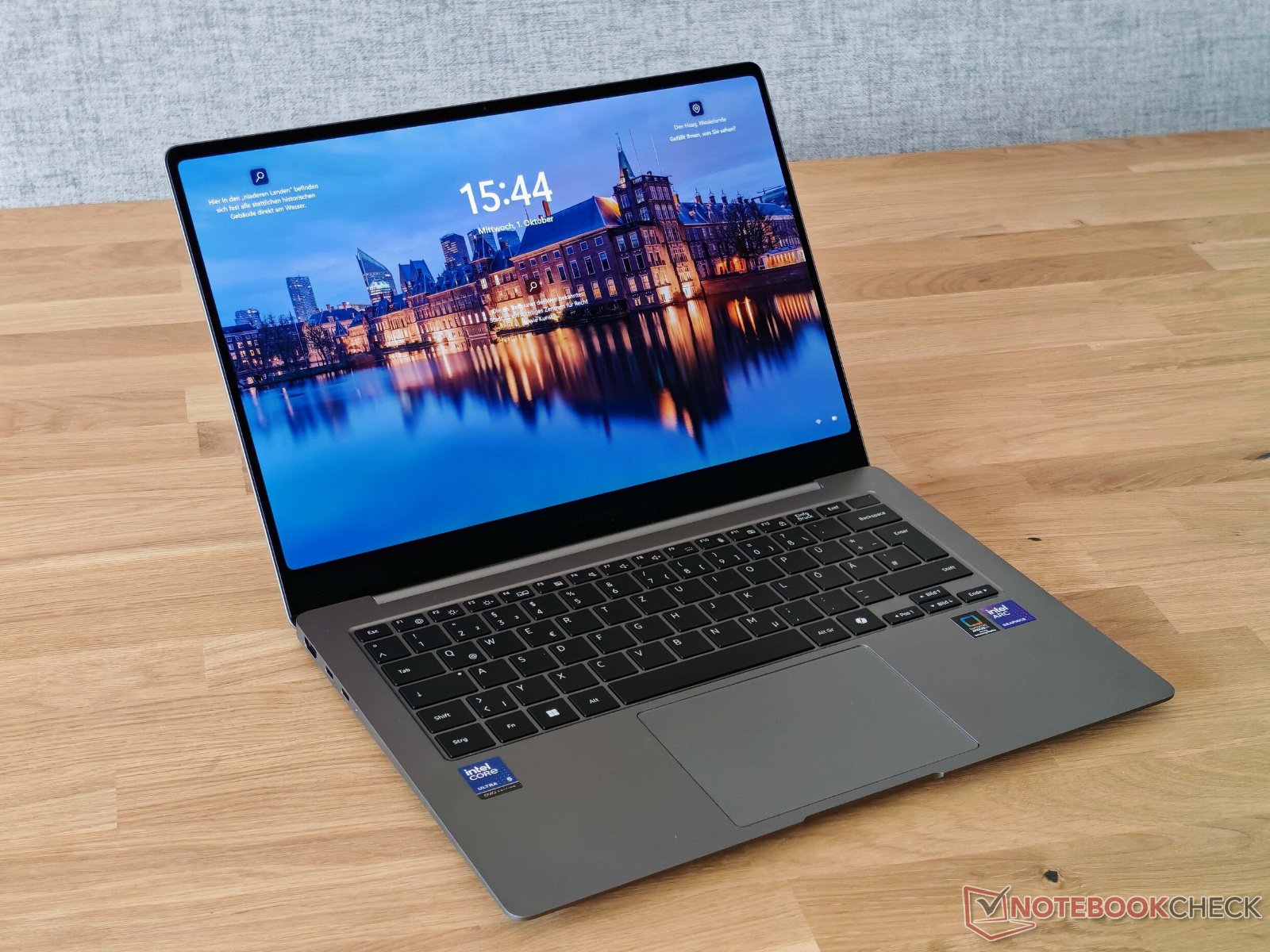
AMOLED can show deep blacks and strong contrast because dark pixels turn off individually. That makes films and photos look richer. It also helps dark interfaces appear cleaner. The 16:10-style workspace provides useful vertical room for documents and web pages, while the resolution keeps fine text sharp without pushing all the way to 4K.
The 120Hz refresh rate improves scrolling, animations and touch response. It can also reduce power use when the system lowers the refresh rate for static content. Independent tests have measured strong color accuracy and a bright, attractive picture on the 16-inch model. A laboratory brightness result may differ from Samsung’s listed peak figure because test patterns and display modes vary.
Gloss and reflections remain practical concerns. A bright OLED panel helps in a well-lit room, but reflective glass can still show windows and overhead lights. Meanwhile, OLED care deserves reasonable habits. Windows and Samsung software can manage the panel, yet hiding a static taskbar and using sensible screen-off settings may help over long ownership.
Touch is useful for scrolling, maps and quick controls. However, this is a conventional laptop, not a 360-degree convertible. The screen does not turn the machine into a tablet. If pen use and folded modes are central to the purchase, a Galaxy Book convertible or Lenovo Yoga is a better fit.
Performance is quick, efficient and workload-dependent
The processor description covers Intel Core Ultra Series 3 choices. The exact chip may be an Ultra X7, Ultra 7 or Ultra 5, depending on configuration. Therefore, one review unit’s benchmark should not be presented as a universal result for every Galaxy Book6 Pro.
Independent testing of a high-end 16-inch configuration reports excellent everyday speed and a large improvement over the previous generation in demanding multi-core work. That makes the laptop suitable for heavy office use, coding, large web projects and photo editing. The 32GB memory also helps when several demanding applications remain open.
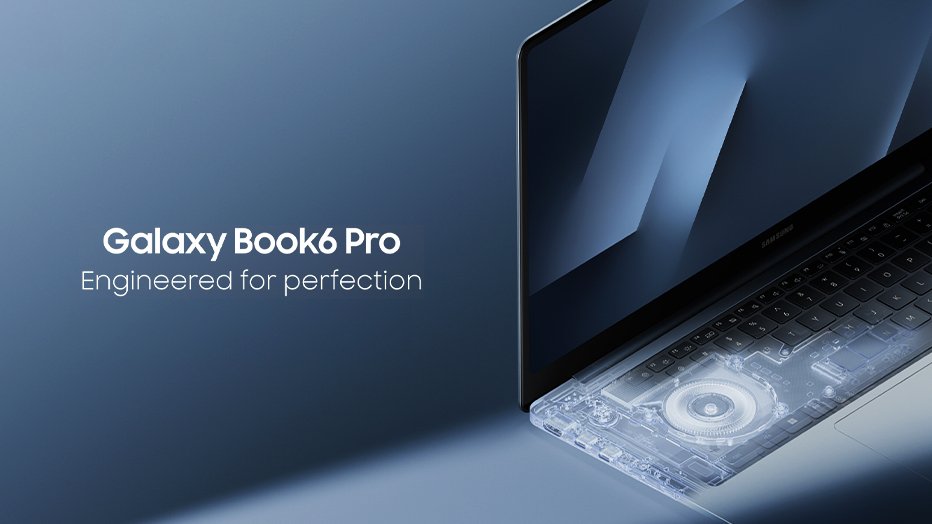
Samsung introduced improved cooling for the Pro generation, including a vapor-chamber design. The aim is to hold performance while keeping noise under control. Published testing generally describes good sustained behavior for a thin laptop. Even so, long exports and intensive calculations will make the cooling system work. Fan sound under load is normal, not evidence of a fault.
Graphics require a realistic expectation. Intel Arc Graphics can handle media acceleration, creative applications and lighter games. Modern integrated graphics are far more useful than older basic laptop graphics. Even so, performance varies with the exact processor and memory setup.
For casual gaming, start with moderate settings and use resolution scaling where supported. Competitive games and older titles should be more comfortable than demanding new releases. If gaming, 3D rendering or complex visual effects are weekly priorities, choose a laptop with dedicated graphics. The Galaxy Book6 Ultra is Samsung’s direct step up because selected versions include NVIDIA RTX graphics.
This distinction keeps the recommendation honest. The Pro is designed around mobility, screen quality and efficient performance. It is not a thin gaming laptop in disguise.
Ports, wireless connections and expansion
Galaxy Book6 Pro ports cover most office and travel needs. The canonical record lists two Thunderbolt 4 ports, USB-A, HDMI 2.1 and a 3.5mm audio connection. It also notes that microSD availability varies by market. Check the photographs and model code before assuming a card slot is present on a US configuration.
Thunderbolt 4 supports fast external storage, docks and compatible displays. HDMI is convenient for monitors, televisions and presentation equipment. USB-A keeps older mice, flash drives and security keys useful without an adapter. That balance is better than a laptop that relies entirely on USB-C.
Wi-Fi 7 and Bluetooth 5.4 provide modern wireless support. Wi-Fi 7 needs a compatible router and network before its full advantage appears. Otherwise, the laptop remains compatible with older Wi-Fi generations. There is no need to replace a reliable home router simply to match the newest label.
The second SSD slot is one of the most useful practical details. Soldered memory limits future RAM changes, but storage expansion gives the laptop more flexibility. Before opening the chassis, check the warranty terms and use a compatible M.2 PCIe drive. Anyone uncomfortable with internal work can use a fast Thunderbolt SSD instead.
Webcam, speakers and everyday meetings
The 2MP webcam records at 1080p Full HD. That is an appropriate baseline for meetings, lessons and family calls. Resolution alone does not guarantee excellent video. Room lighting, processing and connection quality matter just as much.
Published impressions describe the webcam as adequate rather than class-leading. A small external camera remains worthwhile for regular client presentations, teaching or streaming. The fingerprint reader in the power button provides convenient sign-in even when the webcam is not used for facial recognition.
The quad-speaker system supports Dolby Atmos. Reviews of the Book6 Pro generally praise its fuller sound compared with earlier Galaxy Book models. The placement around the keyboard helps with clarity while the laptop sits on a desk. It should handle calls and video comfortably, although headphones remain useful in shared spaces.
Owner discussions around the Book6 family often return to the same themes. The AMOLED display, low weight and battery potential receive praise. Complaints usually focus on premium pricing, pre-installed Samsung applications and limited memory upgradeability. Some owners also value Galaxy phone integration far more than others. These recurring reports are useful context, but they do not replace controlled testing of the exact 32GB configuration.
Battery life and 65W USB-C charging
The 78.07Wh battery is large for such a slim laptop. Samsung claims up to 30 hours of video playback. Specs Universe records that statement as a manufacturer claim, not an independent result. It also lists an approximate 33 percent charge in 30 minutes.
Independent web-browsing testing of a 16-inch review configuration reached more than 15 hours under controlled conditions. That is an excellent result and supports Samsung’s efficiency story. However, one test cannot predict every day. High screen brightness, video meetings, large downloads and creative applications can reduce endurance sharply.
The 65W USB-C adapter is easier to carry than the large power bricks supplied with many performance laptops. USB-C charging also makes desk setups simpler. Still, a small phone charger may charge slowly or fail to maintain the battery during demanding work. A spare adapter should support the required USB-C power delivery level.
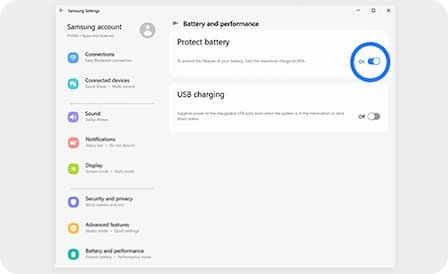
Battery health depends on more than a headline test. Sleep behavior, background applications and firmware can change standby drain. Therefore, install Windows, driver and Samsung updates after setup. Then check overnight battery loss while the laptop is still within its return period.
Windows, Galaxy integration and software support
Windows 11 Home is the listed operating system. Samsung adds Galaxy AI features, ecosystem applications and Copilot+ PC functions. Core Windows updates arrive through Microsoft, while Samsung Update handles supported drivers and firmware.
The ecosystem has genuine value for people who already use a Galaxy phone or tablet. File sharing, phone connections and cross-device controls can remove small daily delays. However, those advantages are less important outside Samsung’s ecosystem. The laptop still works as a normal Windows machine, but several bundled apps may feel unnecessary.
AI features should not lead the buying decision. Their availability can change with accounts, Windows releases and region. The display, keyboard, battery, memory and ports will matter every day. Buy for those fundamentals first.
Support also includes two separate responsibilities. Microsoft controls the Windows lifecycle, while Samsung supplies its own hardware utilities and driver packages. Keep both current. Before removing pre-installed software, confirm that it is not needed for performance modes, firmware or display controls.
US pricing and the three closest alternatives
Samsung’s US store lists the Galaxy Book6 Pro family across 14-inch and 16-inch sizes, 16GB and 32GB memory, and 512GB or 1TB storage. At the time of research, the 16-inch model started at $2,199.99 with 16GB, while the 32GB/1TB selection was listed at $2,549.99 before temporary discounts. Prices can change, so judge the exact checkout configuration rather than the family headline.
At full price, value is the main challenge. The 32GB version costs enough to overlap with more powerful creator laptops. Discounts improve the recommendation considerably. We would pay extra for 32GB when development tools, large photos or serious multitasking are part of the plan. Otherwise, a 16GB configuration can deliver the same display and lighter everyday experience for less.
The Apple MacBook Air is the clearest alternative for people comfortable with macOS. It offers excellent efficiency, quiet fanless operation and strong build quality. Choose the Samsung for Windows, touch input, Thunderbolt flexibility and Galaxy integration. Choose the MacBook Air when silence, macOS and Apple ecosystem features matter more.
The Microsoft Surface Laptop is a strong Windows alternative with a cleaner software setup and an excellent keyboard-focused design. Its configuration and display priorities differ, so compare the exact size and processor. The Samsung wins for its large AMOLED screen and wider mix of familiar ports.
A Lenovo Yoga 9i is more suitable when convertible use and pen work matter. Its folding hinge changes how the laptop can be used, while the Book6 Pro remains a traditional clamshell. For dedicated graphics, the Galaxy Book6 Ultra or a gaming-focused laptop is the more honest comparison.
Who should buy it, and who should skip it?
Choose the Galaxy Book6 Pro 16-inch 32GB if a large OLED workspace, strong battery life and low carry weight matter together. It is particularly suitable for developers, analysts, students, photographers and office professionals who keep many applications open. The 32GB memory gives those workflows useful headroom.
Skip it if dedicated graphics are essential, if you expect to upgrade memory later, or if a low price matters more than premium construction. A smaller 14-inch version will also travel more easily, while the 16-inch model provides more room for work.
Current Book5 Pro owners should not upgrade automatically. The newer processor and efficiency gains are useful, but a working previous-generation laptop with enough memory remains capable. Upgrade when faster sustained performance, longer battery life or a revised input layout solves a real problem.
Samsung Galaxy Book6 Pro review verdict
The Galaxy Book6 Pro 16-inch 32GB succeeds because its best qualities work together. The 16-inch 2880 x 1800 AMOLED touchscreen is excellent, 32GB of memory suits demanding multitasking, and the 1.59kg body is remarkably portable. Battery evidence is also encouraging, while the ports cover real work without demanding a dock.
Its main weakness is value. Integrated graphics limit advanced creator and gaming work, and the premium price enters territory occupied by laptops with dedicated GPUs. The memory choice also needs to be correct from the beginning.
We recommend it for someone who wants a large premium Windows screen in a genuinely travel-friendly laptop. Choose the 32GB configuration for development, heavier creative applications or long ownership. Wait for a strong promotion if everyday documents and browsing are the main workload. The Book6 Pro is an excellent productivity laptop, but it is best when its screen and low weight are worth paying for.