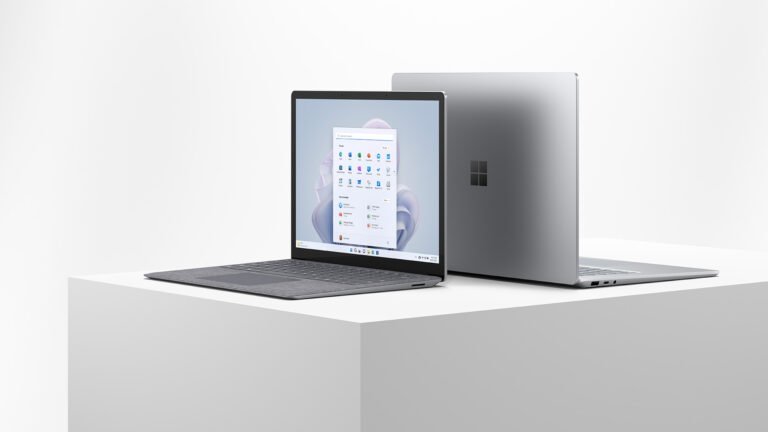
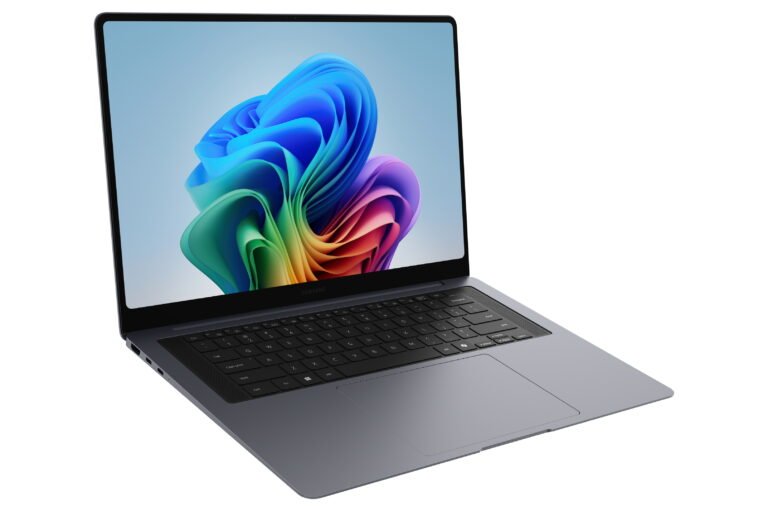
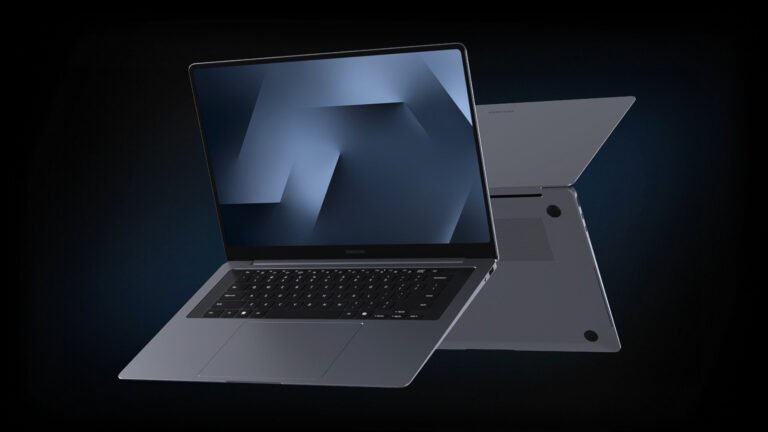
The Galaxy Book5 Pro tries to solve a difficult problem: how do you make a 16-inch Windows laptop feel genuinely portable without weakening the screen, battery or everyday usefulness? The Galaxy Book5 Pro 16-inch is Samsung’s slim answer built around a large AMOLED touchscreen, efficient Intel hardware and a broad set of ports. It is easy to like, but its value depends heavily on the price you find now that newer models have arrived.
This is a desk-research editorial assessment. Specs Universe has not physically tested this laptop. Hard specifications come from the published Specs Universe device record. Real-world observations are drawn from independent testing, Samsung’s US information and recurring owner feedback. We identify manufacturer claims clearly and do not present them as measured results.
Galaxy Book5 Pro 16-inch: quick verdict
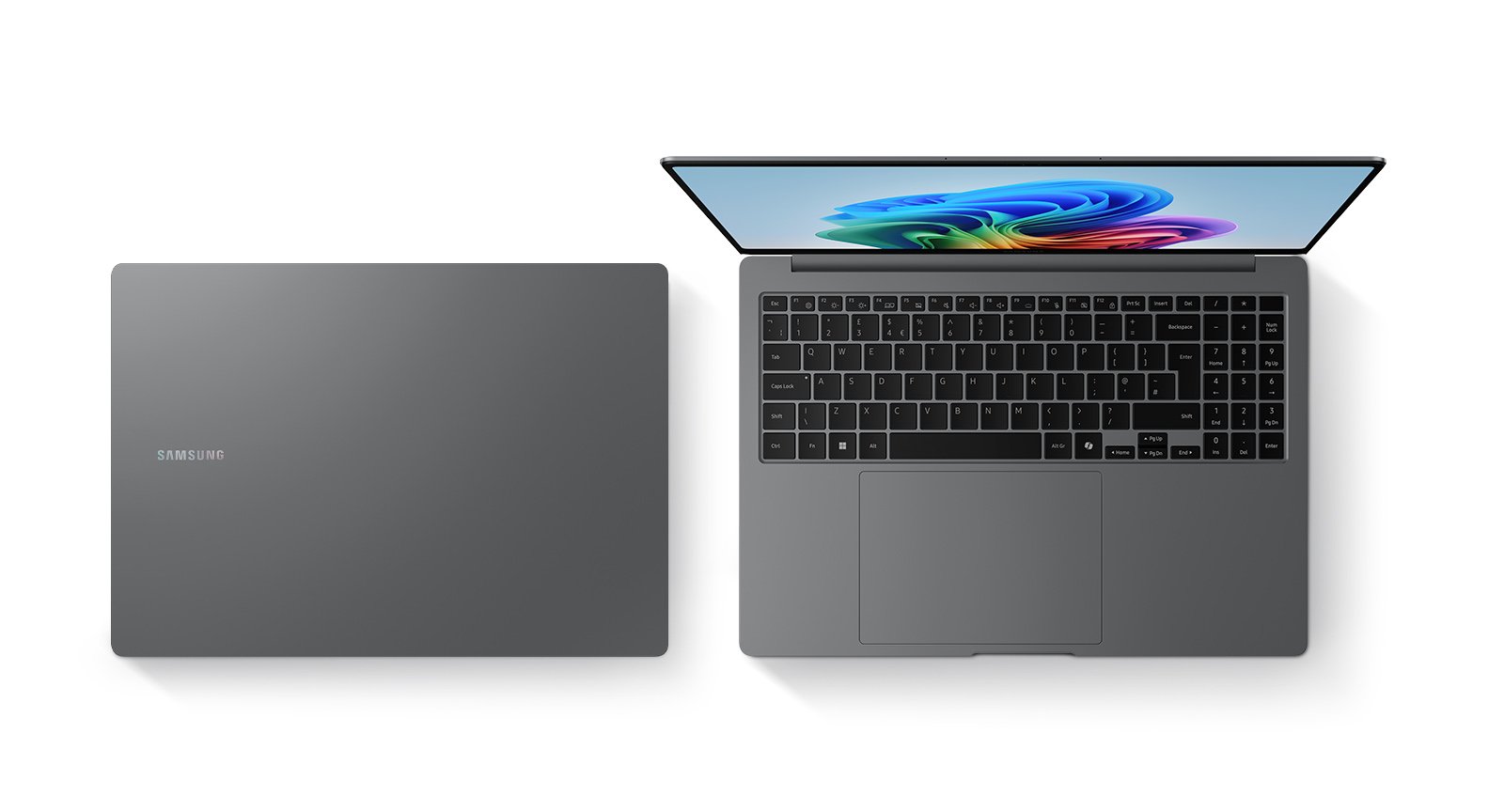
The 16-inch Galaxy Book5 Pro is a strong choice for office work, study, media and light creative tasks. Its 2880 x 1800 Dynamic AMOLED 2X touchscreen is the main attraction. It gives documents, photos and video plenty of room while the 120Hz refresh rate keeps movement smooth. The laptop also remains unusually thin for its size, and the 1.56kg weight is manageable for regular travel.
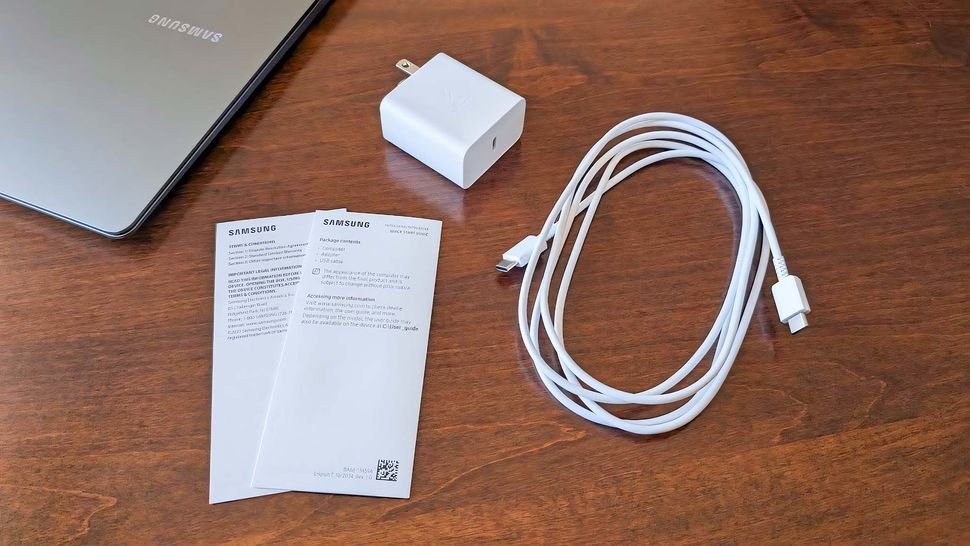
Battery life is another real strength. Samsung claims up to 25 hours of video playback from the 76.1Wh battery. Independent results do not make every workload last that long, but published reviews consistently place endurance among this model’s best qualities. The 65W USB-C charger is also easier to carry than a large proprietary power brick.
There are limits. Intel Arc integrated graphics can handle normal productivity, photo work and casual gaming, but this is not a replacement for a laptop with dedicated graphics. The webcam is only a 2MP, 1080p unit, and independent reviewers have been less impressed by its image quality than its resolution suggests. The keyboard layout will also divide opinion because the numeric keypad shifts the main typing area to the left.
We would consider it at a clear discount. At a price close to a newer Galaxy Book6 Pro or another current premium laptop, the older model becomes harder to defend. The best reason to buy is not the AI label. It is the combination of a large AMOLED screen, long battery life, useful ports and low travel weight.
A 16-inch laptop that does not feel oversized
Large-screen laptops often become desk machines by accident. They offer useful working space, then add enough thickness and weight to make daily travel unpleasant. Samsung avoids most of that problem here. The body measures 355.4 x 250.4 x 12.5mm and weighs 1.56kg. Those numbers make it a realistic option for someone who wants a wide screen but still moves between home, school and an office.
The thin body has practical consequences. It slips into a suitable 16-inch bag more easily than a gaming laptop, and the compact 65W USB-C adapter keeps the full travel setup sensible. A 16-inch footprint is still a 16-inch footprint, though. It needs more desk and tray-table space than a 14-inch model, so frequent flyers should think carefully before choosing size over convenience.
Specs Universe lists Gray and Silver finishes. The canonical record does not identify a specific chassis alloy, so we will not invent one. Published reviews generally describe the construction as sturdy and appropriately premium. That matters because thin laptops can sometimes feel flexible around the lid or keyboard deck. The evidence here is reassuring, even if Samsung’s material description is not precise on the record we are using.
The overall design looks restrained. That suits professional settings and should age better than a trend-led finish. It does not demand attention, which is often exactly what a work laptop should do.
The AMOLED display is the clearest reason to buy
The 16-inch Dynamic AMOLED 2X panel has a 2880 x 1800 resolution, a 120Hz refresh rate and a listed brightness of 500 nits. It also supports touch input and uses Corning Gorilla Glass with DX. On paper, this is the part of the laptop that most clearly earns the Pro name.
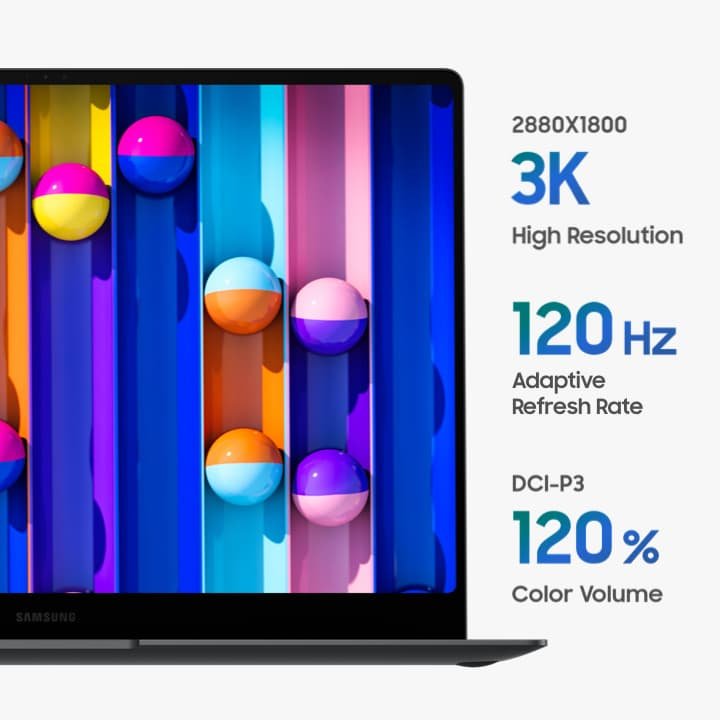
The resolution gives text and interface elements a clean appearance at normal viewing distances. More importantly, the 16-inch area allows two documents, a browser and a spreadsheet, or a longer editing timeline to remain useful without constant window shuffling. The extra space can improve ordinary work more than a small processor difference.
AMOLED brings deep blacks and strong contrast, which helps films and darker photographs look convincing. Independent reviews from Laptop Mag and PCWorld both treat display quality as a major strength. The 120Hz refresh rate makes scrolling and animations look smoother than they do on a basic 60Hz panel.
Touch support is useful for scrolling, maps, signatures and quick navigation. This is still a traditional clamshell, not the 360-degree convertible, so treat touch as a convenient extra rather than a tablet replacement. That distinction matters when comparing similarly named Galaxy Book models.
Glossy premium screens can reflect lamps and windows. Gorilla Glass with DX aims to reduce reflections, but lighting still affects the experience. The listed 500-nit brightness gives the panel a useful reserve indoors, although it does not turn the laptop into an ideal outdoor workstation.
Performance suits productivity better than heavy creation
The exact processor depends on configuration. Specs Universe lists an Intel Core Ultra 7 or Core Ultra 5 Series 2 chip, paired with Intel Arc Graphics. Core and thread counts therefore vary with the chosen processor. That variation is important: a seller advertising only “Galaxy Book5 Pro” has not told you enough. Confirm the full processor name before paying.
For ordinary work, the Galaxy Book5 Pro 16-inch makes sense. Browser tabs, office applications, video meetings, streaming and routine photo edits should fit comfortably within its intended role. Intel’s Series 2 design also places strong emphasis on efficiency, which supports the battery story.
Independent testing presents a more measured view of raw speed. PCWorld found solid desktop performance and excellent endurance, while Laptop Mag judged the overall performance as middling beside some premium rivals. Those conclusions can both be true. The laptop runs its intended work quickly enough, but it is not the obvious choice for someone chasing the highest benchmark result per dollar.
The integrated Intel Arc graphics are more capable than older basic integrated GPUs. They can support creative acceleration, high-resolution media and lighter games. Still, demanding 3D rendering, complex effects work and current games at high settings are better handled by dedicated graphics. The sharp native screen resolution also asks a lot from any GPU, so games may need lower resolution and quality settings.
Thermal and noise data for this exact configuration are not published in the Specs Universe record. We therefore cannot attach a precise temperature, throttle percentage or fan-noise figure to it. The thin chassis naturally gives the cooling system less room than a performance laptop has, which is another reason not to treat this as a workstation or gaming replacement.
Is 16GB of RAM enough?
The reviewed configuration has 16GB of RAM. That is enough for mainstream productivity in 2026, including a sensible mix of browser tabs, documents, communication apps and occasional creative work. It is less comfortable for large virtual machines, heavy 4K editing, extensive software development environments or unusually large media projects.
Choose the memory capacity before purchase because thin premium laptops rarely make later RAM upgrades simple. The Specs Universe page does not promise user-upgradeable memory, so do not buy the 16GB version assuming you can expand it later. If your current workload already pushes beyond 16GB, choose a higher-memory record rather than hoping software efficiency will solve the limit.
Samsung offers a 512GB or 1TB PCIe NVMe SSD, depending on configuration. The 512GB option is reasonable for cloud-based work and a moderate local library. The Galaxy Book5 Pro 16-inch makes the 1TB option more attractive for large photo collections, local video, games or long-term use. A second SSD slot can depend on size and market, while the laptop supports microSD. Check the exact US model before treating a second internal slot as guaranteed.
Keyboard and trackpad need personal judgment
Samsung uses a backlit Pro keyboard with a numeric keypad and a precision clickpad. A number pad is valuable for spreadsheets, finance work and repeated data entry. It is less helpful if you prefer a centered typing position, because the extra keys push the main keyboard and trackpad relationship off center.
Published criticism focuses on limited key travel. Laptop Mag noted that the keyboard did not match the strongest rivals, and some owners have also described the typing feel as shallow or uncomfortable. That does not make it unusable. It does mean anyone who writes for hours each day should try a display unit or buy from a retailer with a practical return policy.
Owner feedback is not uniform. Some people praise the screen, responsiveness and large work area, while others report frustration with keyboard comfort or occasional driver stability. A single forum complaint cannot establish a general defect. Repeated themes are useful as questions to investigate, especially on an expensive laptop. Update Windows, Samsung drivers and firmware promptly, then test sleep, charging and peripheral behavior during the return period.
The large precision clickpad suits gestures and wide cursor movement. Its size may feel generous during normal use, although people who rest a palm near the center of the deck may need time to adjust. This is one of those details a specification sheet cannot settle.
Ports are practical, not minimalist
The port selection is one of Samsung’s better decisions. There are two Thunderbolt 4 connections, USB-A, HDMI 2.1, a microSD slot and a 3.5mm audio jack. That combination supports modern docks while keeping useful legacy and presentation connections on the laptop itself.
Thunderbolt 4 can handle charging, fast storage and external displays through compatible accessories. HDMI is convenient in meeting rooms, classrooms and at home because it avoids an adapter. USB-A remains helpful for older drives, mice and specialist equipment. The microSD reader will appeal to photographers and anyone who wants simple removable storage, even though a full-size SD reader would suit more cameras.
Wireless connectivity includes Wi-Fi 7 and Bluetooth 5.4. To benefit fully from Wi-Fi 7, the router and network must also support it. Otherwise, the laptop remains compatible with older Wi-Fi networks. There is no need to replace a working router simply because a newer wireless standard appears on the box.
Webcam, speakers and meetings
The 2MP webcam records at 1080p Full HD. Resolution alone does not guarantee a strong image, and independent reviews have criticized its real-world quality. It should cover normal calls, but people who present regularly, teach online or record video may prefer a good external webcam.
The device record lists a fingerprint reader in the power button. That provides quick biometric sign-in without depending on face recognition. It is a sensible fit for a work-focused laptop, though placement and enrollment quality still affect the daily experience.
Four speakers with Dolby Atmos give the audio system more ambition than a basic stereo setup. Published reviews generally describe the laptop as well suited to media, but the screen remains the stronger part of the entertainment package. Headphones or external speakers are still worthwhile for accurate editing, stronger bass or shared-room privacy.
For meetings, the broad screen helps keep a call beside notes or a document. The webcam is the weak link. If video-call quality matters more than display quality, compare it directly with rivals known for better cameras.
Galaxy software is useful when you already own Samsung products
The laptop runs Windows 11 Home. Windows Update and Samsung Update handle system, software and driver updates. Samsung also includes Galaxy ecosystem applications and features whose availability can vary by model and region.
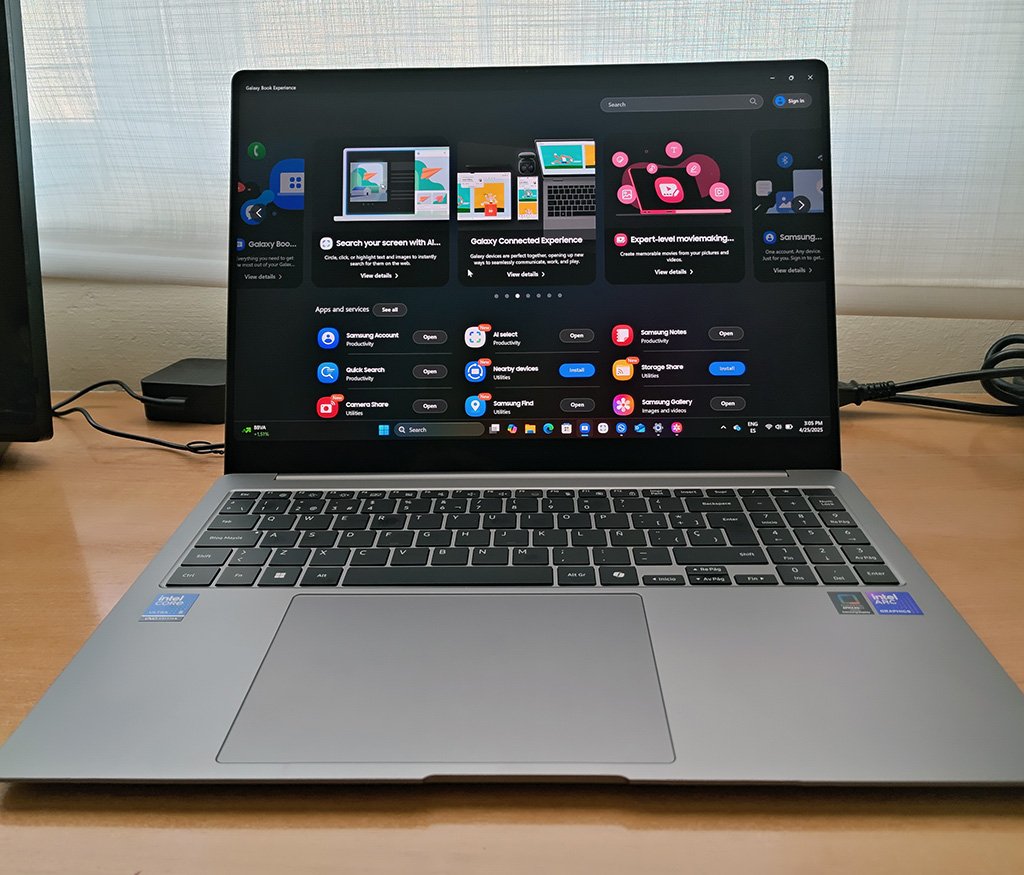
The Galaxy Book5 Pro 16-inch makes the most of practical connections with a Galaxy phone or tablet. Moving files, continuing communication and using linked-device features can reduce small daily interruptions. The benefit is greatest inside Samsung’s ecosystem. Someone using another Android brand or an iPhone still gets a normal Windows laptop, but several of Samsung’s differentiators become less important.
Copilot+ and local AI features receive plenty of marketing attention. They should not be the main purchase reason. Feature availability changes with Windows releases, region and account requirements, and many useful tools also appear on competing PCs. Buy for the display, battery, size and everyday performance. Treat AI functions as additions that may improve over time.
Pre-installed utilities can be helpful, but they also add notifications and background services. Remove anything you do not use only after confirming it is not required for updates, hardware controls or device integration.
Galaxy Book5 Pro battery life
Battery life is central to the recommendation. The Galaxy Book5 Pro 16-inch pairs a 76.1Wh battery with a 65W USB-C adapter. Samsung claims up to 25 hours of video playback and about 35 percent charging in 30 minutes. Those are manufacturer figures under specific conditions, not promises for mixed daily work.
Independent testing still supports an optimistic conclusion. PCWorld recorded exceptional battery performance for the 16-inch model, while Laptop Mag reported more than 12 hours in its test. Different test methods, brightness levels and workloads explain why review results do not match one another exactly. Both are more useful than repeating the maximum claim as if every person will reach it.
Real work usually combines web browsing, video calls, background sync and changing screen brightness. Heavy creative work and gaming drain the battery much faster. Even with that warning, endurance is one of the strongest reasons to consider this laptop. It reduces the pressure to carry the charger for every short trip.
USB-C charging is convenient because one suitable charger can serve several modern devices. A compact 65W adapter is also easier to replace than a proprietary connector. Use a properly rated charger and cable if you buy a spare.
Current US price and availability
The Galaxy Book5 Pro 16-inch is no longer the newest model in Samsung’s line. Samsung’s US product information remains available, but retail stock and exact configurations can change. That makes the checkout page more important than the launch price.
We would not pay near-new-model money for the 16GB version. Its strongest value appears when a meaningful clearance or open-box discount separates it from the Galaxy Book6 Pro. Confirm the processor, storage, warranty and return conditions, because a low listing price can hide an unwanted Core Ultra 5 configuration or reduced warranty coverage.
The 1TB version is preferable when the price gap is reasonable. Storage pressure appears sooner than many people expect on a laptop used for photos, video and games. Extra storage does not improve processor speed, but it can make long-term ownership easier.
For international purchases, verify the keyboard layout, charger, warranty territory and exact processor. Regional listings may use the same family name for different configurations. The Specs Universe record is the factual reference for this article; a retailer listing still needs its own model-code check.
Three alternatives worth comparing
Samsung Galaxy Book6 Pro: choose the successor if the price difference is small and you want the newer platform with a longer remaining retail life. Choose the Book5 Pro when the discount is large enough to matter and its 16GB limit fits your work.
Apple MacBook Air 15-inch: choose the MacBook Air for silent operation, strong efficiency and macOS, especially if you already use an iPhone. Choose Samsung for the 120Hz AMOLED touchscreen, broader built-in port selection and Windows software compatibility.
ASUS Zenbook S 16: compare this if you want another thin large-screen Windows laptop with an OLED display. Processor options, keyboard feel, port layout and current pricing may make the ASUS a better fit. Samsung has the clearer advantage for people already using Galaxy phones and tablets.
None of these is automatically better. The useful comparison is about workflow: operating system, screen preference, performance needs, ecosystem and actual selling price.
Who should buy it, and who should skip it?
- Buy it for a large AMOLED touchscreen, long battery life and useful ports.
- Choose another laptop for heavy GPU work, more than 16GB of RAM or a better webcam.
- Upgrade from an older LCD model when display quality and lower travel weight will change daily use.
Skip it if you need heavy GPU performance, more than 16GB of memory, a class-leading webcam or an especially deep keyboard. A 14-inch laptop is also easier for frequent air travel, while a gaming or creator model will deliver much stronger sustained graphics performance.
Owners of a recent Galaxy Book4 Pro do not have a strong reason to upgrade unless battery life or a specific Series 2 feature solves a real problem. Moving from an older, heavier LCD laptop will feel more substantial because the screen, portability and endurance all change together.
Samsung Galaxy Book5 Pro review verdict
The Galaxy Book5 Pro 16-inch is a very good productivity laptop with one exceptional feature: its large 120Hz AMOLED touchscreen. Long battery life, a thin 1.56kg body and sensible ports make it more practical than many premium 16-inch rivals.
Its weaknesses are clear. Integrated graphics limit demanding creative work and gaming, the webcam disappoints in independent testing, and the keyboard will not suit everyone. The 16GB memory configuration also needs honest consideration before purchase.
We recommend it at a real discount, particularly for office work, study, media and light creation. Check the exact Intel processor, storage capacity and US warranty before ordering. If its price approaches the newer Galaxy Book6 Pro, buy the newer model instead.