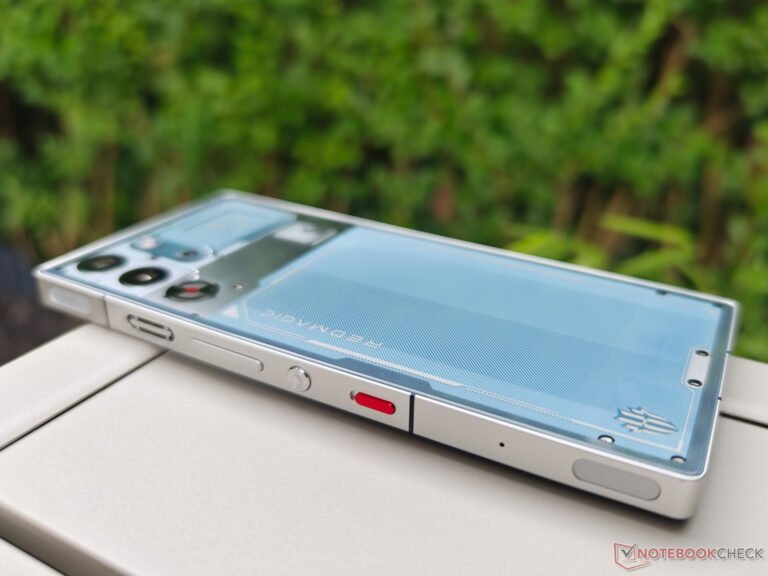
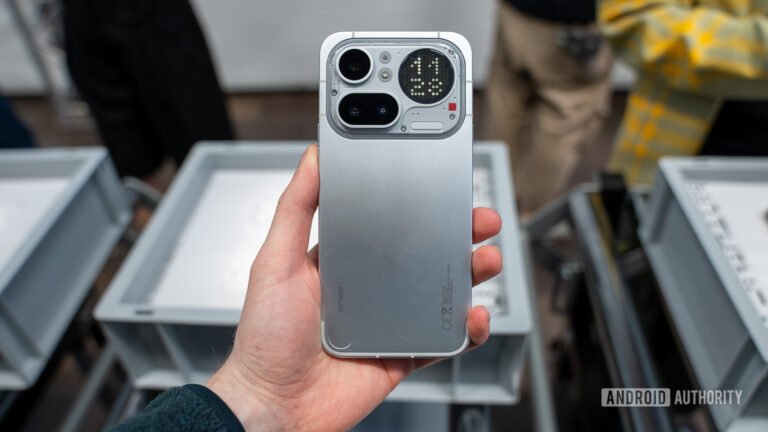
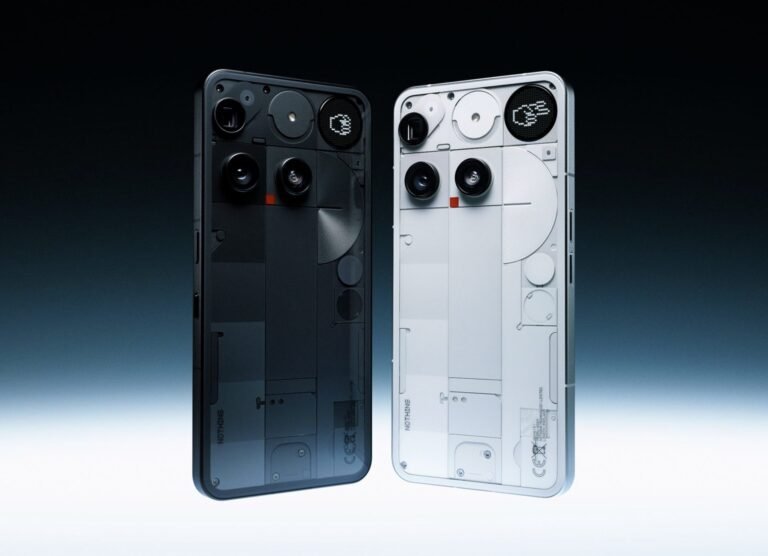
The Nothing Phone 4a review is ultimately a test of priorities. This phone does not try to win by hiding inside the familiar midrange formula. It uses a transparent-inspired rear design, a purposeful Glyph Bar, and a sharply styled version of Android to build a clear identity. That confidence matters because affordable phones often feel designed by committee. Nothing instead offers a device that looks considered, behaves cleanly, and gives buyers more camera flexibility than its price might suggest.
Yet a serious recommendation cannot rest on personality alone. The Phone (4a) still has to handle long days, demanding apps, difficult photos, years of software use, and strong rivals. Its 12GB memory option improves headroom, but it does not turn the underlying processor into flagship hardware. Its periscope camera is unusual at this level, but a long zoom label does not guarantee consistent photographs. Those boundaries define the phone just as much as its design.
Our conclusion is optimistic but measured. The Phone (4a) is one of the more complete choices for people who value clean software, visual character, a large display, reliable everyday speed, and useful optical reach. Buyers who place gaming performance, wireless charging, or effortless camera consistency above everything else should compare carefully. This review explains where the phone feels genuinely special, where it remains ordinary, and when the 12GB model makes financial sense.
Nothing Phone 4a review: the short verdict
The Phone (4a) succeeds because its differences affect daily use. The rear light is not only decoration. It can show selected notifications without demanding a full screen check. Nothing OS reduces visual noise and keeps the interface coherent. Meanwhile, the telephoto camera creates framing options that many similarly priced phones simply do not offer. These qualities make the phone feel intentional rather than inexpensive.
However, its strengths are not universal victories. The Snapdragon 7s Gen 4 platform is well suited to messaging, navigation, streaming, social media, light photo editing, and most games. It is less convincing for people who want maximum frame rates or sustained high settings. Camera results can also vary by lens and lighting. The main camera is the safest choice, while the ultrawide and extreme digital zoom require more patience.
- Buy it for: a distinctive design, clean software, a bright large display, strong everyday battery life, and meaningful zoom flexibility.
- Think twice if: you demand flagship gaming, wireless charging, a compact body, or consistently excellent photos with no adjustment.
- Choose 12GB when: the price increase is modest and you keep phones for several years or multitask heavily.
- Choose the lower-memory model when: normal communication, media, banking, maps, and casual photography make up most of your use.
Who the Phone (4a) is really for
This phone makes the strongest case to buyers who are tired of anonymous hardware. Nothing has built an experience for people who notice typography, animation, icon design, texture, and the way physical details connect with software. That appeal is not superficial. A device used dozens of times each day benefits from clarity and visual calm. The Phone (4a) can make routine interactions feel less cluttered without forcing users into an unfamiliar operating system.
It also suits buyers who want a flexible camera without moving into expensive flagship territory. A proper telephoto perspective is useful for portraits, travel details, pets, events, and distant signs. It changes where a photographer can stand and how they can compose the scene. That practical freedom is more valuable than a large digital zoom number printed on a product page.
Conversely, the Phone (4a) is not aimed at people who see a smartphone mainly as a portable games console. It can play modern titles, but its value depends on balanced performance rather than brute force. It is also a large phone. Anyone with smaller hands, shallow pockets, or a strong preference for one-handed use should handle a similarly sized device before buying.
Design with a purpose beyond attention
Nothing’s transparent-influenced design language remains the obvious attraction. The rear surface exposes shapes, layers, and visual references without actually leaving sensitive components vulnerable. It gives the phone depth and makes each color feel like a deliberate version rather than a simple paint change. In a market filled with restrained camera islands and neutral finishes, that confidence is refreshing.
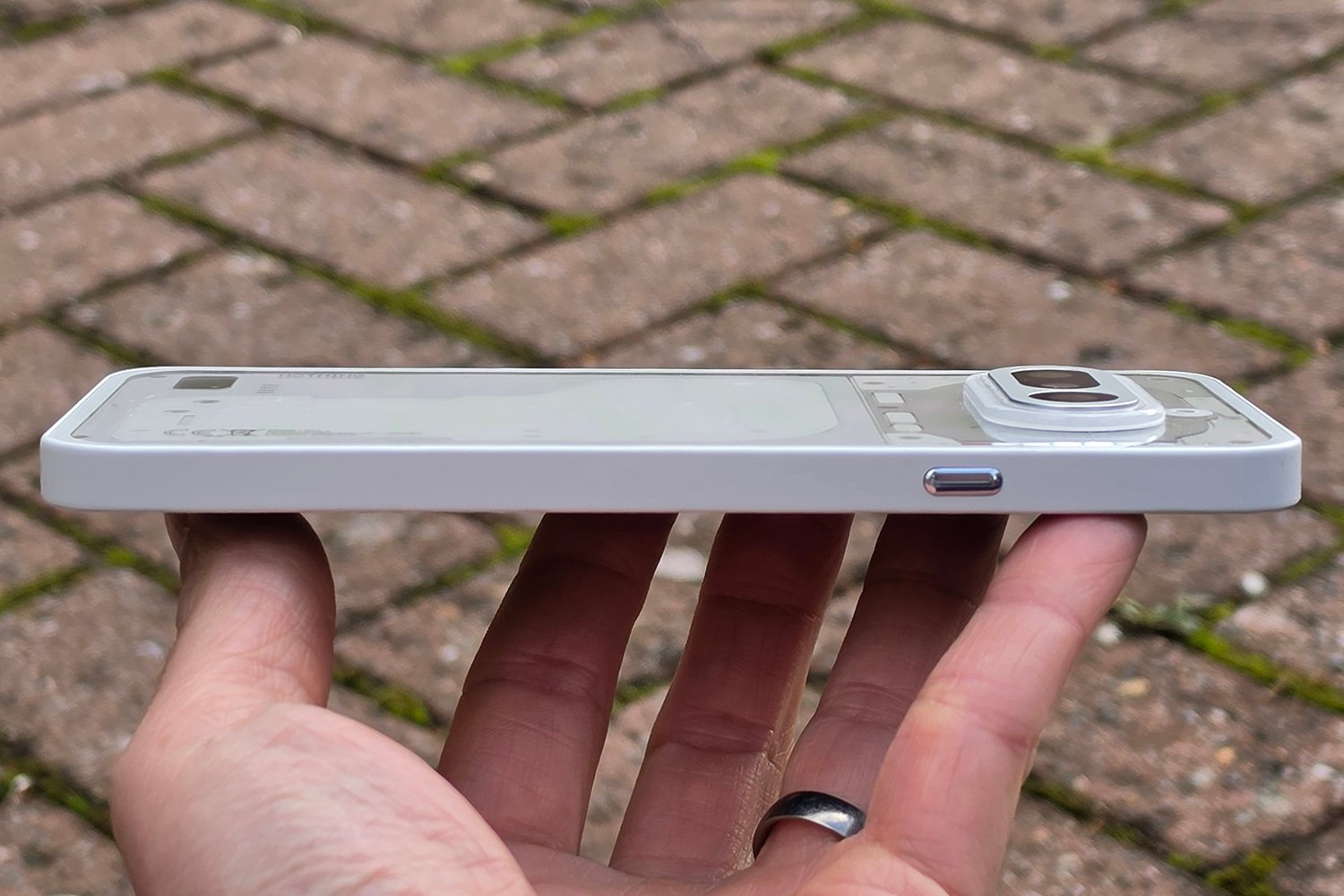
The serious question is whether the design survives normal life. A visually complex rear panel can reveal dust around a case and draw attention to scratches. A protective case may also soften the effect that attracted the buyer in the first place. Even so, the recognizable layout has lasting value. It remains identifiable on a table, and it avoids pretending to be a more expensive phone from another brand.
Build perception matters as much as appearance. The Phone (4a) feels designed to deliver a premium impression within a controlled budget. That does not mean every material matches a flagship. It means the shapes, alignment, color choices, and interface work together. Buyers should judge the entire object instead of treating “premium” as a synonym for glass and metal.
The Glyph Bar can reduce unnecessary screen checks
The Glyph Bar is most useful when it helps the owner ignore the phone. A smaller visual signal can communicate selected notifications, timers, charging information, and live updates. That approach supports a healthier habit: glance at the back, understand whether something matters, and return to the task at hand.
Its usefulness depends on setup. If every app earns permission to demand attention, the light becomes another interruption. If the owner reserves it for family, delivery progress, important messages, or timers, it develops a clear role. Nothing’s hardware idea therefore works best with restraint. The phone gives users the tool, but the benefit comes from choosing what deserves visibility.
A large display that supports work and entertainment
The 6.78-inch AMOLED display is one of the Phone (4a)’s broadest strengths. Its 120Hz refresh rate helps scrolling, transitions, and supported games look smooth. The high resolution gives text and photographs clean edges. More importantly, the panel is large enough for navigation, reading, documents, video, and split attention without making every interface element feel compressed.
Brightness is important outside controlled demonstrations. Nothing promotes a very high peak figure, but peak brightness applies under specific conditions and does not describe every moment of use. The practical result matters more: the screen should remain readable in strong daylight, while automatic brightness should avoid aggressive swings indoors. Independent reviews generally describe the panel as a major advantage, which aligns with its role in the overall package.
Size introduces a tradeoff. A large panel improves media and typing, yet it makes the phone harder to secure with one hand. Reaching the upper corners may require a grip adjustment. The device can also feel substantial during long reading sessions. Software gestures help, but they cannot change the physical width. Compact-phone buyers should not assume that attractive proportions in photographs translate into easy one-handed use.
Nothing OS is the most persuasive long-term feature
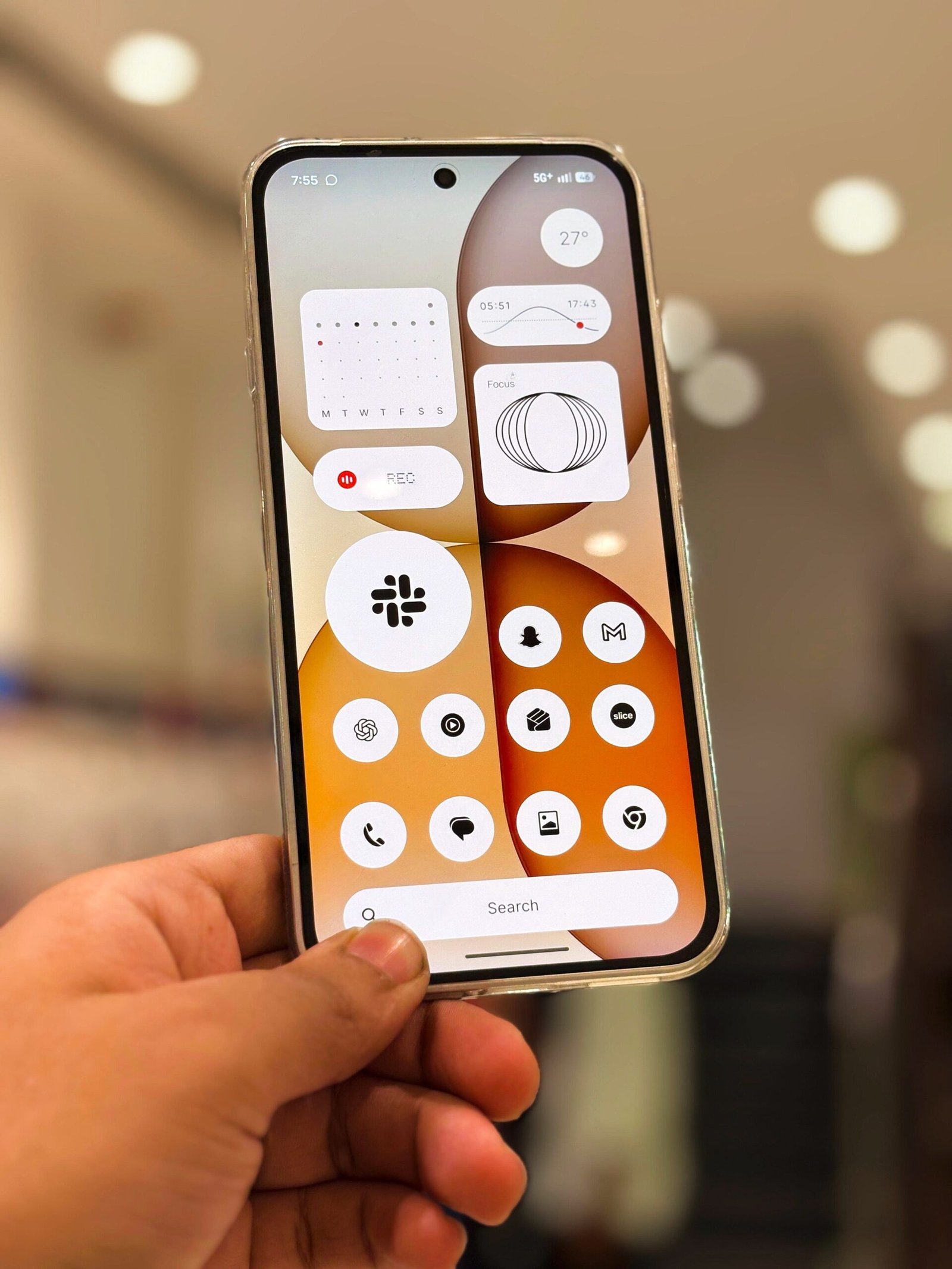
Nothing OS gives the Phone (4a) a stronger identity than a launcher or icon pack could provide. Monochrome elements, dot-based graphics, matching widgets, and consistent motion create a system that feels edited. The interface still behaves like Android, so common habits remain useful. Yet the visual language reduces the sense that several unrelated design systems occupy the same screen.
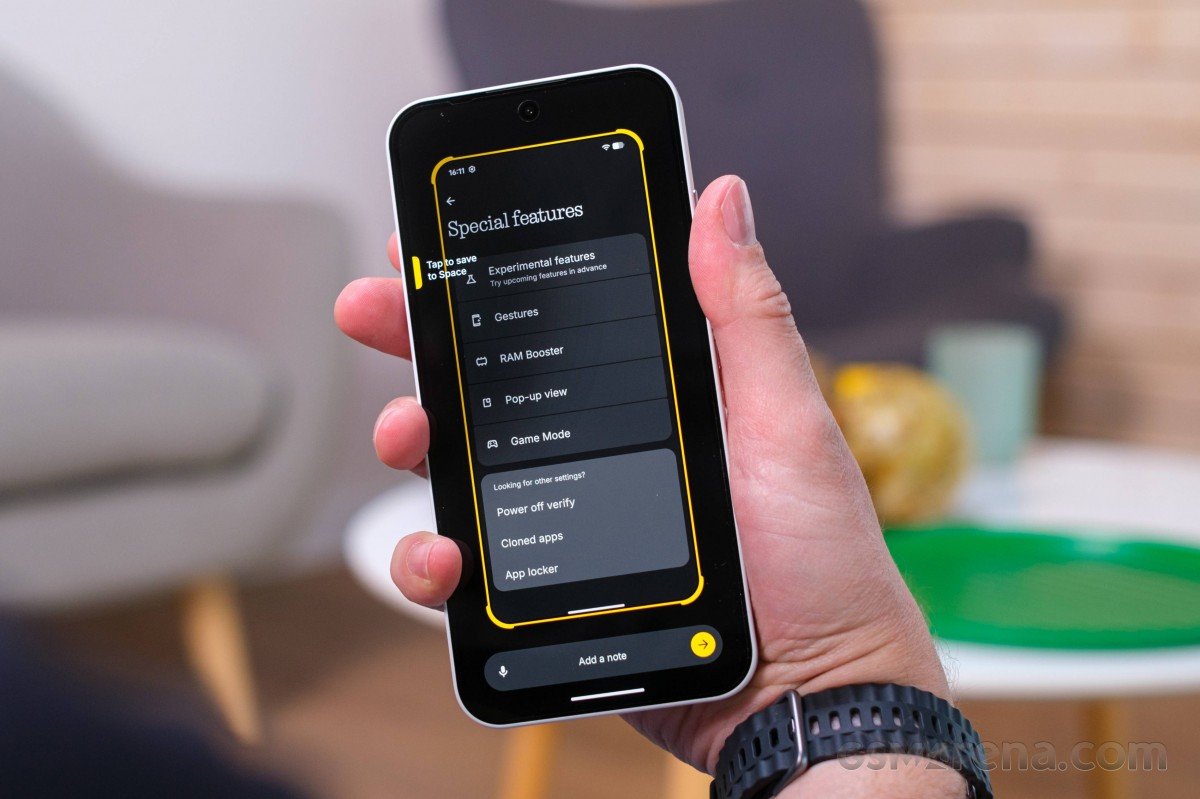
The clean presentation also helps performance feel responsive. Fewer distracting additions make it easier to find settings and understand what the phone is doing. That is especially valuable for owners moving from a heavily customized Android interface. Clean software is not the absence of features; it is the result of deciding which features deserve attention.
Nothing’s Essential tools introduce a more complicated question. Features that capture reminders, organize information, or surface context may become helpful if they fit an existing routine. They can also become unused shortcuts if the owner prefers established notes and calendar apps. Buyers should evaluate these tools as optional conveniences, not as the foundation of the phone’s value.
Software support matters after the excitement fades
Judge a midrange phone at the end of its second or third year, not only during the first week. Security updates, major Android releases, battery health, storage management, and app compatibility decide whether the purchase remains sensible. Check Nothing’s current support promise on the official regional product page before purchase because availability and policy wording can change.
The hardware has enough memory and everyday processing headroom for a healthy service life. Still, long support does not automatically guarantee identical performance over time. Applications become heavier, batteries age, and new operating-system features can demand more resources. The 12GB model offers useful breathing room, although sensible storage habits and battery care will matter just as much.
Performance: smooth where most people need it
The Snapdragon 7s Gen 4 sits at the center of the Phone (4a)’s balanced character. Normal tasks feel fast because modern midrange processors already handle the basics well. Messages open quickly, maps respond without drama, video playback is stable, and switching among common applications should not feel like a compromise. The 120Hz display reinforces that impression by making motion appear immediate.
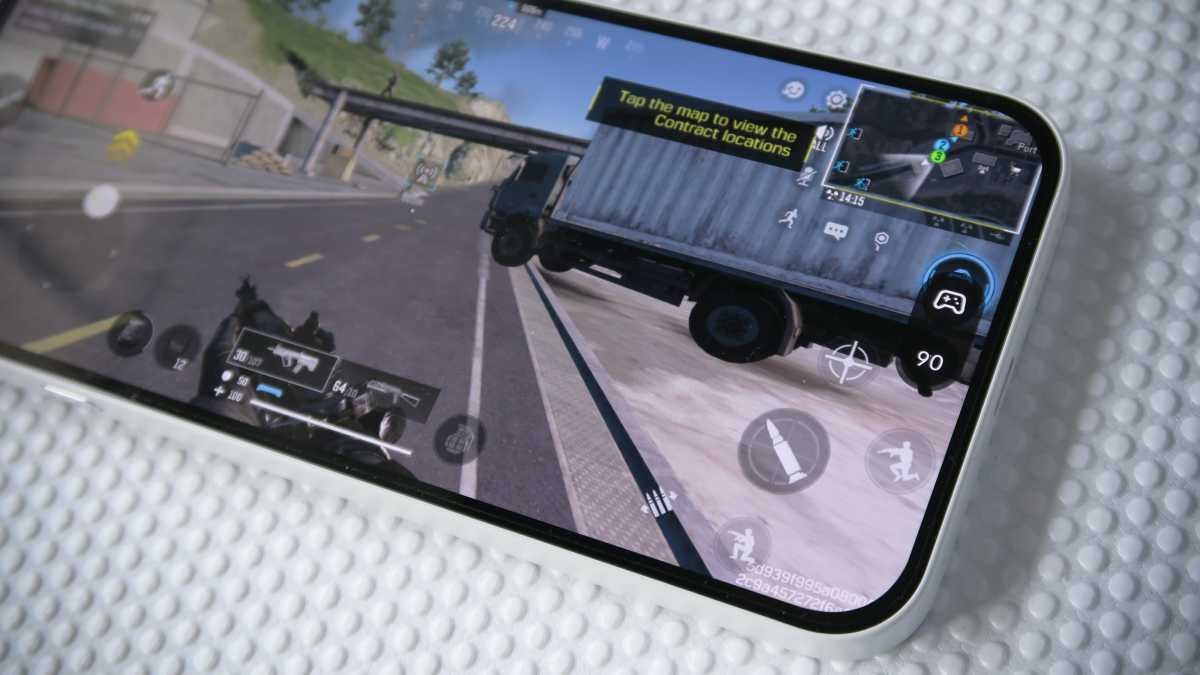
That does not make the phone a hidden flagship. Demanding games may need lower graphical settings to maintain stable frame rates. Long sessions can reveal thermal limits that a short benchmark does not show. Heavy video exports and complex image edits also take longer than they would on a top-tier processor. Those limitations are reasonable at this price, but buyers should recognize them before paying extra for memory.
The distinction between peak speed and sustained comfort is important. A phone that remains predictable during navigation, music playback, background messaging, and camera use can be more useful than one that posts a larger benchmark score but manages heat poorly. Early reviews describe the Phone (4a) as steady in daily use. That is the right expectation: competent, responsive, and balanced rather than dominant.
What 12GB of RAM changes—and what it cannot change
The 12GB configuration can keep more applications ready in memory. It may reduce reloads when moving among a browser, camera, maps, messaging, documents, and media. It also gives future versions of Android and larger apps additional headroom. People who keep many tabs open or use the phone for work are more likely to notice that benefit.
However, extra memory does not accelerate the processor or graphics core. It will not transform demanding games, shorten every export, or improve camera processing by itself. Storage capacity may be the more important part of the upgrade if the 12GB model also includes more space. Photographs, offline video, downloads, and large games can consume storage much faster than typical users consume RAM.
Price should settle the decision. If the 12GB version costs only a modest amount more and includes a meaningful storage increase, it is a sensible long-term choice. If the premium pushes the phone close to a faster rival or the Phone (4a) Pro, the base configuration may represent better value. Memory should support the purchase, not distract from the total package.
Camera system: flexibility before perfection
The camera story begins with unusual ambition. Nothing combines a 50MP main camera with optical stabilization, a 50MP periscope telephoto camera, an 8MP ultrawide, and a 32MP front camera. The presence of a true telephoto option is significant in this category. It gives users more natural portraits and cleaner distant framing than a main-camera crop can usually deliver.
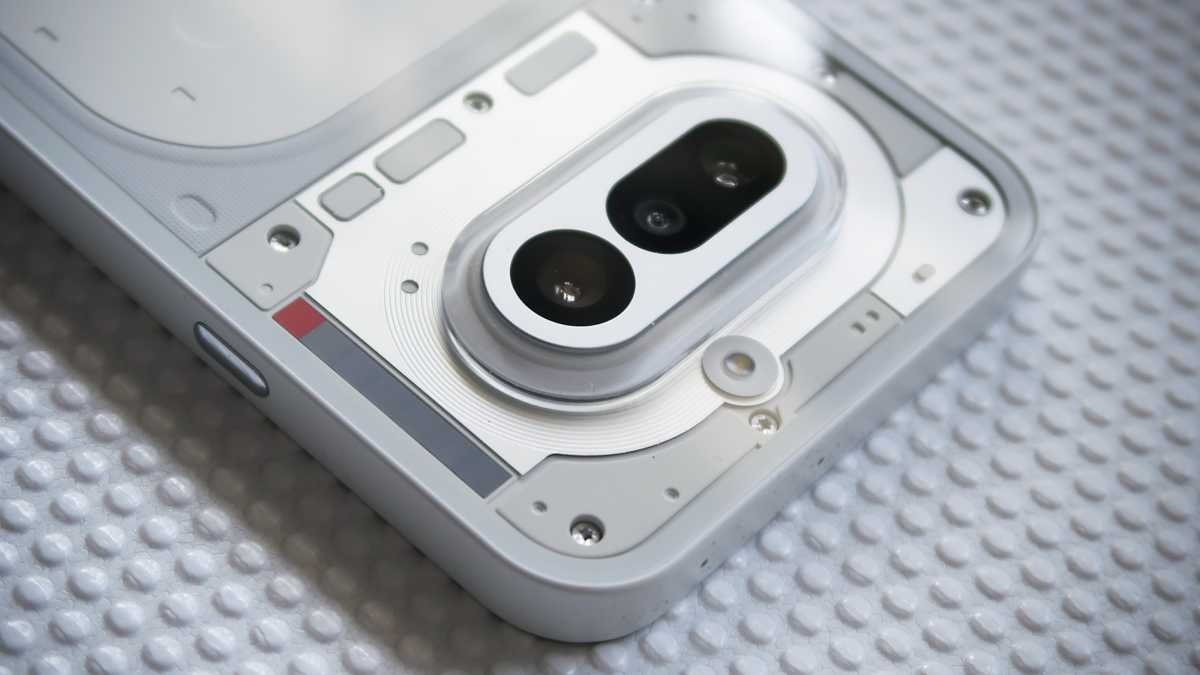
The main camera should remain the default choice. It has the best balance of light capture, stabilization, detail, and processing support. In daylight, it can produce sharp images with enough dynamic range for everyday sharing. At night, optical stabilization helps the camera hold a longer exposure, although moving subjects remain difficult. Children, animals, traffic, and indoor events can still expose the limits of a smaller sensor and midrange processing.
The periscope lens is the more interesting tool. Optical reach allows a photographer to isolate architecture, compress a landscape, capture a stage from farther back, or make a portrait with less facial distortion. Those are real creative benefits. Still, the advertised maximum zoom is mainly a statement of reach. Image quality usually falls as digital magnification rises, so moderate zoom levels deserve priority.
The ultrawide camera expands the frame for buildings, interiors, and groups. Its lower resolution and smaller sensor mean it is less dependable in weak light. Color and exposure may also differ from the main camera. That inconsistency is common in midrange systems. Owners will get better results by using the ultrawide in daylight and resisting the urge to force it into every scene.
Camera processing is the main source of uncertainty
Independent reviewers have reported mixed behavior from color rendering and HDR preview. A scene may look different before and after processing, while some default images can appear flatter than expected. Nothing’s built-in looks and color tools offer creative control, but they cannot replace consistent automatic decisions. Buyers who want to press the shutter and trust every result may prefer the mature processing of a strong Pixel or Galaxy rival.
On the other hand, photographers who enjoy choosing focal lengths and experimenting with a look may find the Phone (4a) more engaging. The camera system encourages participation. It rewards a brief pause to select the right lens, watch the light, and review the result. That character is not objectively better, but it matches the wider design philosophy of the phone.
Battery life and charging support the everyday case
Here, the Nothing Phone 4a review finds one of the device’s strongest everyday advantages.
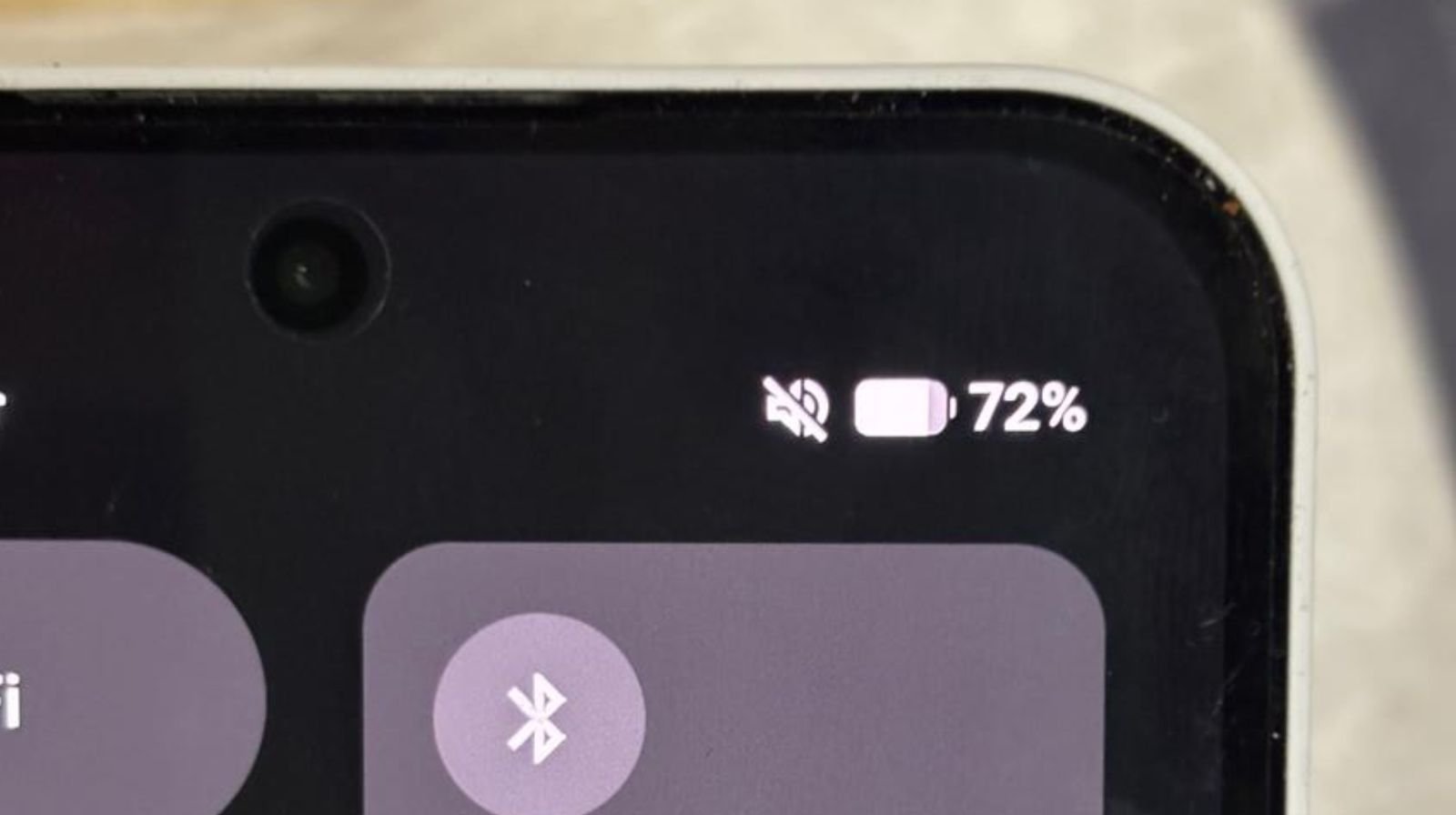
Global versions are commonly listed with a 5,080mAh battery, while some regional material describes a different capacity. Buyers should confirm the exact specification for the model sold in their market. That regional distinction matters, so reviews should not hide it behind one universal number. Regardless of the label, published testing and early owner reports generally point toward dependable full-day endurance.
Real battery life depends on signal strength, display brightness, navigation, camera use, and background applications. Social-media apps can be particularly variable after updates. A light user may finish well beyond one day, while heavy navigation, video recording, and gaming can demand an evening charge. The phone’s efficient everyday platform helps, but no battery result should be treated as a permanent guarantee.
Fifty-watt wired charging is fast enough to make short top-ups useful. A brief charge before leaving can add meaningful time, which reduces pressure to charge overnight. The omission of wireless charging is more divisive. Some buyers never use it and will prefer the lower price. Others have built desks, cars, and bedside routines around wireless pads. For them, the missing feature is a daily inconvenience rather than a checklist detail.
Calls, speakers, connectivity, and the less glamorous essentials
A serious review must consider the parts that rarely lead advertisements. Call stability, microphone clarity, vibration, speaker balance, fingerprint recognition, and network compatibility influence every day of ownership. Regional band support is particularly important for imported units. US buyers should confirm carrier compatibility and warranty coverage instead of assuming that an international listing will work perfectly on every network.
Stereo speakers benefit video and podcasts, although a slim phone cannot reproduce the depth of a dedicated speaker. The vibration motor matters for silent alerts and typing feedback. Nothing’s careful interface design raises expectations for these physical responses because weak haptics can undermine an otherwise coherent experience. Prospective buyers who can visit a store should test vibration, fingerprint speed, and speaker balance rather than judging them from a specification table.
Storage deserves similar attention. The Phone (4a) may not offer expandable storage, so capacity chosen at purchase has long consequences. Cloud services help, but they do not replace local space during travel or poor connectivity. The 12GB and higher-storage configuration therefore makes sense for people who keep large games, offline playlists, 4K clips, or years of photographs on the device.
Nothing Phone (4a) versus the alternatives
| Choice | Stronger reason to buy | Main caution | Best suited to |
|---|---|---|---|
| Nothing Phone (4a) | Distinctive design, clean software, telephoto reach | Camera consistency and no wireless charging | Buyers who want personality and balance |
| Nothing Phone (4a) Pro | Higher-end camera and feature package | Costs more and may reduce the value advantage | Nothing fans willing to pay for fewer compromises |
| Google Pixel A-series | Reliable automatic photography and Google software | May offer less distinctive hardware or slower charging | Point-and-shoot camera priorities |
| Samsung Galaxy A-series | Broad availability, mature ecosystem, support confidence | Performance and charging value vary by model | Buyers who prefer familiar service and accessories |
| Performance-focused rival | Faster graphics and sustained gaming | Software polish or camera range may be weaker | Players who value frame rates above design |
How each rival changes the decision
The most direct upgrade is the Phone (4a) Pro. Buyers should compare the final street prices, not only launch prices. If the gap is small, the Pro model may justify itself through camera, durability, charging, or other regional improvements. If the difference is substantial, the standard Phone (4a) preserves the clearer value story.
A current Pixel A-series phone is the safer choice for people who want dependable automatic photographs. Google’s processing often reduces the effort required to produce a balanced image. The Nothing counters with physical character, a telephoto perspective, faster-feeling design choices, and its Glyph experience. The decision rests on whether the buyer values photographic predictability or broader personality.
Samsung’s Galaxy A-series offers another kind of reassurance. Retail availability, cases, service options, ecosystem connections, and long-term familiarity can make ownership simpler. Nothing feels fresher and may offer a more focused interface. Samsung often feels easier to replace, repair, or integrate. Neither advantage appears fully in a benchmark chart.
Gaming-focused competitors may provide faster processors for similar money. That is important for high-refresh competitive titles and emulation. Yet raw performance can come with louder software, weaker cameras, or less refined design. The Phone (4a) is the balanced recommendation; the performance rival is the specialist choice.
How it compares with the Phone (3a)
Owners of the Phone (3a) should resist upgrading merely because the model number changed. The newer phone offers refinements in display, performance, camera reach, battery behavior, and software features, but an upgrade should solve a real problem. If the older device remains fast, healthy, and supported, keeping it is often the more responsible decision.
The Phone (4a) makes more sense for buyers entering the brand, replacing an older budget phone, or needing additional storage and memory. Its improvements work together to create a more mature package. They are less persuasive when compared with a one-year-old device that already shares the same design philosophy.
Before switching, owners should compare camera samples at the focal lengths they actually use. They should also consider battery condition and resale value. A newer phone is not automatically a better purchase if the practical experience changes only slightly.
Value: judge the price gap, not the RAM label
The Phone (4a) is compelling near its base price because it combines design, display quality, clean software, and optical zoom. The argument weakens as upgraded storage and memory move the total closer to premium midrange competitors. Buyers should compare final prices after taxes, trade-ins, storage differences, and included accessories.
The 12GB model is good value when its extra cost remains below the price of moving to a clearly stronger device. It becomes harder to recommend when the same money reaches the Pro version or a discounted flagship. Promotions can change this calculation quickly, so a fixed verdict would be misleading.
US and international buyers must also consider availability. An attractive imported price can lose its appeal if network support, returns, parts, or warranty service are uncertain. Purchase from a seller that clearly states the model number, supported bands, return window, and warranty responsibility. A cheaper phone is not better value if basic support becomes difficult.
Long-term ownership and likely pressure points
The Phone (4a)’s clean software and generous memory give it a solid foundation. The likely pressure points are battery wear, storage growth, physical protection, and the increasing demands of apps. A case and screen protector can preserve the distinctive exterior, although a badly designed case may block the Glyph Bar. Buyers should look for accessories made specifically for this model.
Battery care is simple: avoid prolonged heat, use fast charging when it is useful rather than compulsory, and review background activity when endurance changes suddenly. Software updates sometimes cause temporary drain while the system reindexes data. Owners should investigate a persistent problem instead of accepting it as normal aging.
Camera satisfaction may improve through familiarity. Owners learn when the telephoto has enough light, when the main camera crop is cleaner, and which color profile suits their taste. However, no amount of practice changes the hardware limits of the ultrawide or extreme zoom. Realistic expectations will make the versatile system more enjoyable.
Common owner impressions: what early discussion suggests
Early community posts often praise battery endurance, the uncluttered interface, and the feeling that the phone offers something different. One owner described getting strong screen-on time during mixed use, while another highlighted smooth software and comfortable full-day battery behavior. These reports are useful signals, but they are not controlled tests. Network conditions, installed apps, region, and update version can change the outcome.
Other users have raised concerns about social-media battery drain, camera processing, and whether the design justifies choosing a newer brand. Those reservations are reasonable. App-specific drain can appear after an update, and camera character is subjective until inconsistency causes a missed image. Warranty and service access also differ widely by country.
A responsible reader will not treat community enthusiasm or complaints as universal truth. Instead, use repeated themes to guide a return-window test. Check standby drain, camera behavior, notification reliability, network reception, and the apps that matter most during the first week.
Practical setup advice for the first day
- Install all system and app updates before judging battery life or camera processing.
- Configure the Glyph Bar for only the contacts and services that deserve immediate attention.
- Review display refresh and brightness settings instead of leaving every option at maximum.
- Test all rear cameras in daylight and indoors while the return window remains open.
- Confirm calls, data, Wi-Fi, Bluetooth, and navigation on the networks and accessories you use.
- Disable background access for apps that consume power without providing timely value.
- Set up backups, device tracking, a strong lock method, and recovery information immediately.
This process reveals more than a benchmark run. It shows whether the Phone (4a) fits the owner’s real environment. It also prevents a temporary indexing task or outdated app from defining the entire impression.
Pros and cons
Pros
- Distinctive, coherent design that avoids the generic midrange formula
- Clean and responsive Nothing OS presentation
- Large, smooth AMOLED display suited to media and reading
- Unusual telephoto flexibility for the price category
- Dependable everyday battery life in published testing and early reports
- 12GB model offers useful multitasking and long-term headroom
Cons
- Camera processing can be less consistent than the strongest rivals
- Ultrawide and extreme zoom quality have clear limits
- No wireless charging on the standard model
- Large body will not suit buyers seeking easy one-handed use
- Extra RAM does not remove the processor’s gaming limitations
- US availability, network support, and warranty terms require careful checking
Nothing Phone 4a review verdict
Overall, this Nothing Phone 4a review supports a purchase when design, clean software, and optical zoom matter more than peak gaming speed.
The Nothing Phone (4a) deserves attention because it offers more than a competitive specification list. Its design, software, notification lighting, display, and camera range create a recognizable experience. The phone feels made for people who want technology to be useful without becoming visually dull. That is a meaningful achievement in the midrange market.
Its compromises remain visible. The processor favors balance over maximum speed. Camera quality depends on the lens, light, and processing decision. Wireless charging is absent, and the large body will exclude some buyers. The 12GB configuration adds comfort for multitasking and future use, but it cannot erase those boundaries.
For the right buyer, the conclusion is positive. Choose the Phone (4a) if clean software, visual identity, strong daily endurance, and practical optical zoom matter more than peak gaming or automatic camera perfection. Compare the 12GB price directly with the Pro model and discounted rivals. If the gap remains sensible, this configuration is a confident long-term choice rather than a cosmetic upgrade.
Before buying, review the full Nothing Phone (4a) 12GB device details. Then confirm regional specifications and availability on the official Nothing Phone (4a) page. Independent assessments from TechRadar and Digital Camera World provide useful testing context. Early discussion on Reddit and the Nothing Community can help buyers identify issues to test during the return period.
Frequently asked questions
Is the Nothing Phone (4a) 12GB worth buying?
Yes, when the price premium over the lower-memory model is modest. The additional memory helps heavy multitasking and provides useful future headroom. It does not create flagship gaming performance, so compare the final price with the Phone (4a) Pro and discounted higher-end phones.
Does the Phone (4a) have a good camera?
It has a versatile camera system for its category, especially because of the telephoto lens. The main camera is the most reliable. Processing, ultrawide quality, and extreme digital zoom can be inconsistent, so buyers who want effortless point-and-shoot results should compare Pixel and Galaxy alternatives.
How long does the battery last?
Published testing and early owner reports generally support full-day use, often with reserve capacity. Results depend on signal, brightness, navigation, gaming, camera use, and background apps. Regional models may also list different battery capacities, so confirm the version sold in your market.
Is the Phone (4a) good for gaming?
It is suitable for casual games and many demanding titles at sensible settings. Players seeking high frame rates, maximum graphics, or long competitive sessions should choose a performance-focused phone. Twelve gigabytes of RAM helps multitasking but does not upgrade the graphics processor.
Does it support wireless charging?
The standard Phone (4a) does not make wireless charging part of its value case. Buyers who already rely on charging pads should consider the Pro model or a rival with that feature. Wired charging is fast enough for useful short top-ups.
Should Phone (3a) owners upgrade?
Usually not unless battery wear, storage limits, camera needs, or a strong trade-in offer creates a clear reason. The Phone (4a) is a more persuasive upgrade from an older budget device. A healthy Phone (3a) can remain the better financial and environmental choice.