The Google Pixel Watch 4 review starts with a simple conclusion: this is the strongest version of Google’s smartwatch idea so far. It keeps the compact, rounded design that makes a Pixel Watch easy to recognize, but it is more useful where daily wear matters. The screen is easier to read, charging demands less patience, and battery life is less restrictive. The 45mm model covered here is the better choice for buyers who value endurance and a larger view of maps, messages, and health data.
It is still a focused purchase. This watch makes the most sense for an Android owner who wants Fitbit health tools, Google services, and a polished Wear OS experience in one device. It is less convincing for endurance athletes, people who dislike daily charging, or anyone using an iPhone. Those limits are real, yet they do not erase how complete the overall package has become.
Quick verdict: Buy the Pixel Watch 4 45mm if you want the cleanest Google smartwatch experience and expect to use health tracking, notifications, navigation, and voice features every day. Choose a Garmin for much longer battery life, or a Galaxy Watch if Samsung’s health ecosystem and wider size choices suit you better.
How this assessment was made
This is a desk-researched review. Specs Universe used its published device record for hard specifications, then checked official information, independent testing, and recurring owner feedback for real-world context. We did not wear or test this unit ourselves.
Google Pixel Watch 4 design and display
Google has resisted the urge to turn its watch into a small rugged computer. The circular glass still flows into the case, the crown remains easy to find, and the overall shape looks more like a traditional accessory than a piece of gym equipment. That visual simplicity is one of the product’s best qualities. It works with sports clothing, office wear, and casual outfits without appearing out of place.
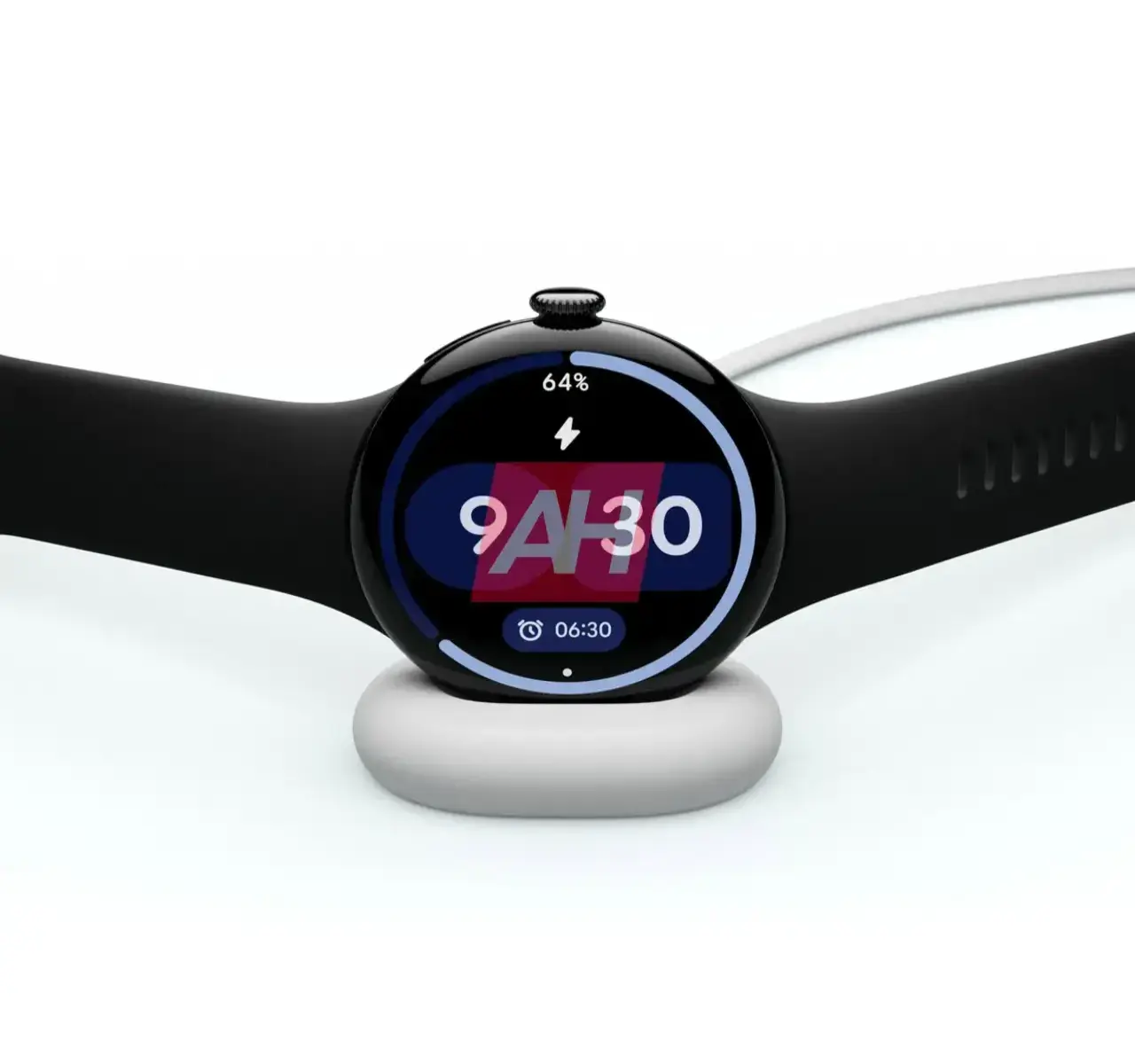
The 45mm case measures 45 x 45 x 12.3mm and weighs 36.7g without the band. Its housing uses recycled aluminum, with Matte Black, Polished Silver, and Champagne Gold finishes listed on the Specs Universe device page. The larger body is not ideal for every wrist, but the low weight helps it avoid feeling dense. Buyers with narrow wrists should try the 41mm version before deciding. That smaller model is a separate configuration with its own battery and display measurements.
The domed glass remains the main design tradeoff. It gives the watch a smooth, distinctive profile, but its exposed curve deserves care around stone walls, metal gym equipment, and door frames. A slim case can add protection, although it also hides some of the design people are paying for. The 5 ATM and IP68 ratings cover ordinary water exposure and swimming within the stated limits; they are not an invitation to treat the watch as an indestructible dive instrument.
Screen quality outdoors
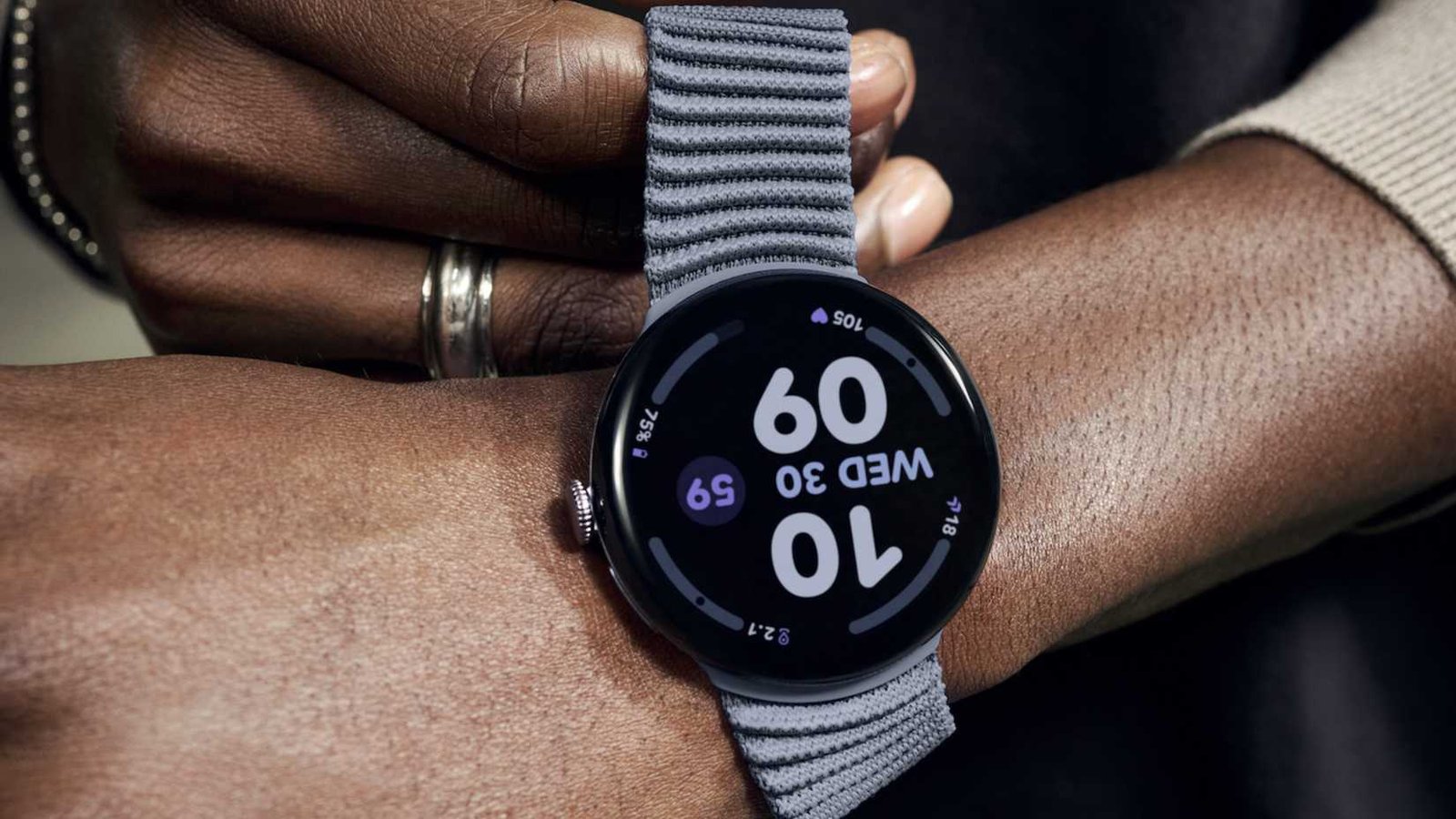
The 1.4-inch Actua 360 AMOLED LTPO panel is a major reason to choose this size. Its 456 x 456 resolution keeps type and icons crisp, while the listed 3,000-nit peak brightness improves outdoor visibility. The panel supports an always-on mode. The curved presentation looks elegant, and Wear OS uses the round canvas well through cards, complications, and scrolling lists.
Visibility and controls
Independent reviewers broadly agree that the brighter display is easier to read in direct light. The benefit is not limited to a headline brightness number. A clear panel reduces the time spent twisting a wrist or shielding the screen during a walk. The extra space also makes on-screen controls less cramped, which matters when responding to a message or pausing a workout.
The side crown and button give physical control when touch input is awkward. Haptic feedback adds useful confirmation without becoming harsh. Google’s band connector looks tidy, though it limits the huge selection available to watches that accept conventional pins. Existing buyers should verify band compatibility before assuming every older accessory will fit.
Google Pixel Watch 4 review: software and health
The Google Pixel Watch 4 runs Wear OS 6 with Google’s Pixel Watch interface. It uses the Snapdragon W5 Gen 2 with a Cortex-M55 co-processor, alongside 2GB of RAM and 32GB of storage. Those figures matter less than the result: menus should respond promptly, apps have room to breathe, and common tasks do not feel like they are waiting for a tiny computer to catch up.
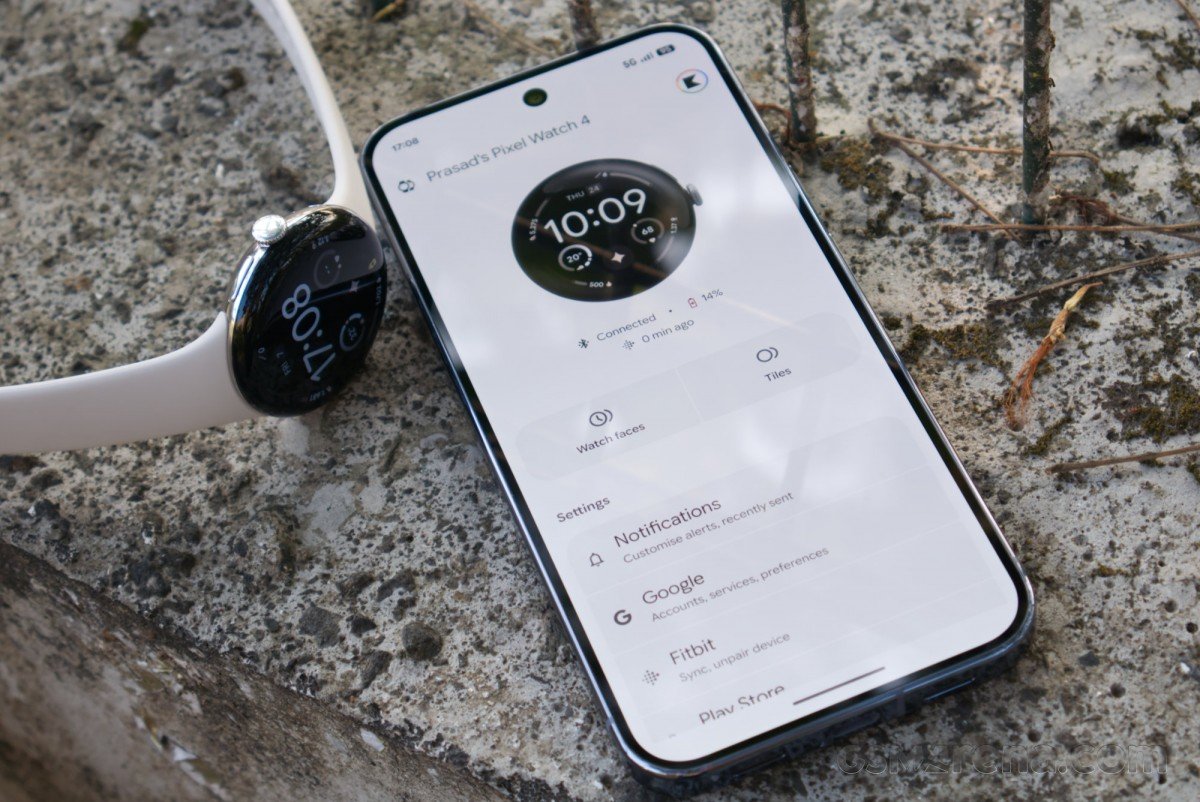
Google services are the clearest advantage. Maps navigation, Wallet payments, Calendar, messages, timers, and voice assistance fit naturally on the wrist. Gemini can be useful for quick questions or actions when reaching for a phone would interrupt the moment. Still, voice features depend on connection quality and the service available in a buyer’s region. Treat them as a convenience rather than the only reason to buy.
Fitbit tracking and workout use
The watch works with Android 11 or newer and does not support iPhone pairing. Google offers Wi-Fi and LTE versions, and the cellular model uses eSIM. LTE can keep calls, messages, navigation, and supported safety features available away from a phone, but it adds purchase cost and a carrier fee. The Wi-Fi model suits many buyers better when their phone normally stays nearby.
Fitbit remains central to the health experience. The device record lists heart-rate monitoring, SpO2, ECG, sleep tracking, a compass, an accelerometer, and a barometer. The useful part is not the length of that list. It is how the watch turns daily activity, sleep, resting heart rate, workouts, and recovery signals into patterns that are understandable without a sports-science background.
For everyday health awareness, the system is approachable. Sleep summaries encourage consistency, activity goals make quiet days visible, and heart-rate trends can show when stress, illness, or training is affecting the body. ECG and SpO2 features are not substitutes for medical care, and availability can vary by country. Any concerning reading deserves proper clinical advice.
Workout tracking covers the needs of most recreational users. Runners, walkers, cyclists, gym users, and swimmers can record sessions without building an elaborate training plan. Built-in multi-system GNSS helps outdoor activities, and independent testing reports better location performance than older Pixel generations. Serious athletes may still prefer Garmin, COROS, or Polar for longer events, richer training controls, and deeper recovery planning.
Owner feedback around Pixel watches tends to praise the comfortable design, clean interface, Fitbit integration, and useful notifications. Common reservations involve battery anxiety, scratched exposed glass, and the cost of Fitbit features that may sit behind a subscription. Not every owner encounters the same problem, but the repeated themes are worth considering before purchase.
Notifications, safety, and fit
Notification handling is one of the quieter strengths. Short replies, call screening, calendar reminders, and turn-by-turn directions can reduce unnecessary phone checks. The watch is most helpful when it removes small interruptions, not when it encourages another stream of alerts. New owners should spend time disabling low-value notifications during setup. A calmer watch is both easier to live with and kinder to its battery.
Safety features also deserve practical context. An LTE connection can improve independence, while supported emergency functions may help when a phone is unavailable. However, carrier eligibility, country support, signal coverage, and account setup all matter. No wearable guarantees rescue. Anyone relying on the watch for remote travel should confirm the exact services before leaving and carry appropriate backup communication.
Health data is only useful when the watch fits correctly. A band that is too loose can weaken optical readings, while an overly tight fit becomes uncomfortable during sleep. The 45mm case gives a larger sensor platform but may move more on a narrow wrist. Comfort should therefore outweigh the assumption that the bigger model is automatically superior.
Battery life and charging
Google rates the 455mAh battery for up to 40 hours with the always-on display and up to 72 hours in Battery Saver. Real endurance changes with LTE use, GPS workouts, screen brightness, sleep tracking, calls, and notification volume. In practical terms, view the 45mm version as a reliable day-and-night watch with some breathing room, not a week-long sports watch.
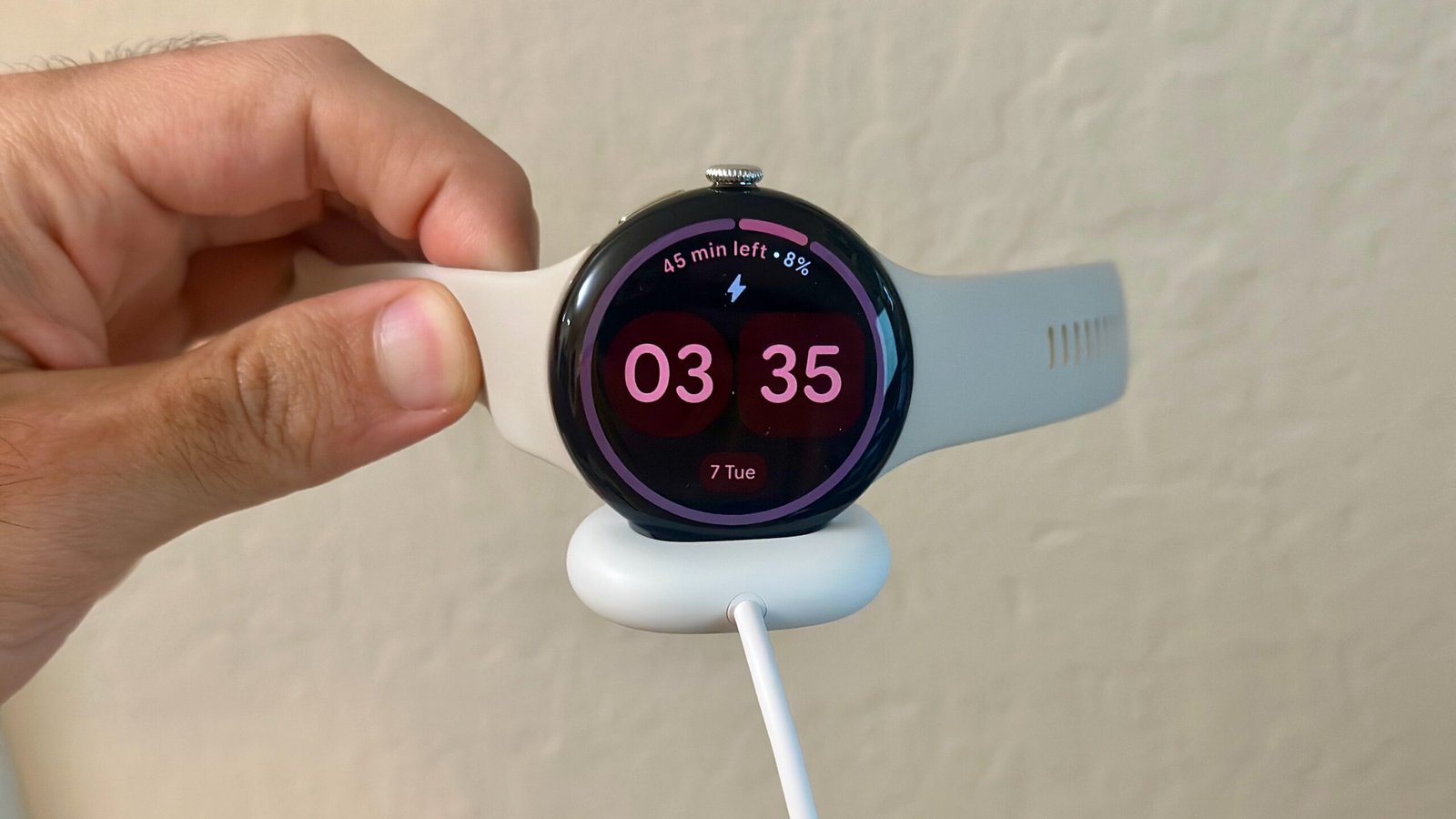
That distinction affects routine. A buyer can wear it through a normal day, track sleep, and choose a convenient charging window the next morning. Heavy GPS or cellular use will shorten the interval. Travelers and hikers who spend several days away from power need a different category of watch.
Charging is much better suited to small gaps in the day. Specs Universe lists about 50% in 15 minutes and a full charge in about 60 minutes through the USB-C magnetic quick-charge dock. A shower, breakfast, or desk session can restore useful capacity. The charger is proprietary at the watch end, so losing it on a trip is still inconvenient.
Repairability is another meaningful improvement in the Pixel Watch 4 generation. Google has moved toward replaceable display and battery service instead of treating the entire device as disposable after one damaged part. Availability, price, and local repair options still matter, but the direction is welcome for a product worn every day.
US price and the best alternatives
Current US pricing determines whether the watch is a strong purchase. The 45mm model entered the market above the 41mm version, and LTE adds another premium. Discounts make the argument easier. At a price close to the newest Galaxy Watch or a capable Garmin, buyers should choose based on ecosystem and endurance rather than brand loyalty alone.
Storage and software support
Storage is sufficient for supported apps and offline content, yet music use still requires planning. Bluetooth headphones, downloaded playlists, and GPS recording can make phone-free exercise pleasant. They also increase power use. Buyers who rarely leave a phone behind should not pay extra for LTE merely to recreate a feature they will seldom use.
Google does not state a fixed public update term on the Specs Universe record. That uncertainty matters because a smartwatch depends on security, phone compatibility, health services, and app support long after its hardware still looks good. Google has a strong incentive to support its own Wear OS showcase, but buyers should judge published commitments, not assumptions.
The Samsung Galaxy Watch8 is the most direct Android alternative. It provides a mature Wear OS experience, strong Samsung phone integration, and a different approach to health features and case design. The OnePlus Watch line is more attractive for buyers who place battery life above Fitbit integration. Garmin’s Venu family sacrifices some of Google’s app convenience but offers longer endurance and stronger exercise tools. An Apple Watch is not a practical substitute unless the buyer is also willing to use an iPhone.
For US shoppers, this Google Pixel Watch 4 review points to the Wi-Fi model as the sensible default. LTE earns its price only when phone-free calls, messages, or safety access will form part of the weekly routine.
Discounts can change that calculation. Even then, this Google Pixel Watch 4 review favors the configuration that matches a real habit instead of the version with the longest feature list.
Who should buy it?
The Pixel Watch 4 45mm is best for Pixel phone owners, Android users who already understand Fitbit, and people who want a small screen to handle genuinely useful tasks. It also suits anyone who found earlier Pixel Watches attractive but too compromised by charging and display limits. It is a poor match for iPhone owners, multi-day endurance athletes, and buyers who want a watch that can go almost a week between charges.
Is the 45mm model better than the 41mm model?
The larger model offers more screen space and a larger battery, but it also occupies more wrist area. The better choice depends on fit. Do not accept an uncomfortable watch merely to gain extra endurance.
Can the Pixel Watch 4 work without a phone?
The LTE version can handle supported connected tasks through eSIM when the paired phone is away. Carrier support, an eligible plan, and regional feature availability are required.
Is it suitable for serious running?
It is capable for ordinary running and general fitness. Athletes who prioritize long GPS endurance, button-led controls, or advanced training plans may prefer a dedicated sports watch.
Does every Fitbit feature come free?
Core tracking is available without a subscription, but some deeper Fitbit analysis and coaching can require Fitbit Premium. Buyers should check the current service terms before purchase.
The most important lesson from this Google Pixel Watch 4 review is that fit and ecosystem matter more than a long feature list. Choose the 45mm model only if it feels comfortable, and choose the Pixel platform because Google and Fitbit tools match your routine.
Final verdict
The final decision is straightforward. The Google Pixel Watch 4 is now easy to recommend to the right Android user because it combines an excellent screen, useful Google software, approachable Fitbit health tools, quicker charging, and a more sensible battery buffer. The 45mm version is the practical pick for buyers who can wear it comfortably. It does not beat specialist sports watches for endurance, and it does not escape the limits of an Android-only ecosystem. Within those boundaries, however, it feels like a confident product rather than an attractive experiment. This Google Pixel Watch 4 review therefore ends with a clear recommendation for Android buyers who value software integration over week-long endurance.