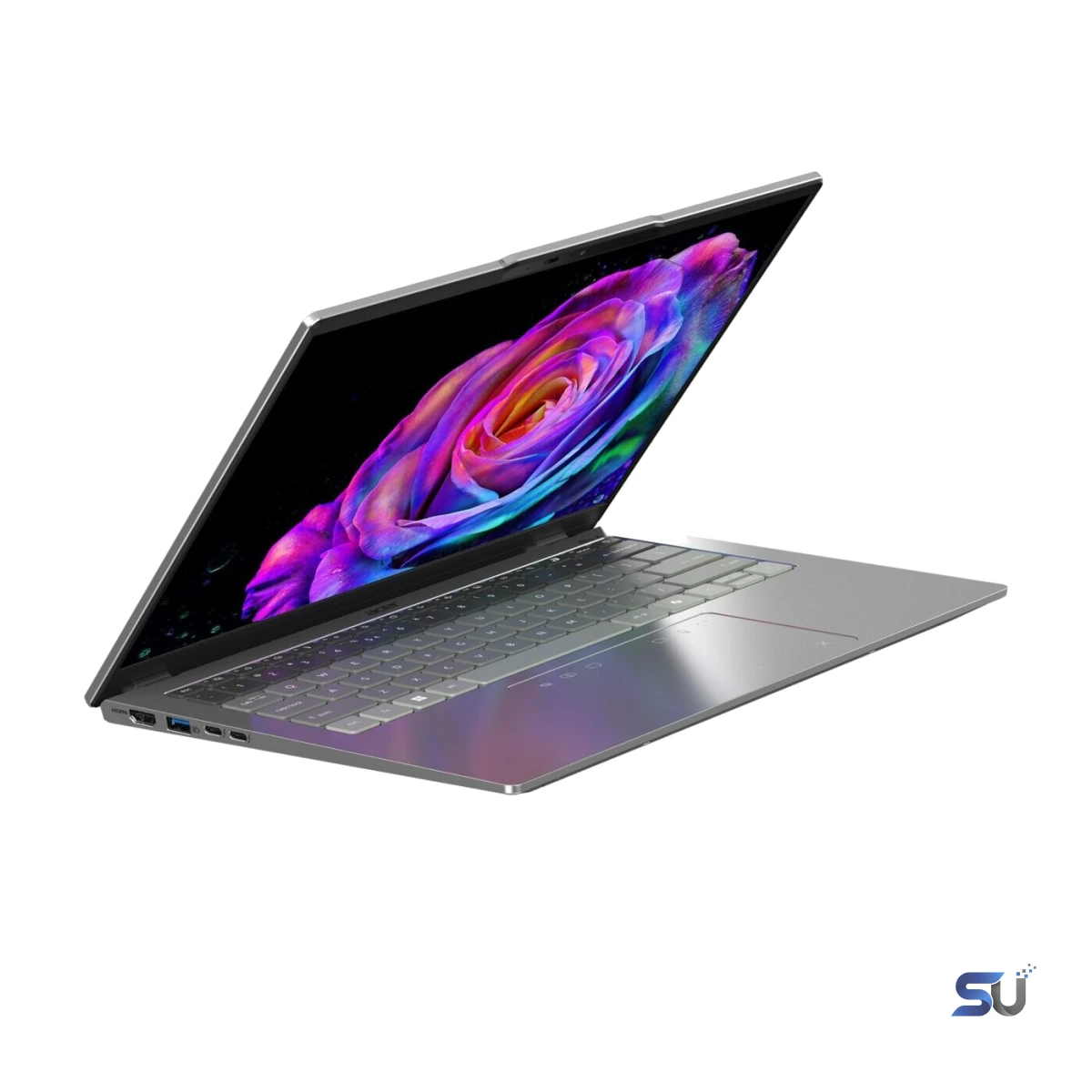
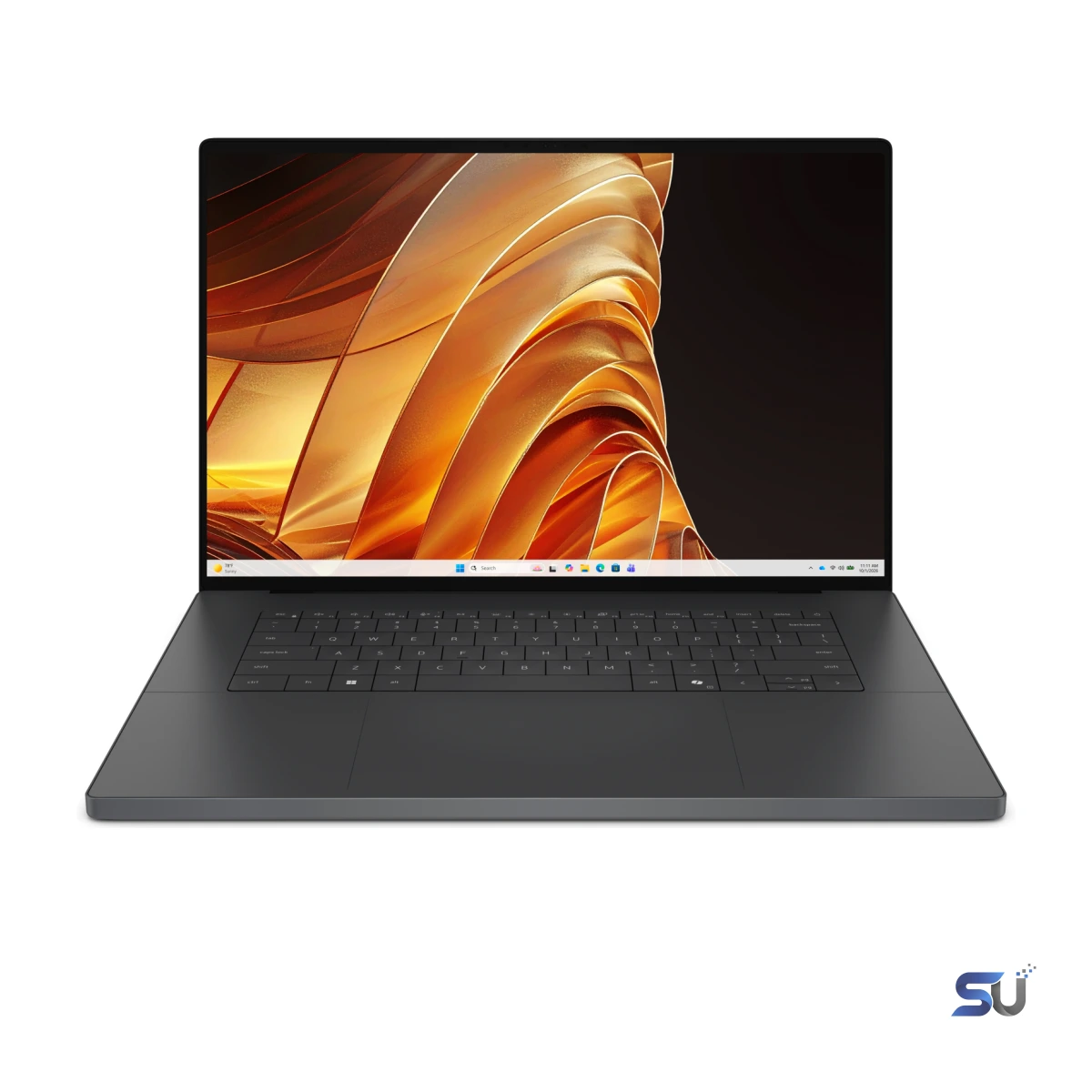
Some laptops try to impress with bulk and noise. This one takes a quieter path, and that restraint shapes its whole character. The Acer Swift Go 14 14-inch 16GB arrives as a slim silver companion for students, office workers and frequent travellers. It weighs just 1.30 kg, so a bag barely notices it during a long day. Its aluminium body feels cool and firm, while its clean lines suit lectures, meetings and airport lounges alike. Furthermore, its 14-inch touch display invites direct interaction without forcing a tablet workflow. In short, this machine targets people who value speed, lightness and calm design.
Acer built the Swift Go line for everyday momentum rather than showroom drama. The Acer Swift Go 14 14-inch 16GB follows that idea with a modern Intel platform and thoughtful details. Its touch screen, fast storage and full port set remove small daily frictions. Moreover, its light frame means work can move from desk to sofa to train seat. Buyers who need a dependable partner, not a gaming statement, will find its balance appealing.
Acer Swift Go 14 14-inch 16GB: Design That Travels Light
Silver aluminium covers the lid and base with a quiet, premium finish. A laser-etched cover adds subtle texture without shouting for attention. The laptop measures 312.9 x 222.8 x 9.6 - 16.4 mm, so it slips into slim sleeves easily. At 1.30 kg, it undercuts many larger rivals while still feeling solid. Furthermore, its 180-degree lie-flat hinge lets the screen fold fully back for shared viewing. Students can pass notes across a table, and colleagues can review slides together.
Build quality matters most after months of daily use, not on day one. Acer answers with a firm chassis that resists flex during typing. Its backlit keyboard stays comfortable during late essays and evening emails. Moreover, the high-precision multi-control touchpad tracks smoothly across documents and web pages. A fingerprint reader adds quick, secure sign-in without password typing. Overall, the Acer Swift Go 14 14-inch 16GB design serves movement, security and quiet confidence.
Display and Touch: A Sharp 14-inch Workspace
The 14-inch WUXGA display shows 1920 x 1200 pixels across an IPS panel. Extra vertical space helps documents, spreadsheets and web pages breathe better. Text stays crisp at normal viewing distances, while colours look natural for everyday work. Touch support adds tapping, scrolling and pinching directly on screen. Furthermore, the 60 Hz refresh rate keeps motion smooth for office tasks and streaming. It suits reading, writing and browsing far more than fast competitive gaming.
Touch screens divide opinion, yet this implementation feels genuinely useful. Students can annotate slides, sign forms and navigate maps with a finger. Moreover, presenters can tap through decks while standing beside a screen. The Acer Swift Go 14 14-inch 16GB display therefore suits writers, analysts and learners who move often. It delivers enough room for serious work without turning travel into a chore.
Screen size strikes a practical balance between immersion and portability. Fourteen inches fits most bags while still showing two windows side by side. Smaller ultraportables often force constant window switching during research work. Similarly, larger laptops add weight that travellers soon regret carrying daily.
Performance: Intel Core Ultra 7 255H Power
At its heart sits the Intel Core Ultra 7 255H processor. It offers 16 cores and 16 threads, with speeds up to 5.1 GHz. That combination handles dozens of browser tabs, office suites and video calls together. Heavy multitasking stays responsive, even when background updates run quietly. Furthermore, the Intel AI Boost NPU delivers 13 TOPS for on-device AI tasks. Local AI features can run efficiently without leaning entirely on cloud services.
Benchmarks help set expectations, provided their limits stay clear. LaptopMedia recorded a Cinebench 2024 Multi-Core score of 1136 for the Swift Go 14 SFG14-74 with this processor. That figure describes the model range, not this exact 16GB configuration specifically. Nevertheless, it signals strong multi-core ability for rendering, compiling and heavy spreadsheets. Everyday users will notice quicker exports, smoother multitasking and shorter waits. For example, large documents open promptly, and video calls stay stable alongside other apps.
The Acer Swift Go 14 14-inch 16GB therefore suits demanding student workloads and busy office days alike. Its processor keeps pace with research, writing, coding and light creative projects. However, normal office work should remain quiet and composed throughout the day.
Memory and Storage: 16GB and a Fast 512GB SSD
Memory defines how smoothly a laptop juggles many tasks at once. This configuration includes 16GB of LPDDR5X memory for responsive multitasking. Browser tabs, documents, chat apps and streaming can coexist without constant reloading. Furthermore, LPDDR5X memory runs efficiently, which helps a thin machine stay cool. Students editing essays while researching online will feel that headroom daily. Office workers switching between spreadsheets, mail and calls will notice fewer pauses.
Storage uses a 512GB PCIe Gen 4 NVMe SSD for fast everyday response. Windows 11 Home boots quickly, and applications launch without long waiting. Moreover, a microSD card slot offers extra room for photos, documents and media. In the Acer Swift Go 14 14-inch 16GB, memory and storage remove two common bottlenecks in budget laptops. As a result, daily work flows smoothly from morning lectures to evening deadlines.
Graphics and Light Creative Work
Graphics come from the integrated Intel Arc 140T solution. It handles office visuals, streaming video and photo editing with ease. Casual games and older titles can run at modest settings for relaxed play. Furthermore, modern media engines accelerate video playback for smoother streaming sessions. LaptopMedia recorded a 3DMark Time Spy Graphics score of 4180 for the Swift Go 14 SFG14-74 with Intel Arc 140T. That model-level figure, not an exact 16GB SKU test, still hints at capable integrated graphics.
Creative users should set expectations around integrated graphics honestly. Photo editing, layout work and short video clips run comfortably here. Nevertheless, students producing presentations, posters and social content will manage well. The Acer Swift Go 14 14-inch 16GB balances creative ability with battery-friendly efficiency. Its graphics suit everyday creation, not professional rendering farms.
Streaming benefits from crisp colours and DTS:X Ultra audio tuning. Films, lectures and music gain clearer dialogue and wider sound staging. For instance, late-night films sound better through earphones or external speakers. Still, built-in audio remains perfectly usable for calls, classes and casual viewing.
Battery and Everyday Endurance
A 65 Wh battery powers this slim aluminium machine. Efficient Intel silicon and LPDDR5X memory help stretch each charge sensibly. Light browsing, writing and streaming should carry through long study sessions. Furthermore, the machine wakes quickly, so short breaks never waste time. Actual endurance always varies with brightness, apps and network conditions.
Charging details vary by region and configuration, so buyers should check local listings. This guide avoids unverified wattage claims for that exact reason. Users should rely on the supplied Acer charger for best compatibility. Moreover, modern USB-C ports simplify accessory choices for travellers.
The Acer Swift Go 14 14-inch 16GB therefore fits students, commuters and hybrid workers. Its battery reserve supports a mobile rhythm without constant outlet anxiety. Similarly, bright outdoor use and video calls consume energy more quickly. Planning around those peaks keeps the day running smoothly.
Ports, Wi-Fi and Video Calls
Port selection stands out for such a slim machine. It includes 2x USB-C Thunderbolt 4 / USB4 ports for fast docks and displays. Two USB-A 3.2 Gen 1 ports keep older drives, mice and accessories useful. An HDMI 2.1 port connects external monitors and projectors without adapters. Furthermore, a microSD card reader helps photographers and students move files quickly. A 3.5mm headphone/speaker jack covers wired audio without dongles.
Wireless connectivity uses Wi-Fi 7 for fast, modern networks. Bluetooth 5.4 pairs headphones, mice and keyboards with stable links. Video calls benefit from a 1440p QHD IR webcam with Windows Hello. Moreover, DTS:X Ultra audio adds clarity to calls, lectures and media. The Acer Swift Go 14 14-inch 16GB thus avoids the dongle-heavy life of many ultraportables. As a result, daily setups stay simple, quick and frustration-free.
Keyboard, Touchpad and Security
Typing comfort shapes every long essay and report. A backlit keyboard keeps keys visible during dim lectures and late flights. Furthermore, the high-precision multi-control touchpad offers smooth, accurate cursor control. Gestures for scrolling, switching apps and zooming respond reliably here. Writers and researchers can work for hours without reaching for a mouse.
Security features add convenience without complexity for busy users. A fingerprint reader unlocks the machine with one quick touch. Windows Hello facial recognition through the IR webcam offers another fast option. Moreover, Windows 11 Home includes familiar security tools for everyday protection. These features reduce password friction while keeping personal work protected.
Small ergonomic details often decide whether a laptop feels premium daily. Hinge stiffness, palm-rest comfort and key spacing all matter here. Similarly, its silver finish hides minor wear better than darker glossy coatings.
Software: Windows 11 Home Made Familiar
Windows 11 Home arrives ready for study, office and home use. Indeed, the familiar Start menu, taskbar and settings reduce any learning curve. Microsoft Office, browsers and classroom apps install and run as expected. Furthermore, touch support blends mouse, keyboard and finger input smoothly. Students can annotate documents, while workers manage windows with snap layouts. The system feels approachable for newcomers and efficient for experienced users.
AI features deserve honest framing on this machine. The Intel AI Boost NPU delivers 13 TOPS for supported on-device tasks. However, buyers should not assume Copilot+ PC branding from NPU figures alone. Instead, AI acceleration remains one useful part of a modern platform. The Acer Swift Go 14 14-inch 16GB thus starts fast and stays manageable. Its software story favours familiarity, security and everyday productivity.
Who Should Buy It?
Students form the clearest audience for this balanced laptop. It carries easily between lectures, libraries and part-time jobs daily. For instance, its touch screen helps revision, while its processor handles research and assignments. Furthermore, its port set supports projectors, drives and accessories without extra adapters. Budget-conscious buyers gain modern silicon without paying for gaming hardware. For many students, that balance hits the practical sweet spot.
Office workers and hybrid professionals form another natural audience here. Lightweight travel, sharp video calls and reliable multitasking suit modern workdays. Moreover, its aluminium build survives daily bag life better than plastic rivals. The Acer Swift Go 14 14-inch 16GB suits mobile professionals who value reliability over spectacle.
Some buyers should look elsewhere for specialised needs instead. Demanding gamers need discrete graphics and faster displays for modern titles. Similarly, users with huge local media libraries may find 512GB restrictive alone. Those edge cases aside, most everyday buyers will feel well served.
Summary: A Smart Everyday Choice
This laptop succeeds by balancing weight, speed and practical features carefully. It never chases extremes, yet rarely feels compromised in daily use. Furthermore, its slim aluminium body travels happily through busy weeks. The Acer Swift Go 14 14-inch 16GB earns its place as a thoughtful everyday companion.
- Light 1.30 kg aluminium design that travels easily
- Fast Intel Core Ultra 7 255H processor with 16 cores
- Sharp 14-inch WUXGA touch display for direct interaction
- Complete modern ports, including Thunderbolt 4 and HDMI 2.1
- Secure fingerprint and Windows Hello sign-in options
No laptop suits every buyer, and honest limits matter here. Integrated graphics restrict demanding games and heavy 3D rendering work. Nevertheless, those limits affect specialists more than everyday users. For students, office workers and travellers, strengths outweigh compromises clearly.
Frequently Asked Questions
Is the Acer Swift Go 14 14-inch 16GB good for students?
Yes, it suits students very well for most coursework. Its light 1.30 kg body travels between classes without strain. Furthermore, its ports support projectors, drives and accessories for group projects. Students needing heavy gaming or 4K editing should consider stronger alternatives.
Does it include a touch screen?
Yes, this configuration includes a 14-inch WUXGA touch display. It shows 1920 x 1200 pixels on an IPS panel at 60 Hz. Moreover, touch complements the keyboard and touchpad rather than replacing them. Touch therefore adds flexibility without forcing a new workflow.
What processor and memory does it use?
It uses an Intel Core Ultra 7 255H processor with 16 cores. Speeds reach up to 5.1 GHz for demanding multitasking workloads. Memory totals 16GB of LPDDR5X for smooth everyday performance. Furthermore, its Intel AI Boost NPU delivers 13 TOPS for supported AI tasks.
More Questions Answered
Is 512GB storage enough for everyday use?
For most users, 512GB covers Windows, apps, documents and media comfortably. Furthermore, a microSD card slot adds flexible room for photos and documents. However, huge game libraries or 4K video collections may need external drives. Planning storage around actual use keeps this configuration practical.
Can it handle casual gaming and creative work?
Yes, casual games and light creative work run well here. Intel Arc 140T graphics support older titles at modest settings comfortably. Nevertheless, demanding modern games need discrete graphics for high settings. Everyday creators, however, will find its balance perfectly usable.
What ports and wireless features does it offer?
It offers 2x USB-C Thunderbolt 4 / USB4 ports for docks and displays. Two USB-A 3.2 Gen 1 ports support older accessories and drives easily. Furthermore, Wi-Fi 7 and Bluetooth 5.4 support fast, stable wireless connections. It therefore travels without a bag full of dongles.