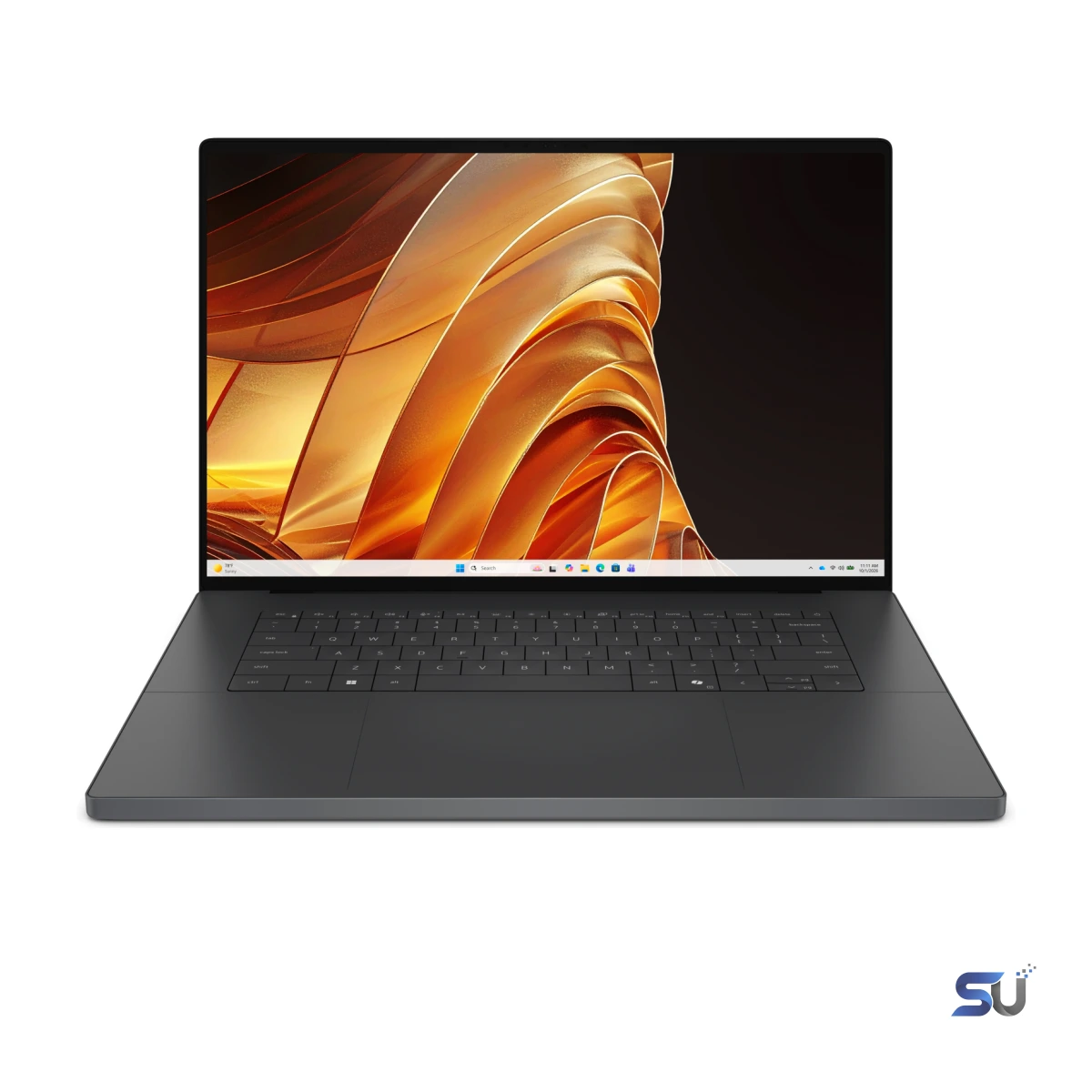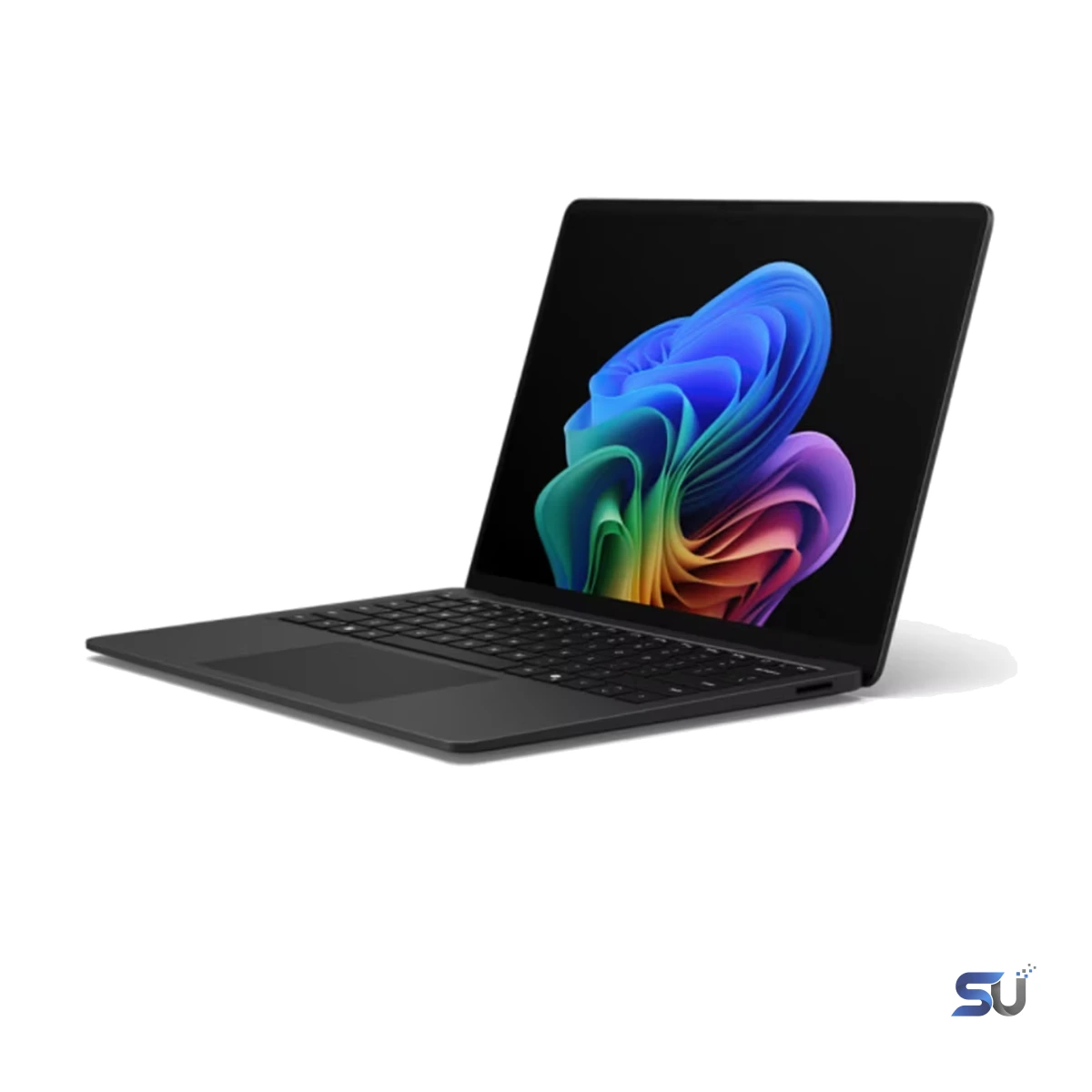


13-inch
16GB
2880 x 1920
512GB / 1TB
Qualcomm Adreno X1-85
Up to 14 hours
13-inch
PixelSense Flow OLED
2880 x 1920
120
600
Yes
Yes
Corning Gorilla Glass 5
Qualcomm Snapdragon X Elite X1E-80-100
12-core
Qualcomm Adreno X1-85
16GB
512GB / 1TB
Gen 4 SSD
No
287 x 209 x 9.3 mm
895 g
Anodized aluminum
Detachable (sold separately)
Full-sized touchpad (optional keyboard)
Sapphire, Dune, Platinum, Black
53Wh
USB-C / Surface Connect, minimum 65W charger
Yes
Up to 14 hours
2 x USB-C / USB4, Surface Connect
5.4
Wi-Fi 7
1440p
Dual Studio Mics, 2W stereo speakers with Dolby Atmos
No
Windows 11 Home
Microsoft 365 Apps, Microsoft Defender, Xbox App
Still to discover
Cinebench 2024: 893 multi-core, 123 single-core (Notebookcheck 16GB test unit)
Still to discover
Still to discover
Up to 14 hours (local video playback)
About 80% in under 60 minutes
Still to discover
Time Spy 1893; Fire Strike 5911 (Notebookcheck 16GB test unit)
Still to discover
895 g
Anodized aluminum
No
Still to discover
Specifications shown here are for reference only and may change or vary by variant. Please confirm the final details with the manufacturer or retailer before making a purchase.
Some devices force a choice between a tablet and a laptop. Others promise both roles and handle neither well. The Microsoft Surface Pro 13-inch 11th Edition 16GB takes a different path. It begins as a slim, light tablet. Then it grows into a full Windows machine with a kickstand and an optional keyboard. For example, a student can carry it to lectures without a heavy bag. Indeed, flexibility sits at the heart of this design.
Some devices force a choice between a tablet and a laptop. Others promise both roles and handle neither well. The Microsoft Surface Pro 13-inch 11th Edition 16GB takes a different path. It begins as a slim, light tablet. Then it grows into a full Windows machine with a kickstand and an optional keyboard. For example, a student can carry it to lectures without a heavy bag. Indeed, flexibility sits at the heart of this design.
That flexibility matters because modern work rarely stays in one place. People move from home to office, from classroom to café, and from desk to sofa. A single device must keep up with those shifts. This one does so by pairing a vivid screen with quiet, efficient power. Moreover, its battery lasts long enough for a working day away from a socket. Thus, it suits buyers who value freedom over raw bulk. It is not a desktop replacement for everyone. However, it covers a wide range of daily tasks with ease.
Buyers should still understand exactly what they are getting. The Microsoft Surface Pro 13-inch 11th Edition 16GB uses a Snapdragon processor, not an Intel chip. As a result, most everyday Windows apps run smoothly, while a few specialist tools need checking first. Similarly, its storage and memory suit mainstream work rather than huge media libraries. Nevertheless, for documents, browsing, streaming, and light creative work, it feels fast and calm. This guide explains its screen, speed, battery, and limits in plain terms.
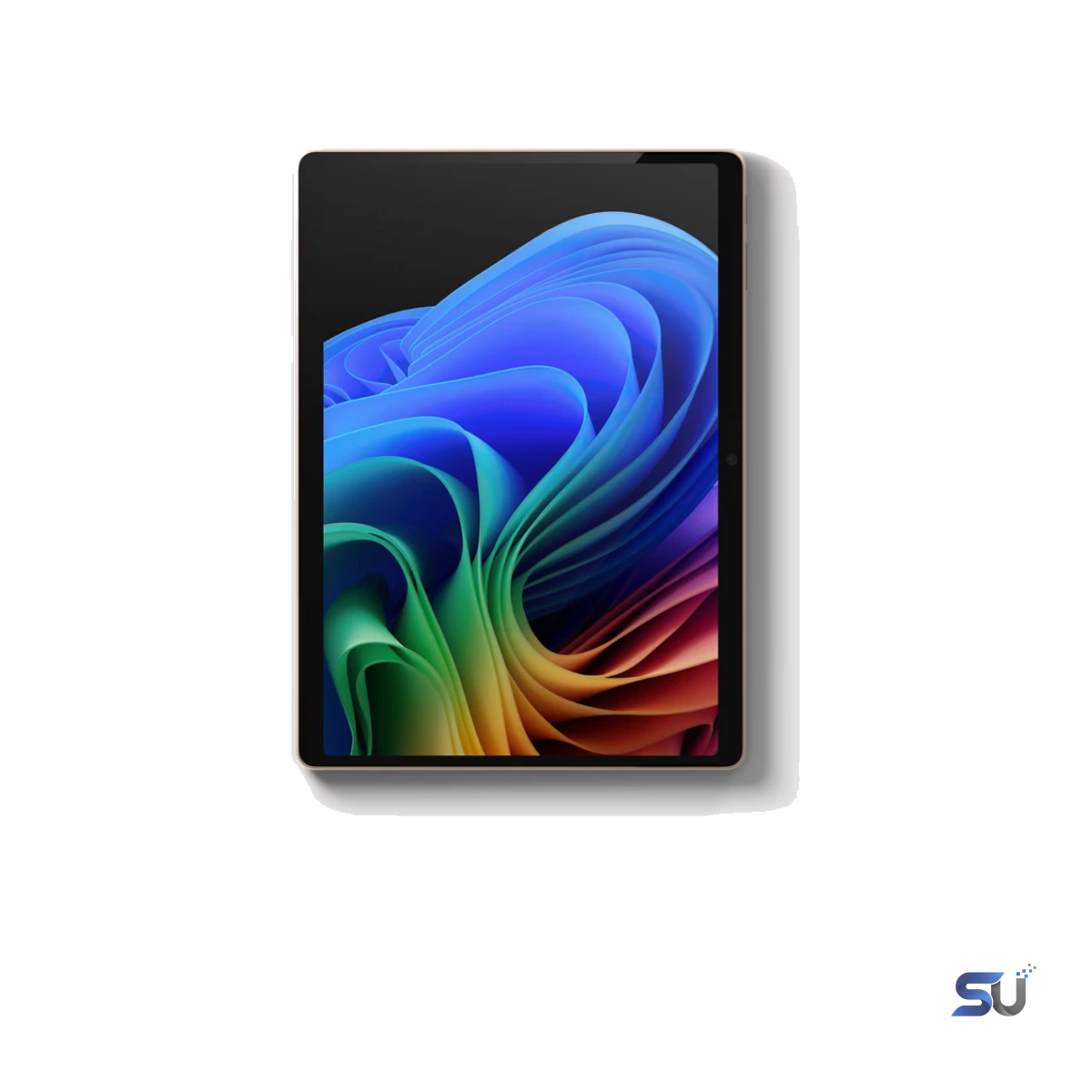
Pick up the Microsoft Surface Pro 13-inch 11th Edition 16GB and weight is the first surprise. It weighs 895 g, which is light for a 13-inch Windows device. Its body measures 287 x 209 x 9.3 mm, so it slips into a slim bag with ease. Furthermore, the anodized aluminum shell feels cool, firm, and well finished. Indeed, the metal casing gives it a premium touch without adding bulk. As a result, carrying it all day feels far less tiring than carrying a thick laptop.
Four colours keep the look fresh and personal. Sapphire brings a deep blue tone, Dune offers a warm neutral shade, and Platinum stays clean and classic. Black, meanwhile, suits buyers who prefer a quiet, business-like finish. Moreover, the built-in kickstand lets the screen stand at many angles. Thus, video calls, reading, and sketching all feel natural. For example, a user can prop it on a train table and type with the optional keyboard.
The keyboard deserves a clear note before buying. It is detachable and sold separately, so buyers must add it to the budget. Furthermore, the optional keyboard includes a full-sized touchpad for precise control. Indeed, without it, the device works best as a tablet with touch and pen input. Nevertheless, many owners will want the keyboard for long typing sessions. As a result, the total cost and weight depend on the setup chosen. Buyers who need a bundled keyboard should factor that in early.
The screen is the star of this machine. It measures 13-inch across and uses a PixelSense Flow OLED panel. Its resolution is 2880 x 1920, which keeps text sharp and photos detailed. Furthermore, the panel refreshes at up to 120Hz for smooth scrolling. Indeed, menus glide, web pages move cleanly, and pen strokes feel responsive. As a result, long reading sessions strain the eyes less. Moreover, touch input feels direct and natural.
Brightness also impresses in daily use. The panel reaches 600 nits, which suits bright rooms and outdoor shade. Furthermore, HDR peaks reach 900 nits for vivid highlights in supported video. Indeed, dark scenes gain depth, while bright colours stay rich and controlled. Thus, films and photos look far better than on a basic LCD screen. Similarly, Dolby Vision IQ support helps compatible content look its best. For example, a streamed drama can show subtle light and shadow with care.
Protection matters for a device that travels often. Corning Gorilla Glass 5 covers the screen and guards against everyday knocks. Furthermore, the slim bezels keep the focus on content, not on framing. Indeed, the 3:2 shape gives extra vertical room for documents and web pages. As a result, reading long articles needs less scrolling. Thus, multitasking feels roomy despite the tablet size.
Under the screen sits a Qualcomm Snapdragon X Elite X1E-80-100 processor. It uses 12 cores to spread work across demanding apps. Furthermore, the Qualcomm Adreno X1-85 graphics handle visuals, video, and light creative tasks. Indeed, everyday apps open quickly and stay smooth under multitasking. As a result, switching between email, browser tabs, and documents feels fluid. Moreover, 16GB of RAM keeps many apps open without constant reloading. Thus, the machine suits busy days with varied tasks.
Independent testing adds useful context to those claims. Notebookcheck tested the Microsoft Surface Pro 13-inch 11th Edition 16GB in a 16GB configuration. Its Cinebench 2024 result reached 893 multi-core and 123 single-core. Furthermore, its 3DMark Time Spy score reached 1893, with Fire Strike at 5911. Indeed, those figures suit office work, study, and casual play rather than heavy gaming. As a result, buyers should judge it as a swift everyday machine. Similarly, its 45 TOPS neural processor speeds AI features in Windows.
Storage also shapes the daily experience. This configuration offers 512GB / 1TB of fast Gen 4 SSD storage. Furthermore, files load quickly, apps start fast, and the system stays responsive. Indeed, a solid-state drive removes the waits of older spinning disks. As a result, boot times and large file opens feel snappy. Nevertheless, expandable storage is not available, so buyers should choose capacity with care. Thus, picking 1TB suits buyers with bigger files.
A 53Wh battery powers the Microsoft Surface Pro 13-inch 11th Edition 16GB through long sessions. Microsoft rates local video playback at up to 14 hours. Furthermore, active web use reaches up to 10 hours in official ratings. Indeed, that range covers most workdays without a midday charge. As a result, travellers can leave the charger behind for short trips. Moreover, the efficient Snapdragon chip helps the battery stretch further. Thus, light use can last well into the evening.
Charging stays simple and flexible. The device charges through USB-C or Surface Connect. Furthermore, buyers need a minimum 65W charger for full-speed charging. Indeed, the box includes a 65W power supply for this model. As a result, top-ups at a desk or in a hotel room feel straightforward. Moreover, fast charging reaches about 80% in under 60 minutes. Thus, a short break can restore most of the battery.
Real life will vary with screen brightness and workload. Video streaming, bright screens, and heavy apps drain power faster. Furthermore, background updates and video calls add extra load. Indeed, buyers should treat official figures as a best-case guide. Nevertheless, the balance here favours stamina over raw speed. As a result, it suits mobile workers better than power-hungry desktop replacements.
Video calls matter more than ever, and this device prepares well. Its front camera records at 1440p for sharp, clear calls. Furthermore, Windows Studio Effects can frame the speaker and soften backgrounds. Indeed, calls look polished without extra software or gear. As a result, remote meetings feel professional from a café or home office. Moreover, dual Studio Mics focus on the voice and reduce room noise. Thus, colleagues hear speech clearly, even in busy rooms.
Sound also suits media and meetings. Its 2W stereo speakers support Dolby Atmos for wider, richer audio. Furthermore, films gain depth, while music sounds fuller than on many tablets. As a result, casual viewing needs no extra speaker. Moreover, the lack of a headphone jack means headsets connect through USB-C. Thus, buyers with wired headphones should keep an adapter handy.
Sign-in stays quick and secure. Windows Hello face sign-in unlocks the device with a glance. Furthermore, no fingerprint sensor is present, so face recognition is the main biometric route. Indeed, that method feels fast once set up. As a result, logging in takes seconds, not password typing. Moreover, Microsoft Defender adds built-in protection against common threats. Thus, security works quietly in the background.
The Microsoft Surface Pro 13-inch 11th Edition 16GB runs Windows 11 Home. That system brings a familiar desktop, Start menu, and taskbar. Furthermore, pre-installed software includes Microsoft 365 Apps, Microsoft Defender, and the Xbox App. Indeed, new owners can write, browse, and play soon after setup. As a result, the first day feels productive rather than fiddly. Moreover, the Microsoft Store offers a wide range of extra apps. Thus, most users will find their usual tools quickly.
The Snapdragon platform deserves honest attention. Most popular apps now run natively on ARM-based Windows. Furthermore, Windows can emulate many older apps when a native version is absent. Indeed, browsers, office tools, and streaming apps work smoothly. Nevertheless, a few specialist programs may run slower or need a check first. As a result, buyers with niche software should verify compatibility before purchase. Similarly, gamers should note that demanding titles are not this device's strength.
Connectivity keeps the device current and flexible. Wi-Fi 7 offers fast wireless speeds on supported networks. Furthermore, Bluetooth 5.4 pairs headphones, mice, and keyboards with ease. As a result, a clean desk setup needs few cables. Moreover, two USB-C / USB4 ports handle charging, data, and external displays. Thus, a single cable can link a monitor at a desk.
The Microsoft Surface Pro 13-inch 11th Edition 16GB suits several clear groups. Professionals gain a light machine for documents, email, and meetings. Furthermore, students gain a portable tool for notes, research, and essays. Indeed, creators gain a vivid screen for sketching and light photo editing. As a result, office work and multitasking feel comfortable all day. Moreover, travel and media use play to its strengths, from flights to sofas. Thus, note-taking and sketching feel natural with touch and pen input.
Some uses sit in the middle ground. Light photo editing works well, though huge files need patience. Furthermore, casual gaming suits the graphics, while demanding 3D titles do not. Indeed, video calls shine, thanks to the sharp camera and clear mics. As a result, everyday creative work feels smooth and enjoyable. Thus, the middle ground still covers a large share of users.
Other buyers should pause and compare options first. Demanding 3D gaming and heavy video rendering need stronger graphics. Furthermore, buyers who need a bundled keyboard must budget for that extra. Indeed, buyers who need many ports may miss a wider selection. As a result, a traditional laptop could suit those needs better. Moreover, buyers who need x86-only software should check ARM compatibility first. Thus, the right choice depends on honest needs, not hype.
It is both, in a practical sense. The Microsoft Surface Pro 13-inch 11th Edition 16GB works as a tablet on its own. Furthermore, adding the optional keyboard turns it into a laptop for typing. Indeed, the kickstand supports both modes with ease. As a result, buyers get two forms in one device.
It offers 16GB of RAM in this configuration. Furthermore, storage options are 512GB / 1TB on a fast Gen 4 SSD. Indeed, that range suits documents, apps, and media libraries. As a result, most buyers should choose based on file size. Moreover, expandable storage is not available, so capacity matters at purchase.
Microsoft rates the Microsoft Surface Pro 13-inch 11th Edition 16GB at up to 14 hours of local video playback. Furthermore, active web use reaches up to 10 hours. Indeed, real results vary with brightness and workload. As a result, most users should expect a full day of light to moderate use. Moreover, fast charging restores about 80% in under 60 minutes.
No, the keyboard is detachable and sold separately. Furthermore, the optional keyboard adds a full-sized touchpad. Indeed, touch and pen input work well without it. As a result, buyers should add the keyboard to their budget if typing matters. Moreover, the tablet alone suits reading, sketching, and media.
The Microsoft Surface Pro 13-inch 11th Edition 16GB stands out as a flexible Windows device. It pairs a superb OLED screen with light weight and long battery life. Furthermore, its Snapdragon power handles daily work with calm efficiency. Indeed, it suits professionals, students, and creators who move often. As a result, it earns a place among the best detachable 2-in-1 options. Moreover, its limits are clear and honest, not hidden. Thus, buyers can choose with confidence.
For buyers who want one device for tablet and laptop roles, the Microsoft Surface Pro 13-inch 11th Edition 16GB makes a strong case. It is not for heavy gamers or demanding video editors. Furthermore, its keyboard costs extra, and its ports stay limited. Indeed, those trade-offs are the price of its slim, light form. As a result, the right buyer will love its balance. Moreover, the wrong buyer should look at a traditional laptop instead. Thus, match the device to your work, and it will serve you well.